Your single serve coffee maker worked fine yesterday. This morning it won’t brew, the lights are flashing in a pattern you’ve never seen, or it just hums and gives you nothing. Before you toss it in the trash, know this: most of these problems are not hardware failures. They’re software glitches, locked error states, or mineral buildup that tricks the machine into thinking something is broken.
Resetting a single serve coffee maker is usually a simple process that takes under five minutes. You don’t need tools, and you don’t need to be handy. You just need to know the right sequence for your specific machine. This guide covers the most common reset methods for Keurig, Nespresso, Cuisinart, and other popular brands, plus when a reset won’t help and you actually need to deep clean instead.
By the end, you’ll know exactly what to do the next time your machine acts up, and you’ll have a clear plan to prevent the problem from coming back.
Before we get into the resets, a quick note on maintenance. If your machine has been running for months without a deep clean, mineral scale might be the real culprit. A good descaling solution like the IMPRESA Coffee Machine Descaler (2-pack, 1-year supply) dissolves limescale and oil buildup that can cause false error messages and slow brewing. It’s compatible with virtually all single serve machines, and using it every 3-4 months can save you from a lot of unnecessary resets.
Why Your Single Serve Coffee Maker Needs a Reset
Think of your coffee maker as a tiny computer with a heating element. It runs a startup sequence every time you turn it on. If that sequence gets interrupted—power surge, low water, a stuck pod, even a sudden temperature change—the machine’s logic board can get stuck in a state it can’t get out of on its own.
That’s when you see the dreaded blinking lights. The machine isn’t broken; it’s just confused. A reset clears the memory and forces the machine to restart its sequence from zero.
There are also resets that clear service reminders. Many machines have a descale indicator that lights up after a certain number of brews. Sometimes that indicator won’t turn off even after you’ve actually descaled. A reset tells the machine, “Hey, the job is done, start counting again.”
So before you spend money on a repair or a new machine, try the reset. It costs you nothing and works more often than you’d think.
How to Reset a Keurig Single Serve Coffee Maker
Keurig is the most common brand, and they have a few different reset procedures depending on the model. The good news is that most Keurig machines follow a similar pattern.
For Keurig 2.0 and Most Modern Models (K-Elite, K-Cafe, K-Classic)
- Turn the machine off and unplug it from the wall.
- Wait at least 60 seconds. This gives the internal capacitors time to discharge completely.
- Plug the machine back in.
- Open the handle (where you put the pod) and close it firmly.
- Press the power button. The machine should start its priming sequence.
This simple power cycle clears most glitches. If the machine still shows an error, try the “maintenance reset” that clears the descale light:
- Turn the machine off.
- Press and hold the 8oz and 10oz buttons simultaneously (on models that have them).
- While holding, press the power button.
- Keep holding the two buttons for about 5 seconds until the lights blink.
- Release and let the machine power on normally.
Not every Keurig model has the 8oz/10oz combo. Some use the “Strong” and “Hot” buttons, or just the power button alone. Check your manual if the combo doesn’t work. The general idea is the same: hold a button or two while powering on.
If your Keurig is still flashing a red light or won’t brew after a reset, the issue might be a clogged needle or mineral buildup. That’s when you need to clean a clogged coffee maker before you try anything else.
How to Reset a Nespresso Single Serve Coffee Maker
Nespresso machines (both OriginalLine and VertuoLine) have their own reset quirks. The good news is that they’re usually even simpler than Keurig.
For Most Nespresso Models (OriginalLine)
- Close the lever completely (the handle you pull down to insert a pod).
- Press the power button and hold it for 5 seconds.
- The machine will blink and then turn off.
- Release the button and wait a few seconds.
- Press the power button again to turn it back on.
This resets the machine’s internal settings, including the water hardness level and any error codes.
For Nespresso VertuoLine
- Make sure the machine is plugged in and the lever is in the locked (closed) position.
- Press the button on top and hold it for 10 seconds.
- The button will blink slowly, then quickly, then the machine will shut off.
- Release the button and wait 5 seconds.
- Press the button once to turn it back on.
If your Vertuo machine still flashes a red light after a reset, it may need a descale. Nespresso machines are notorious for getting error codes when scale builds up. A thorough descale with a universal solution like the IMPRESA descaler (mentioned above) can clear those errors without any further resetting.
How to Reset Other Popular Brands (Cuisinart, Hamilton Beach, Mr. Coffee)
Not everyone owns a Keurig or Nespresso. Here’s how to handle the other common single serve machines.
Cuisinart Single Serve (SS-10, SS-15, SS-700)
- Unplug the machine from the wall.
- Wait 30 seconds.
- Plug it back in.
- Press and hold the “Brew” button for 5 seconds.
- Release and wait for the machine to beep.
Cuisinart machines often flash a “clean” light after a certain number of brews. That’s a reminder, not an error. But if the machine won’t brew at all, a reset is the first step. If you’re dealing with flashing lights, check out our guide on Cuisinart coffee maker lights flashing for more specific fixes.
Hamilton Beach Single Serve (FlexBrew, Scoop)
- Turn the machine off and unplug it.
- Wait 10 minutes. Hamilton Beach machines need a longer discharge time to clear memory.
- Plug it back in.
- Press the power button and then the brew button immediately.
- Wait for the machine to run a priming cycle.
If your Hamilton Beach still won’t brew, the internal thermal fuse might have tripped. That’s a hardware issue, not a software one, and a reset won’t fix it.
Mr. Coffee Single Serve
- Unplug the machine and wait 10 minutes.
- Plug it back in.
- Press the “Brew” button and hold it for 3 seconds.
- Release and wait for the machine to beep.
Mr. Coffee machines are simple, so the reset is simple. If that doesn’t work, check for a stuck pod or a clogged water line.
When a Reset Won’t Work: The Descaling Fix
Here’s the honest truth: a reset only clears software glitches. If your machine has been running slow, making weak coffee, or showing error codes repeatedly, the problem is probably scale. Scale is the white, chalky buildup that comes from hard water. It coats the heating element and the internal tubing, making the machine think it’s overheating or blocked.
That’s why every single serve manufacturer recommends descaling every 3-6 months. If you’ve never done it, your machine is overdue. A good descaler like IMPRESA Coffee Machine Descaler will dissolve that scale in about 30 minutes. It’s a liquid solution that you mix with water, run through the machine, and then rinse out. It’s compatible with Keurig, Nespresso, Cuisinart, and almost every other brand.
After descaling, many machines will automatically clear their error codes. If not, do a reset again—it should work now that the physical blockage is gone.
If you want to avoid scale buildup altogether, use filtered water instead of tap water. It’s the single best thing you can do for your machine’s lifespan.
Comparison: Reset vs. Descale vs. Deep Clean
| Method | What It Does | When to Use | Time Needed | Tools Needed |
|---|---|---|---|---|
| Power Cycle Reset | Clears temporary software glitches | Machine won’t turn on, or lights are stuck | 1-2 minutes | None |
| Factory Reset (Button Combo) | Resets all internal settings to default | Error codes persist after power cycle | 2-5 minutes | None |
| Descaling | Removes mineral scale and oil buildup | Slow brewing, weak coffee, repeated error codes | 30-45 minutes | Descaling solution, water |
| Deep Clean (Disassemble) | Cleans removable parts, needle, and reservoir | Visible debris, mold, or bad taste | 15-20 minutes | Soap, water, brush |
You don’t need to do all four at once. Start with the reset, then descale if the problem persists, then deep clean if you still have issues. Most machines will be fixed by step one or two.
Frequently Asked Questions
How do I know if my single serve coffee maker needs a reset or a descale?
A reset is for sudden glitches: machine won’t turn on, buttons unresponsive, lights flashing in a pattern you’ve never seen. A descale is for gradual performance issues: slow brewing, weak coffee, loud noises, or error codes that keep coming back. If you haven’t descaled in 6 months, start there. If you just descaled and the problem started, do a reset.
Will resetting my coffee maker erase my settings?
Yes, a factory reset will clear your brew size preferences, temperature settings, and water hardness level. You’ll need to set those again after the reset. A simple power cycle (unplug and plug back in) usually doesn’t erase settings, but it also doesn’t clear deep error codes.
My Keurig is flashing a red light. What does that mean?
A red light on a Keurig usually means the machine is in an error state. It could be a clogged needle, a stuck pod, or mineral buildup. Try a power cycle first. If the red light persists, remove the pod holder and clean the needle with a paper clip. Then run a descaling cycle. If it still flashes red, the machine may need a factory reset using the button combo we described above.
Can I use vinegar to descale my single serve coffee maker?
Yes, white vinegar works as a DIY descaler. Mix equal parts vinegar and water, run it through the machine, then run 2-3 cycles of clean water to rinse. The downside is the vinegar smell, which can linger. Commercial descalers like IMPRESA are formulated to be odorless and faster, and they’re less likely to leave residue that affects the taste of your coffee.
How often should I reset my coffee maker?
You shouldn’t need to reset it regularly. If you’re resetting it more than once a month, something else is wrong. Scale buildup or a failing pump is the likely culprit. Address the root cause instead of relying on resets.
What to Do After a Reset: A Quick Maintenance Routine
Once your machine is back to normal, take 10 minutes to set yourself up for success. This routine will keep most problems away:
- Use filtered water instead of tap water to reduce scale buildup.
- Descale every 3-4 months, or every 2 months if you have hard water.
- Clean the drip tray and pod holder weekly to prevent mold and residue.
- Run a water-only cycle before your first cup of the day if the machine has been sitting for a while.
- Keep the machine unplugged when you’re away for more than a day to prevent power surges from causing glitches.
- If you notice a change in taste or brewing speed, don’t wait—descale or deep clean right away.
Following this routine will save you from most reset situations. And if you do run into a stubborn error code, you now know exactly how to handle it.
Products related to this article
Sponsored / affiliate links. As an Amazon Associate I earn from qualifying purchases. I may earn additional commission from eligible campaigns.
 HomeBeyond Espresso Coffee Maker 12 Cups, Classic Stovetop Espresso Maker, 600ml / 20oz Coffeemaker for Gas & Ceramic Stovetops (Silver)
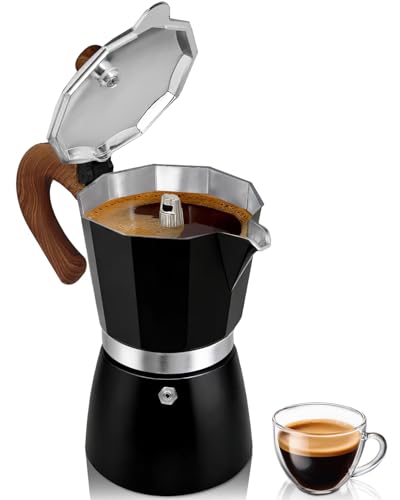 Belly Moka Coffee Maker Stovetop Espresso Maker 9 Cup Aluminum Moka Pot Percolator 15oz 450ml Easy Brewing for Electric Ceramic Stoves Home Camping Italian Cuban Café Classic Black
 Belly Moka Coffee Maker Stovetop Espresso Maker 6 Cup Aluminum Moka Pot Percolator 10oz 300ml Easy Brewing for Electric Ceramic Stoves Home Camping Italian Cuban Café Classic Silver