You poured in the grounds, filled the reservoir, and pressed start. Then nothing. Or maybe the machine beeps three times and flashes a red light that means nothing to you. A locked-up coffee maker is a frustrating way to start the morning, especially when the manual is buried somewhere you’ll never find it.
The good news: most drip coffee maker glitches aren’t hardware failures. They’re logic errors. The internal microprocessor got stuck in a state it can’t escape, often from a power surge, a missed cleaning cycle, or a button pressed in the wrong sequence. Resetting clears that state and gets the machine back to normal. This guide covers the exact reset procedures for common brands, what to do when there’s no reset button, and how to prevent the issue from coming back.

IMPRESA
IMPRESA Coffee Machine Descaler, 2-Pack (1-Year Supply)…
- 2-Pack Coffee Descaler and Cleaner - Clean and rinse away residue and oil buildup in your coffee maker with Impresa's Coffee Desca…
- Highly Effective, Made in USA Formula - Unlike most common solutions, our coffee machine cleaner uses just 4 ounces (1/2 bottle) p…
- Preserves Your Machine - Using a coffee descaling solution eliminates limescale and mineral build-up to prevent corrosion, signifi…
As an Amazon Associate I earn from qualifying purchases.
You’ll walk away knowing how to reset a drip coffee maker in under two minutes, plus when a reset won’t save it and you need to dig deeper.
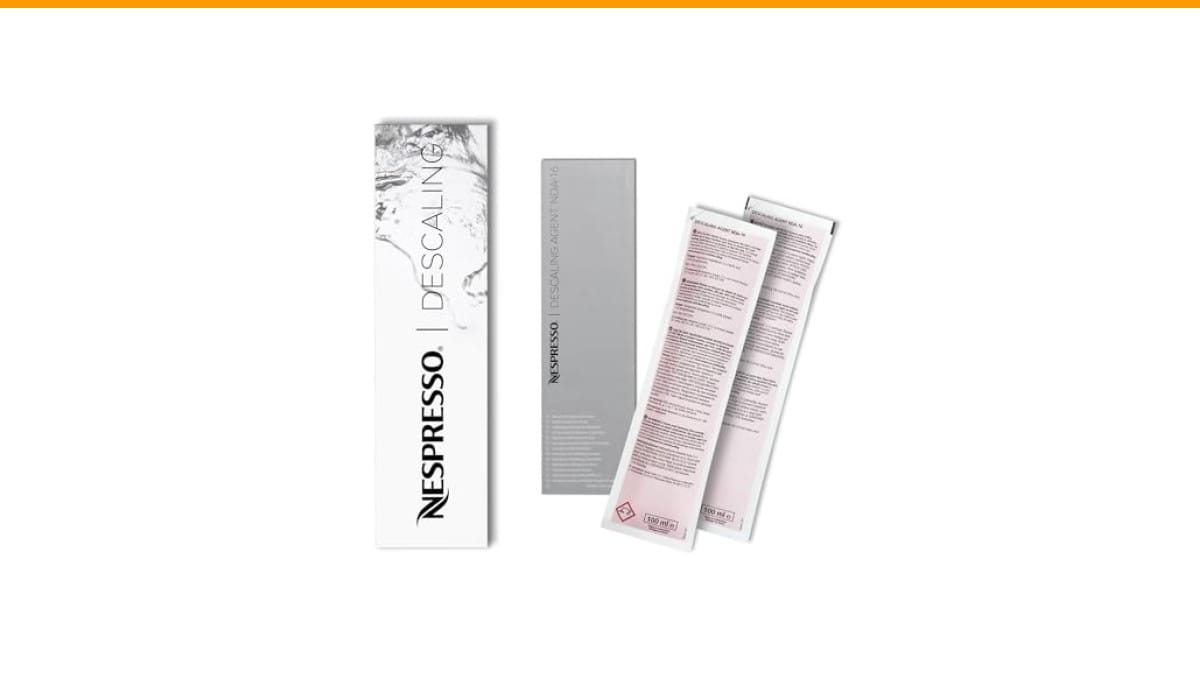
After you clear the error, a thorough cleaning prevents most resets from being necessary in the first place. Mineral scale from hard water confuses the sensors and makes the machine think something’s wrong. A product like IMPRESA Coffee Machine Descaler handles that buildup across two 8-ounce bottles, which works out to four descaling sessions. It’s compatible with most single-serve and drip machines, so you don’t need a different cleaner for each appliance.
Why Your Coffee Maker Needs a Reset
A drip coffee maker is a simple appliance with a small computer inside. That computer handles the timer, the heating element, the auto-shutoff, and the brew cycle. Like any computer, it can freeze or crash. The usual culprits:
- Power surges from storms or other appliances on the same circuit
- Interrupted brew cycles when the carafe is removed mid-brew
- Mineral buildup throwing off the temperature sensor readings
- Stuck buttons from sticky residue or accidental presses
The fix is almost always the same: cut power completely, drain the internal capacitor, and let the machine sit. This forces the processor to reboot from a clean state. It’s the same principle as restarting your phone when an app freezes.
The Universal Reset Method That Works on Most Machines
Before you hunt for a dedicated reset button, try this. It works on roughly 80% of drip coffee makers regardless of brand.
- Unplug the machine from the wall outlet. Don’t just turn it off — the switch may still send standby power.
- Remove the carafe and the filter basket. Take out any grounds or old filters.
- Empty the water reservoir completely. Turn the machine upside down over the sink to drain any water trapped in the internal lines.
- Wait 10 to 15 minutes. This gives the capacitors time to discharge. Five minutes sometimes works, but ten is safer.
- Plug it back in and press the power button. The clock should blink, asking you to set the time. That’s the sign the reset took.
- Run a water-only brew cycle with a full reservoir to flush the system before making actual coffee.
This method clears most error states because it removes all residual power and water from the system. Water conducts electricity, and a few drops sitting on a sensor can keep a fault condition active even after you unplug the machine.
If the machine still won’t respond after this, check for a dedicated reset button. Some models have a small pinhole button on the bottom or back labeled ‘Reset.’ You’ll need a paperclip or a toothpick to press it. Hold it for 5 seconds while the machine is plugged in.
Brand-Specific Reset Procedures
Some brands make you jump through hoops. Here’s what actually works for the most common ones.
Cuisinart
Cuisinart drip makers are notorious for flashing lights when the heating element overheats. If you see the brew light blinking and the machine won’t start, unplug it and press and hold the ‘Brew’ button for 10 seconds while it’s unplugged. Then plug it back in. This discharges the control board. For models with a clock, you’ll need to reset the time afterward. If the lights keep flashing after a reset, you’re likely dealing with a flashing light issue that needs a deeper fix.
Braun
Braun machines often lock up after a power outage. The display shows an error code or just goes dead. Unplug the unit, remove the water tank, and wait a full 15 minutes. Braun’s control boards are sensitive to residual charge. When you plug it back in, hold the ‘On/Off’ button for 3 seconds until the display lights up. If the machine still won’t brew, the internal thermal fuse may have tripped — a Braun that won’t brew sometimes needs that fuse replaced.
Mr. Coffee
Mr. Coffee machines are simpler. Most don’t have a processor at all — just a mechanical timer. If yours has a digital display, unplug for 5 minutes and plug back in. That’s it. If it’s the basic model with a manual switch, a reset doesn’t apply. The problem is likely a clogged water line or a bad heating element.
Hamilton Beach
Hamilton Beach uses a program button on many models. If the machine starts brewing when you plug it in, or the timer won’t accept a new time, press ‘Program’ and ‘Auto Brew’ simultaneously for 3 seconds. This resets the internal clock logic. Then unplug and replug to complete the cycle.
When a Reset Won’t Fix It
A reset clears software errors. It does nothing for physical clogs or broken parts. If you’ve reset the machine and it still acts up, look for these issues:
- Mineral scale. White or tan flakes in the reservoir or on the heating plate mean hard water deposits. A reset won’t dissolve these. You need a descaling solution or a vinegar rinse. Descaling every 3 months prevents most error codes tied to temperature sensors.
- A clogged water line. If water doesn’t flow through the basket, the line is blocked. Reset won’t help. You’ll need to clean a clogged coffee maker with a deep flush.
- A failed heating element. The machine powers on but water stays cold. That’s a hardware failure, not a logic error. Replacement is usually cheaper than repair.
- A stuck float valve. The water level sensor sticks if scale builds up around it. The machine thinks the reservoir is empty and refuses to brew. Clean the sensor with a cotton swab dipped in vinegar.
If you’re not sure which one you’re dealing with, run a diagnostic: fill the reservoir, start a brew cycle with no coffee, and watch the water flow. Slow drip means scale. No drip means a clog or a dead pump. Immediate drip that stops means a sensor issue.
Comparing Reset Methods: What Works Best
| Method | Time Needed | Best For | Effectiveness |
|---|---|---|---|
| Unplug and wait 10 minutes | 10-15 min | All brands, first attempt | High — clears most logic errors |
| Pinhole reset button | 30 seconds | Models with a physical reset switch | Medium — only on specific units |
| Button combination press | 10 seconds | Cuisinart, Hamilton Beach | Medium — clears timer and program states |
| Full drain and descale | 1-2 hours | Machines with mineral buildup | High — prevents recurring errors |
| Factory reset via menu | 2 minutes | High-end digital models | Low — few drip makers have this option |
The unplug-and-wait method wins for most situations because it costs nothing and works across brands. The button combinations are worth trying when a simple unplug fails, but they only work on specific models.
Preventing the Need for Future Resets
Most resets happen because of scale buildup or power issues. You can cut both at the source.
Use filtered water. Tap water with high calcium or magnesium content leaves scale inside the heating element. That scale insulates the heat, so the thermostat reads the wrong temperature and triggers a fault. A simple carbon filter pitcher removes most of the minerals that cause this.
Clean the machine on a schedule. A light cleaning after every 10-15 brew cycles, and a deep descale every 3 months, keeps the sensors and lines clear. If you use a descaling solution, follow the vinegar cleaning method for a cheaper alternative that works just as well. Regular cleaning frequency matters more than the product you choose.
Plug the machine into a surge protector. A power surge during a storm can corrupt the control board’s memory. A $10 surge protector is cheaper than a new coffee maker.
Don’t run the machine with an empty reservoir. The heating element can overheat and trip a thermal cutoff that requires a manual reset or a full component replacement.
Frequently Asked Questions
How do I reset my coffee maker without a reset button?
Unplug it completely and wait 10 minutes. This works on nearly every drip coffee maker because it drains the capacitors and clears the processor’s memory. If that fails, look for a small pinhole on the bottom or back of the unit. You can press that with a paperclip. Most machines don’t have a labeled reset button, but the unplug method is the universal fallback.
Why is my coffee maker flashing red and not brewing?
A flashing red light usually means the machine detected a fault. The most common causes are an empty reservoir, a stuck float valve, or overheating from scale buildup. Unplug the machine, empty the water tank, and clean the float valve with a cotton swab and vinegar. If the light still flashes after a reset, descale the machine completely. The sensor may be reading a mineral deposit as a water level problem.
Will unplugging my coffee maker reset the clock?
Yes. Unplugging clears the clock memory on any digital model. When you plug it back in, the display will blink or show 12:00, and you’ll need to set the time again. That’s normal and confirms the reset worked. If you use the auto-brew timer, you’ll need to reprogram it as well.
How often should I descale my drip coffee maker?
Every 3 months for normal use, or every 6 weeks if you have hard water. If you see white flakes in the reservoir or the brew time gets noticeably slower, descale immediately. A descaling solution like the IMPRESA 2-pack gives you four sessions, which lines up with a year of quarterly maintenance. Vinegar works too, but you’ll need to run at least two full cycles to get the vinegar taste out.
Can a power surge permanently damage my coffee maker?
It can. A strong surge can fry the control board, and no reset will fix that. If you’ve tried the unplug method and the machine still won’t power on, the board is likely dead. This is when replacement makes more sense than repair. A surge protector prevents this — plug the coffee maker into one and you’ll never have to worry about it.
What to Do When You’ve Tried Everything
You’ve reset it, cleaned it, and descale it. The machine still won’t brew. At this point, you’re looking at a mechanical failure, not a logic error. Check the warranty first — many drip makers come with a 1- to 3-year warranty that covers heating element failure. If it’s out of warranty, weigh the cost of repair against a new unit. A $30 repair on a $50 coffee maker isn’t worth it. A $30 repair on a $200 machine might be.
Before you give up, run one final test. Plug the machine into a different outlet. Sometimes the outlet is the problem, not the coffee maker. A tripped GFCI outlet looks like a dead machine. Press the reset button on the outlet itself, then try again.
If the machine works on a different outlet, the issue is your wiring, not the appliance. If it still fails, it’s time to shop for a replacement.
Quick Reset Reference
- Unplug the machine, not just power off — standby power keeps the error alive.
- Drain the water reservoir completely; trapped water can hold a fault condition.
- Wait a full 10 minutes for capacitors to discharge.
- Press and hold the main button for 3-5 seconds when plugging back in.
- Run a water-only cycle before brewing coffee to flush the lines.
- Set the clock again after any reset — it won’t remember the time.
- If the error returns within a week, descale the machine or check for a physical clog.
Most reset procedures take less time than finding the manual. Try the universal method first, then move to brand-specific tricks. And keep the machine clean — a proper cleaning routine prevents most of these errors from ever showing up.
Products related to this article
Sponsored / affiliate links. As an Amazon Associate I earn from qualifying purchases. I may earn additional commission from eligible campaigns.
 HomeBeyond Espresso Coffee Maker 12 Cups, Classic Stovetop Espresso Maker, 600ml / 20oz Coffeemaker for Gas & Ceramic Stovetops (Silver)
 Belly Moka Coffee Maker Stovetop Espresso Maker 9 Cup Aluminum Moka Pot Percolator 15oz 450ml Easy Brewing for Electric Ceramic Stoves Home Camping Italian Cuban Café Classic Black
 Belly Moka Coffee Maker Stovetop Espresso Maker 6 Cup Aluminum Moka Pot Percolator 10oz 300ml Easy Brewing for Electric Ceramic Stoves Home Camping Italian Cuban Café Classic Silver