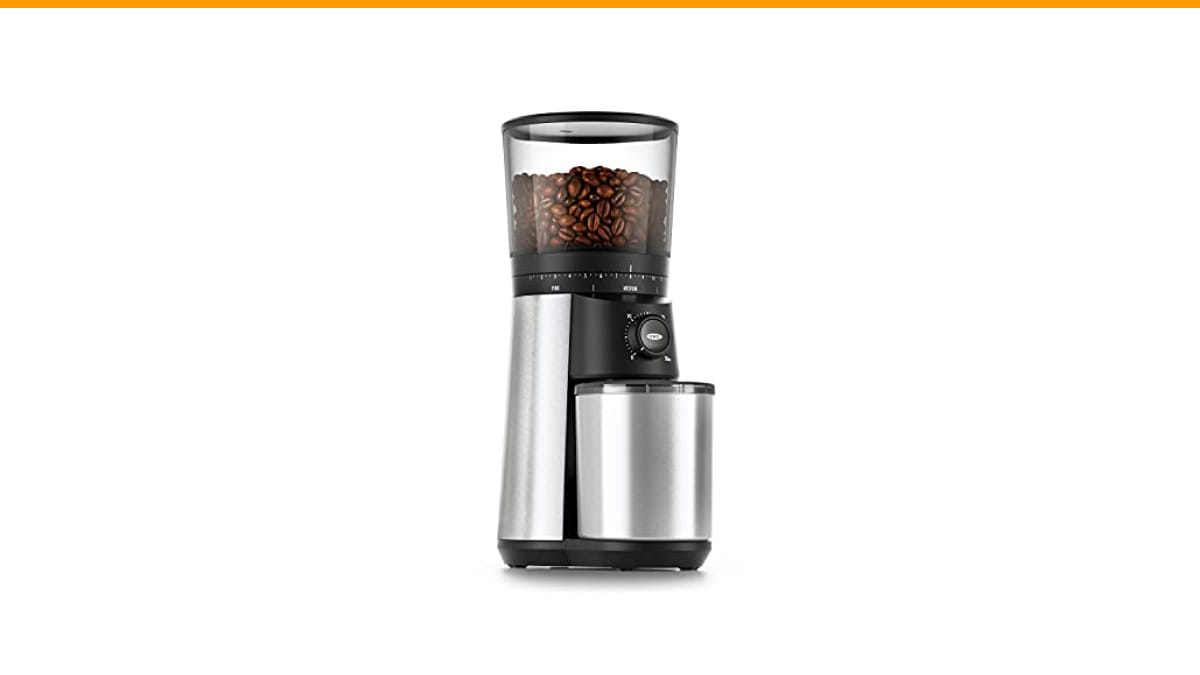
You load fresh beans, press the button, and nothing happens. Or the grinder spits out chunks instead of a consistent powder. Or it makes a sound like a blender full of gravel. Every burr grinder owner hits this wall eventually.
Most problems aren’t fatal. In fact, the majority of burr grinder failures come down to three things: stale or oily beans, a buildup of coffee dust, or a part that’s simply out of alignment. You can fix most of these at home in under fifteen minutes with basic tools. This guide walks you through the exact steps to diagnose and repair the most common issues, so you can get back to brewing without shipping your grinder off for expensive service.
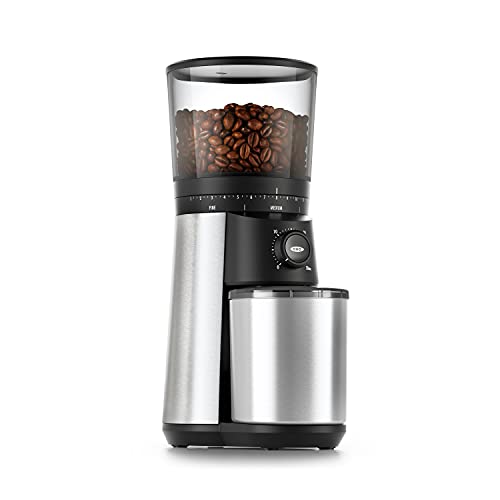
OXO
OXO Brew Conical Burr Electric Coffee Bean…
- 40mm stainless steel conical burrs: Precision grinding system produces uniform coffee grounds to ensure even extraction for rich,…
- 15 grind settings (plus 43 micro-adjustments): Easily customize your coffee grind—from fine for espresso to coarse for French pres…
- One-touch start: The Conical Burr Coffee Grinder remembers your last setting. Just push to grind—no need to reset each time.
As an Amazon Associate I earn from qualifying purchases.
If you’re in the market for a reliable grinder while you troubleshoot your current one, the OXO Brew Conical Burr Electric Coffee Bean Grinder is a solid option. Its 40mm stainless steel conical burrs and 15 grind settings (plus 43 micro-adjustments) give you plenty of control for everything from espresso to French press, and the one-touch start remembers your last setting so you don’t have to reset it each time. It’s not the cheapest grinder out there, but it’s dependable for daily home use.
First, Check the Obvious: Power and Beans
Before you take anything apart, run through the quick checks. You’d be surprised how often the fix is embarrassingly simple.
- Is it plugged in? Sounds dumb, but check the outlet with another device. Try a different outlet to rule out a tripped breaker.
- Is the hopper locked? Many grinders have a safety interlock that prevents operation if the hopper or lid isn’t seated properly. Remove and reseat it firmly.
- Are the burrs actually turning? Listen closely. If you hear the motor spinning but no grinding, the drive shaft or burr carrier may have slipped. That’s a bigger issue we’ll cover below.
- Are the beans dry and clean? Oily or flavored beans can clump and jam the chute. If you just switched to a dark roast, that might be your problem.
If all that checks out, move on to the specific symptoms below.
Symptom: Grinder Is Jammed or Won’t Turn
This is the most common complaint. The motor hums or buzzes, but the burrs don’t move. Nine times out of ten, a bean or a piece of chaff is wedged between the burrs.
Here’s how to clear a jam safely:
- Unplug the grinder. Always. No exceptions.
- Remove the hopper and any beans. Empty the hopper completely. If there are beans stuck in the throat, use a chopstick or the handle of a wooden spoon to nudge them out. Never stick a metal tool near the burrs.
- Take out the upper burr. Most conical grinders have a removable upper burr that twists off. Check your manual, but it’s usually a quarter-turn counterclockwise.
- Inspect the burrs. Look for a bean wedged between the burr and the housing. Also check for a buildup of coffee dust that has turned into a hard paste.
- Brush or vacuum the burrs. Use the brush that came with the grinder or a soft pastry brush. A handheld vacuum with a narrow nozzle works well for sucking out the fines.
- Reassemble and test with a few beans. Don’t fill the hopper all the way at first. Run a small batch to confirm the jam is gone.
Pro tip: If the jam keeps happening, your beans might be too oily. Dark roasts and flavored beans are the usual culprits. Try a medium roast or mix in a few dry beans to help push things through.
Symptom: Inconsistent Grind Size (Chunks and Powder Mixed Together)
You’re getting boulders and dust in the same batch. That’s a sign of either a dull burr, a loose burr, or a misaligned burr carrier.
First, check the burr alignment. Remove the upper burr and look at the burr carrier (the part that holds it). It should sit flat and snug. If it’s tilted or wobbly, reseat it. Some grinders have a small tab that must align with a slot in the housing.
Next, check the burr sharpness. Run your finger gently across the cutting edges (careful, they’re sharp). If they feel smooth or rounded, it’s time to replace the burrs. Most conical burrs last 500 to 1,000 pounds of coffee, but that’s with regular cleaning. If you’ve had your grinder for years and never changed the burrs, this is likely your issue.
Finally, check the grind setting. If you’re trying to dial in espresso with a grinder that only has a few coarse settings, you’ll never get a consistent fine grind. The burr grinder vs blade comparison explains why burrs are better for uniformity, but even burrs have limits. If your grinder only has 3-5 settings, consider a model with more adjustability, like the OXO Brew Conical Burr Grinder mentioned earlier, which offers 15 settings plus micro-adjustments.
Symptom: Grinder Is Loud or Vibrating Excessively
All grinders make noise. But if yours suddenly sounds like a jackhammer, something’s off.
Start with the obvious: is the grinder sitting on a flat, stable surface? A wobbly counter can amplify vibration. Put a rubber mat or a folded dish towel under it.
Next, check for loose parts. The hopper, the upper burr, and the grind chamber can all work loose over time. Tighten them. If you hear a metallic rattle, it’s often the upper burr not being seated properly.
If the noise is a grinding or scraping sound, you may have a foreign object (like a small stone) stuck in the burrs. Unplug and inspect carefully.
Finally, if the motor itself is straining, it could be a worn gear or bearing. That’s a more serious repair. If your grinder is out of warranty, it might be cheaper to replace it than to fix it. In that case, a new grinder like the OXO Brew is a reasonable upgrade.
Symptom: Grinder Stops Mid-Cycle or Won’t Start
This usually points to an overheating motor or a faulty switch. Most grinders have a thermal cutoff that trips when the motor gets too hot. If you’ve been grinding a lot of beans in quick succession, let it cool down for 20-30 minutes.
If it still won’t start, check the switch. Some grinders have a safety switch under the hopper that can get stuck. Press it manually with a pen while the grinder is unplugged to see if it moves freely.
If the switch is fine, the problem could be the wiring inside. That’s a job for someone comfortable with a multimeter. If you’re not, call a repair shop or consider a replacement.
Table: Quick Reference for Common Burr Grinder Problems
| Problem | Likely Cause | Fix | Time to Fix |
|---|---|---|---|
| Motor hums but no grinding | Bean or chaff jam between burrs | Unplug, remove upper burr, clean out debris | 5 minutes |
| Inconsistent grind (chunks + powder) | Dull burrs or misaligned carrier | Reseat carrier; replace burrs if worn | 10-30 minutes |
| Excessive noise or vibration | Loose parts or foreign object | Tighten hopper and burr; inspect for stones | 5 minutes |
| Stops mid-cycle | Motor overheated | Let cool for 20-30 minutes | 30 minutes |
| Won’t start at all | Faulty switch or wiring | Check safety switch; test with multimeter | 15-60 minutes |
Preventive Maintenance: The Best Fix Is Avoiding the Problem
You can prevent most burr grinder issues with a simple routine. Clean the burrs and chamber every two to four weeks, depending on how often you grind. Use the brush that came with the grinder, or a dedicated coffee grinder cleaning brush. A quick pass over the burrs and the chute removes the oils and fines that cause jams and stale flavors.
For a deeper clean, you can run a handful of dry rice through the grinder to absorb oils and push out residue. Some people use grinder cleaning tablets, but rice works just as well and is cheaper. Grind it on a coarse setting, then discard the rice powder. Follow that with a few beans you don’t mind wasting to clear out the rice dust.
If you notice a rancid or musty smell, that’s old coffee oil. A proper cleaning will fix it. For a full walkthrough, see our coffee grinder cleaning guide.
Also, don’t overfill the hopper. Beans at the top can create pressure that forces fines into the burr mechanism. Only fill what you need for a day or two.
Three Common Mistakes to Avoid
Over the years, I’ve seen the same mistakes ruin grinders. Avoid these and your grinder will last much longer.
- Mistake 1: Grinding oily beans without cleaning. Oily beans (like dark roasts) leave a sticky residue that hardens into a paste. Clean more frequently if you use these.
- Mistake 2: Using the grinder as a spice grinder. Spices contain oils and abrasives that can dull the burrs and leave flavors behind. Keep your grinder for coffee only.
- Mistake 3: Ignoring the safety switch. If the hopper isn’t seated correctly, the grinder won’t run. Always check that the hopper clicks into place before troubleshooting anything else.
Frequently Asked Questions
Why is my burr grinder not grinding fine enough?
If you’re at the finest setting and still getting coarse grounds, your burrs may be worn out. Check the cutting edges for smoothness. Also, some grinders have a calibration screw that adjusts the zero point—consult your manual. If you’re using a blade grinder, you can’t adjust it, but this article is about burr grinders.
Can I fix a jammed burr grinder without taking it apart?
Sometimes. Try running a few dry, hard beans through on a coarse setting to push out the obstruction. If that doesn’t work, you’ll need to open it up. Unplug first and remove the upper burr.
How often should I replace the burrs on my grinder?
For home use, every 500-1,000 pounds of coffee is a good rule of thumb. If you grind a pound a week, that’s roughly 10-20 years. But if you notice inconsistent grind size or a burning smell, replace them sooner.
Is it worth repairing an old grinder or buying a new one?
If the motor is dead or the gearbox is stripped, repair costs can approach the price of a new grinder. Check the warranty first. For anything else, a repair is usually cheaper. For a new grinder, the OXO Brew is a good value for home users.
Why does my grinder produce static and grounds fly everywhere?
Static is caused by dry air and the friction of grinding. A tiny spritz of water on the beans before grinding (just a few drops) helps. Also, some grinders have anti-static features, but a simple damp spoon to stir the grounds works too.
What You Should Do Now
You don’t need to be a technician to fix most burr grinder issues. Start with the simple checks: power, hopper, and jam. Then move to cleaning and burr inspection. Nine times out of ten, that solves it.
- Unplug before any disassembly.
- Clean the burrs and chute every 2-4 weeks.
- Use dry rice for a deep clean.
- Check the burr alignment if grind is uneven.
- Replace burrs if they feel dull after years of use.
- Avoid oily or flavored beans if you want to minimize jams.
- Don’t overfill the hopper.
If you’ve tried all the fixes and your grinder still won’t cooperate, it might be time to upgrade. The OXO Brew Conical Burr Grinder is a dependable choice that won’t break the bank. And if you’re dealing with a specific brand issue, check our Bodum grinder troubleshooting guide for brand-specific tips.
Products related to this article
Sponsored / affiliate links. As an Amazon Associate I earn from qualifying purchases. I may earn additional commission from eligible campaigns.
 Stainless Steel Moka Pot Pressed Powder Tool for 2 4 6 9 Cup Espresso Coffee Brewer(6 Cups)
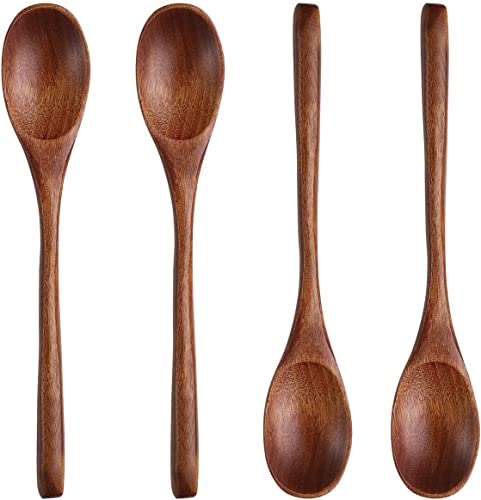 Long Handle Wooden Spoon For Mixing Coffee Tea Jam and Bath Salt In Kitchen, Environmentally Friendly Table Spoon, 8.6 Inches,4 Pieces…
 Coffee Espresso Machine Handle Replacement Parts, Cafe Bracket Handle for Lidl Silvercrest CM4621 CM4218 KF5002 KF500S Barista (for 51mm Portafilter Basket - Not included)