You load the beans, press the switch, and nothing happens. The machine sits there, cold and silent, and your morning coffee depends on a piece of plastic that just gave up. It’s frustrating because a burr grinder is supposed to be the reliable workhorse of your kitchen counter.
Most of the time, this isn’t a dead motor. It’s a simple safety switch, a tripped thermal cutoff, or a jammed burr that’s easier to clear than you think. This guide walks you through a logical diagnostic path, starting with the cheap fixes and moving to the more involved ones. You’ll learn the difference between a grinder that’s silent and one that hums but won’t spin, and what each symptom tells you about the actual problem.

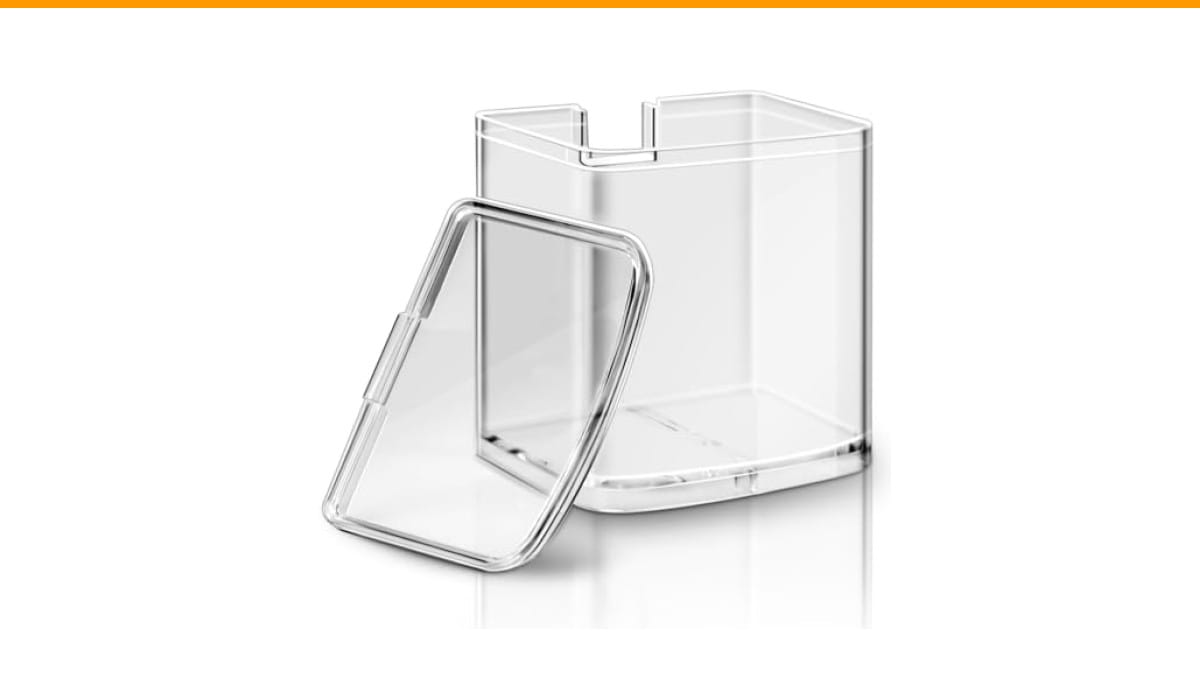
ERETOW
DBM-8GC Grind Chamber With Lid for Cuisinart…
- Fits for Cuisinart Burr Coffee Grinder Parts- Part Number DBM-8GC, this grind chamber with lid is compatible with Cuisinart coffee…
- Storage Function - This replacement coffee grind chamber is ideal for storing coffee grounds, effectively replacing worn or cracke…
- Premium Material - Crafted from lightweight and durable polystyrene(PS) material, this food processor parts for Cuisinart automati…
As an Amazon Associate I earn from qualifying purchases.
Before you spend money on a new machine or a repair shop, you’ll know exactly what to check and whether it’s something you can safely do yourself.
While you’re in there, check the grind chamber. A cracked or warped chamber is a common reason people think their grinder is broken when it’s actually just a bad seal. The ERETOW DBM-8GC replacement grind chamber fits Cuisinart DBM-8P1 models and solves that specific issue quickly.
Safety First: Unplug Before You Diagnose
Unplug the grinder. Not just turn it off, but pull the cord from the wall. You’ll be poking around inside the hopper, the burr assembly, and possibly the motor housing. None of that is safe with live electricity.
Wait ten minutes after unplugging. Capacitors inside the motor can hold a charge for a short time, and the thermal cutoff needs to cool down before you test it. Use that time to gather a flashlight, a small screwdriver set, and a soft brush.
If the grinder feels hot to the touch, that’s a clue. Let it cool completely before you do anything else.
Quick Diagnostic Checklist: Is It Power or the Motor?
You need to narrow down the problem before you start taking things apart. This checklist takes two minutes and saves you from unnecessary labor.
- Test the outlet with a phone charger or a lamp. Dead outlets happen more often than dead grinders.
- Check the power cord for kinks, chew marks from pets, or a loose connection where it enters the grinder base.
- Look at the hopper and lid. Most grinders have a safety interlock switch that prevents operation when the hopper is removed or the lid is open.
- Listen carefully when you press the switch. A hum means the motor has power. Silence means the power isn’t reaching it.
- Check the grind setting. If it’s set to the finest setting and the burrs are touching, the motor may stall and trip a thermal breaker.
That last point surprises most people. A grinder set too fine can lock the burrs together, drawing high current and tripping the thermal cutoff.
Check the Outlet and Power Cord
Plug the grinder into a different outlet. If it works, the original outlet is the problem. If it still won’t turn on, move to the cord.
Inspect the cord visually first. Then flex it along its length while the grinder is plugged in and the switch is on. If the motor sputters or starts when you bend a specific spot, the cord has a broken wire inside. That’s a replacement job, not a repair.
For grinders with a removable power cord (like some Baratza models), swap in a known-good cord from another appliance with the same connector. That test isolates the cord in seconds.
Inspect the Hopper and Lid Safety Switch
The interlock switch is a small plastic tab that sits under the hopper or lid. When the hopper is seated correctly, it presses the tab down and completes the circuit. If the tab is stuck, broken, or the hopper isn’t seated fully, the grinder stays dead.
Remove the hopper and look at the switch mechanism. Press it manually with a screwdriver while the grinder is plugged in. If the motor runs, the switch is fine and the hopper needs a closer look. Sometimes a bit of coffee debris blocks the tab from seating properly. Clean the area with a dry brush.
This is the most common fix for a grinder that suddenly stops working after a cleaning. People reassemble the hopper slightly off and the switch doesn’t engage.
The Silent Grinder: No Sound at All
A completely silent grinder means the motor isn’t receiving power. The circuit is broken somewhere between the wall and the motor windings. Your job is to find the break.
The usual suspects, in order of likelihood: a blown fuse, a tripped thermal cutoff, or a worn switch. All three are testable with a multimeter, and all three are replaceable parts.
You don’t need to be an electrician to do this, but you do need to be careful. A multimeter set to continuity mode is your best friend here.
Testing the Fuse and Thermal Cutoff
Many grinders have a small fuse inside the motor housing. It’s a glass or ceramic cylinder with metal caps, often held in a clip. Remove it and test it with the multimeter. No continuity means it’s blown. Replace it with the same rating, usually 2A or 5A.
The thermal cutoff is a different beast. It’s a one-time device that physically breaks the circuit when the motor gets too hot. Unlike a resettable breaker, a thermal cutoff must be replaced after it trips. They’re cheap, around $2, and sold at electronics stores.
To test it, locate the component (it’s usually attached to the motor casing with a metal clip), disconnect one wire, and check continuity. If it reads open, that’s your culprit.
Some grinders use a resettable thermal switch instead. Look for a small button on the motor housing or the base. Press it firmly and try the grinder again. This is common on Capresso and OXO models.
Replacing a Worn On/Off Switch
The switch itself can fail. It’s a mechanical part, and after tens of thousands of presses, the contacts inside wear out or corrode.
Test it by disconnecting the wires from the switch and checking continuity across the terminals while the switch is in the on position. If it doesn’t read closed, the switch is dead.
Replacement switches are available online. Match the physical size and the electrical rating. A switch rated for 10A at 125V is a safe bet for most home grinders. Desolder the old one or cut the wires and splice in the new one with heat-shrink tubing.
The Humming Grinder: Motor Has Power But Won’t Spin
A hum is good news. It means the motor is getting power and trying to run. Something mechanical is stopping it. This is usually a jam, not an electrical failure.
Unplug the grinder and remove the hopper and burr assembly. Look for a foreign object: a small stone, a piece of corn, a stray bean that’s harder than the rest. These get wedged between the burrs and stall the motor.
If you find nothing, the jam might be in the drive gear or the motor shaft itself.
Clearing a Jammed Burr or Foreign Object
Most burr grinders have a removable upper burr. Twist it counterclockwise to release it, then lift it out. Inspect both burrs for damage and debris. A stone can chip a burr edge, which ruins the grind consistency and can cause future jams.
Brush the burrs with a stiff brush and vacuum out the grind chamber. Reassemble and try turning the upper burr by hand. If it rotates freely, the jam is cleared. If it still won’t budge, the problem is deeper.
For grinders with a fixed lower burr, you may need to remove the entire burr carrier. This is model-specific, so have your manual handy.
Checking the Drive Gear and Belt
Some grinders use a gear system between the motor and the burrs. The gears are often plastic and can strip or crack under load. A stripped gear will let the motor spin freely while the burrs stay still, producing a high-pitched whine instead of the usual grinding sound.
Belt-driven grinders, like some OXO models, can have a belt that slips or snaps. Inspect the belt for cracks and proper tension. A loose belt needs replacement.
Both repairs are doable at home if you can find the parts. Check the manufacturer’s website or a parts supplier like Espresso Parts. The cost is usually under $20, which is far less than a new grinder.
Model-Specific Fixes for Common Brands
Different brands have different quirks. Here’s what to check first based on what you own.
| Brand | Common Failure Point | Typical Fix | Difficulty |
|---|---|---|---|
| Baratza | Thermal cutoff on the motor | Replace the cutoff, usually a 2A component | Moderate |
| OXO | Drive belt slips or snaps | Replace belt, check tension | Moderate |
| Capresso | Resettable thermal switch trips | Press the reset button on the motor housing | Easy |
| Cuisinart | Hopper interlock switch misaligns | Clean switch area, reseat hopper | Easy |
| Krups | Plastic drive gear strips | Replace gear assembly | Hard |
Baratza grinders are known for their user-replaceable parts. Their website sells every component, from the switch to the motor, with video guides. If you own one, repair is almost always worth it.
Cuisinart grinders are cheaper, and the labor to fix them can exceed the value of the machine. That’s a judgment call you’ll have to make.
For a deeper look at how burr and blade grinders differ in general, check our burr vs blade guide.
When to Repair vs. Replace Your Grinder
Repair makes sense when the grinder is expensive, has a replaceable motor, or is a model you love. Replacement makes sense when the repair cost exceeds half the price of a new unit.
A $60 Cuisinart with a dead motor isn’t worth $40 in parts and an hour of your time. A $250 Baratza with a $15 switch absolutely is.
Consider the age of the grinder. Burrs wear out over time, and a grinder that’s five years old with heavy daily use may have worn burrs that affect grind quality even after you fix the electrical issue. New burrs cost $30 to $50, which adds to the repair bill.
If you’re on the fence, do the math. Total repair cost (parts plus your time) versus the price of a comparable new grinder. If the repair is under 40% of the new price, fix it.
Preventative Maintenance to Avoid Future Failures
Most grinders fail because of neglect, not manufacturing defects. Coffee oil and fines build up, jamming the works and forcing the motor to work harder. A regular cleaning schedule prevents most of these issues.
Here’s a simple routine:
- Every week: remove the hopper and upper burr, brush out loose grounds, wipe the grind chamber.
- Every month: run a batch of grinder cleaning tablets (like Urnex Grindz) through the machine, then grind a few ounces of cheap beans to clear the residue.
- Every three months: inspect the burrs for dullness or chips, check the drive gear for wear, and lubricate the motor shaft with a food-safe grease.
Gear lubrication is the step most people skip. A dry gear makes the motor strain, increasing heat and the likelihood of tripping the thermal cutoff. A tiny dab of food-safe silicone grease on the shaft where it enters the gearbox makes a big difference.
Don’t use WD-40 or standard oil. They’re not food-safe and can damage the plastic gears. Use a product specifically rated for coffee grinder maintenance.
For a complete walkthrough, see our coffee grinder cleaning guide.
Frequently Asked Questions
Why does my grinder work after it cools down?
That’s the thermal cutoff doing its job. The motor overheated, and the cutoff broke the circuit to prevent damage. Once the motor cools, the cutoff resets (if it’s a resettable switch) or you need to replace it (if it’s a one-time fuse). The real question is why it overheated. Usually it’s a jammed burr, a grind setting too fine, or a blocked chute forcing the motor to work harder.
Is it safe to open the grinder casing myself?
Yes, if you unplug it first and wait a few minutes. The risk is minimal once the power is disconnected. Use a screwdriver to remove the base screws, and be gentle with plastic clips. Take photos as you disassemble so you can reassemble correctly. The main danger is not electrical, but breaking a plastic tab that holds the casing together.
Can a clogged chute cause the motor to stop?
Absolutely. If the chute that carries grounds from the burrs to the container is blocked, grounds back up into the burr chamber. The burrs jam, the motor stalls, and the thermal cutoff trips. Clear the chute with a thin brush or a pipe cleaner. This is a common issue with oily dark-roast beans.
Why does my grinder turn on but not grind?
That’s the humming motor scenario. Power is reaching the motor, but the burrs aren’t turning. Check for a foreign object between the burrs first. If the burrs are clear, inspect the drive gear or belt. A stripped gear is a common failure on cheaper grinders, and it’s usually cheaper to replace the grinder than fix the gear.
Should I use a surge protector for my grinder?
It’s not a bad idea. A power surge can fry the motor windings or the switch contacts. A basic surge protector rated for 1000 joules is enough for a small appliance. It won’t prevent mechanical jams, but it will protect the electronics from voltage spikes that can cause a silent motor failure.
What to Do Next
- Start with the outlet and the hopper switch. These are the cheapest and most common causes.
- Listen for a hum. It tells you whether to chase a power problem or a mechanical jam.
- Test the thermal cutoff and fuse with a multimeter before you buy any parts.
- Inspect the drive gear and belt on humming grinders with clear burrs.
- Clean your grinder weekly and lubricate the shaft quarterly to prevent recurrence.
- Do the repair-versus-replace math before you order parts.
- If your Cuisinart needs a new grind chamber, the ERETOW DBM-8GC replacement is a solid option that restores function without buying a whole new machine.
For other common appliance issues, read our Mr. Coffee water pump fix or the Cuisinart power troubleshooting guide. Both follow the same logical diagnostic approach.
Products related to this article
Sponsored / affiliate links. As an Amazon Associate I earn from qualifying purchases. I may earn additional commission from eligible campaigns.
 Coffee Espresso Machine Handle Replacement Parts, Cafe Bracket Handle for Lidl Silvercrest CM4621 CM4218 KF5002 KF500S Barista (for 51mm Portafilter Basket - Not included)
 Linnkyfloa Coffee Espresso Maker Handle Replacement for Stovetop Moka Pot or Percolator, Black Plastic for Spare Part Compatible with Italian(9-12 Cup)
 Krylon Glitter Blast 6 Oz. Clear Sealer Spray - 1 Each