You press the button on your grinder, expecting the familiar whir of spinning burrs. Instead, you get nothing. No sound, no movement, just a dead machine sitting on your counter. It’s a frustrating way to start the day, especially when you’ve already got espresso beans loaded and ready.
Most grinder failures fall into a few predictable categories. The fix might be as simple as resetting a thermal switch, or it might require replacing a worn part. This guide walks you through a logical diagnostic path, starting with the most common causes and working toward the more complex ones. You’ll learn what each symptom means, how to test for the problem safely, and whether it’s a DIY job or a trip to a repair shop.
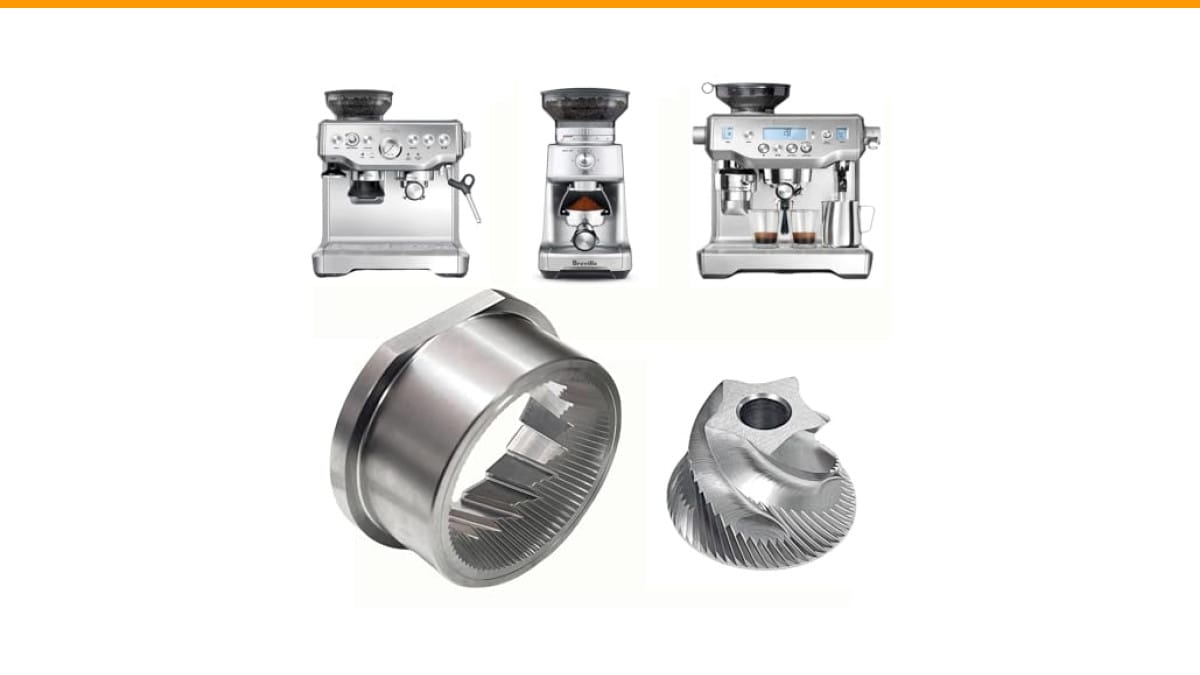
If your grinder is a Breville model, a worn burr set can sometimes cause the motor to strain and trip its own safety mechanisms. A fresh set of replacement conical burrs can restore performance and prevent future jams.
Safety First: Unplug and Inspect
Before you touch anything inside the grinder, unplug it from the wall. This isn’t just a formality. A grinder’s motor stores electrical charge in its capacitors, and the wiring inside can deliver a nasty shock even when the machine is off. Wait at least five minutes after unplugging to let those capacitors discharge.
Once it’s unplugged, give the outside a quick inspection. Look at the power cord for cuts, kinks, or exposed wire. A damaged cord is a fire hazard and an electrical fault that needs replacing, not repairing with tape. Check the plug itself for bent prongs or burn marks, which suggest arcing inside the outlet.
Also, check the hopper and burr chamber. If you see a thick layer of coffee dust or a hard, oily clump stuck near the burrs, that’s your first clue. A jammed or clogged grinder often fails silently, and clearing it might solve the whole problem.
Is It a Power Issue or a Motor Issue?
The quickest way to narrow down the problem is to listen. Plug the grinder back in and hit the switch. Does it make any sound at all? The difference between total silence and a humming motor tells you which part of the machine is failing.
Total silence usually points to a power supply problem. The motor isn’t getting electricity, so it can’t do anything. A humming sound means the motor is receiving power, but it can’t spin. That distinction narrows your troubleshooting from the whole machine to one specific component.
Check the Outlet and Power Cord
Start with the simple stuff. Plug another appliance into the same outlet to verify it works. If the outlet is dead, check your circuit breaker or GFCI. A tripped breaker is a common culprit, especially in kitchens with multiple appliances on one circuit.
Next, test the power cord with a multimeter. Set it to measure continuity (ohms) and touch the probes to the prongs on the plug. If there’s no continuity, the cord is broken and needs replacing. This is a cheap, easy fix on most grinders.
If the cord checks out, the problem lies deeper. The on/off switch itself can fail, breaking the circuit. You can test the switch the same way, with a multimeter, checking for continuity when the switch is in the ‘on’ position. A faulty switch is a common failure point, especially on older machines that see heavy daily use.
The Start Capacitor (The #1 Culprit)
The start capacitor is a small cylindrical component that gives the motor an initial jolt of energy to get it spinning. When it fails, the motor won’t start on its own. You’ll often get total silence, or occasionally a faint click from the motor’s internal relay, but no rotation.
Testing a capacitor requires a multimeter with a capacitance setting. Remove the capacitor from the grinder, discharge it by shorting its terminals with an insulated screwdriver, and measure its capacitance. Compare the reading to the value printed on the side of the component. If it’s significantly lower, the capacitor is dead.
Replacing a capacitor is a straightforward soldering job on most grinders. The part itself costs a few dollars. It’s one of the most common repairs for an electric grinder that won’t turn on, and it’s well within reach of a careful DIYer.
The ‘Humming’ Grinder: Jammed Burrs and Rotors
Now, the other scenario. You flip the switch, and the grinder hums loudly. The motor is alive, but nothing moves. This is almost always a mechanical jam, not an electrical fault. The motor is trying to turn the burrs, but something is physically blocking them.
This is a critical distinction. A humming motor that’s stalled draws high current, which heats up the motor windings. If you leave it humming, you risk tripping a thermal overload or, worse, burning out the motor entirely. So, the moment you hear that hum, switch the grinder off and unplug it.
Common causes of a jam include a small stone or piece of chaff wedged between the burrs, a buildup of oily coffee residue that has glued the burrs together, or a foreign object like a stray spoon that fell into the hopper.
How to Clear a Jam in a Burr Grinder
First, empty the hopper completely. Remove the upper burr if your model allows it. You’ll often find the obstruction right there, visible between the burr and the carrier. Pick out any debris with tweezers or a wooden skewer.
If nothing is visible, the jam might be in the impeller or the gearbox below the burrs. On some grinders, you can access the impeller from the bottom. Check the chute leading to the grounds bin, too. A clogged chute can back up and stop the burrs from turning.
For stubborn residue, a stiff brush and a vacuum cleaner can work wonders. Some users report success with running a few dry, uncooked rice grains through the grinder to absorb oils and push out clogs, though this is only effective if the burrs can turn at all. If the burrs are completely seized, you’ll need to disassemble the burr carrier to free them.
How to Clear a Jam in a Blade Grinder
Blade grinders are simpler. The motor spins a metal blade directly. A jam usually means something is wedged under the blade. Unplug the grinder, remove the lid, and visually inspect the blade area. Use a chopstick or a long screwdriver to gently pry out any stuck debris.
If the blade spins freely by hand but the motor still hums when powered, the problem is likely the motor’s start capacitor or a worn motor bearing. Blade grinders are often cheaper to replace than repair, so if a basic cleaning doesn’t fix it, a new grinder might be the more sensible investment.
Burr vs. Blade: Different Machines, Different Fixes
It might seem obvious, but burr grinders and blade grinders are fundamentally different machines. They fail in different ways, and they require different troubleshooting approaches.
Burr grinders have a motor that turns a set of interlocking rings. They’re more complex, with more parts that can wear out or jam. The gearbox, the burr alignment, and the adjustment mechanism are all potential failure points. They’re also more expensive to repair, which is why a good burr set is a worthwhile investment.
Blade grinders have a single motor spinning a blade at high speed. They’re simpler, cheaper, and easier to diagnose. There are fewer parts to fail, but when the motor goes, it’s often more economical to replace the whole unit. The troubleshooting steps above are tailored to each type, so make sure you know which one you’re working on.
When the Switch or Wiring is the Problem
Let’s say the outlet is fine, the cord is fine, and the capacitor tests good. The next suspect is the on/off switch. A switch that has worn out from years of use can fail to make a solid connection, interrupting the flow of electricity to the motor.
Testing the switch is similar to testing the cord. Use a multimeter in continuity mode. With the switch in the ‘on’ position, you should see a reading close to zero ohms. If you see infinite resistance, the switch is open and needs replacing. This is a common issue on grinders that are left powered on for long periods, as the switch’s internal contacts can arc and pit.
Beyond the switch, inspect the internal wiring. Look for loose connections, burnt insulation, or wires that have come detached from their solder joints. A loose wire is an intermittent electrical fault, meaning the grinder might work sometimes and fail at others. Resoldering a loose connection is a quick fix if you’re comfortable with a soldering iron.
Overheating and Thermal Reset Buttons
Many grinders have a thermal overload protector. This is a small switch that cuts power to the motor if it gets too hot. It’s a safety feature designed to prevent a fire, but it can be a source of confusion when your grinder suddenly stops working.
If your grinder was running fine and then stopped mid-grind, especially after a long session, let it cool down for 30 to 60 minutes. Some models have a visible reset button, often red, on the bottom or side. If you see one, press it firmly. If there’s no button, the thermal switch is automatic and will reset itself once the motor cools.
Repeated tripping of the thermal overload is a warning sign. It means the motor is running too hot, which could be due to a clogged grinder, a failing bearing, or an electrical issue like a weak capacitor causing the motor to work harder than it should. Address the root cause, not just the symptom.
DIY vs. Professional Repair: A Cost-Benefit Guide
So you’ve diagnosed the problem. Now you have to decide: fix it yourself or send it to a shop? The answer depends on the cost of the repair, your skill level, and the value of the grinder itself.
The table below breaks down common repairs by their complexity, typical cost, and whether it’s a sensible DIY project.
| Issue | Difficulty | DIY Feasibility | Typical Cost Range | Recommendation |
|---|---|---|---|---|
| Clogged burrs / chute | Easy | High | $0 (just time) | Always DIY |
| Faulty power cord | Easy | High | $10-$25 | DIY with a soldering iron |
| Defective on/off switch | Moderate | Medium | $15-$40 | DIY if you’re handy |
| Failed start capacitor | Moderate | Medium | $5-$20 | DIY with soldering skills |
| Worn burr set | Moderate | Medium | $30-$60 | DIY, a good weekend project |
| Burnt-out motor | Hard | Low | $50-$150+ | Consider replacing the grinder |
| Gearbox failure | Hard | Low | $40-$100+ | Evaluate cost vs. new unit |
A good rule of thumb: if the repair costs more than half the price of a new grinder, and the grinder is more than a few years old, it’s usually smarter to replace it. A new grinder comes with a warranty and fresh components. But if you have a high-end espresso grinder, a $20 capacitor fix is a no-brainer.
If you’re not comfortable opening up electrical appliances, don’t force it. A professional repair shop can diagnose and fix the issue quickly, and their labor costs are often justified by the peace of mind they offer. For related issues with other kitchen appliances, you might find our guide on coffee grinder troubleshooting useful.
Preventive Maintenance: Stop It Before It Stops
The best fix is the one you never have to do. A regular cleaning schedule prevents most of the common problems that keep grinders from turning on. You don’t need special tools, just a brush and a few minutes of your time.
- Weekly: Brush out the burr chamber and the chute. Remove the upper burr and sweep away all the coffee dust. This prevents oily buildup that can cause jams.
- Monthly: Run a commercial grinder cleaner (like Grindz) or a handful of dry rice through the grinder to absorb oils and clean the burrs. Follow with a light brush-down.
- Quarterly: Check the burrs for dullness or nicks. Worn burrs produce inconsistent grounds and make the motor work harder. Replace them if they look dull.
- Annually: Inspect the power cord and switch for wear. Lubricate the drive shaft or gearbox if your model’s manual recommends it.
These habits take minutes but add years to your grinder’s life. They also keep your espresso tasting fresh, since old coffee oils can turn rancid and affect flavor. If you’re dealing with a machine that’s already acting up, check our guide on noisy espresso machine fixes for related issues.
When burrs do wear out, don’t put off the replacement. A dull burr set is a hidden drag on your motor. Swapping in a fresh set, like the Brewvana replacement burrs for Breville machines, is a straightforward way to restore grind quality and reduce strain on the motor. It can also prevent the kind of jams that lead to a dead grinder in the first place.
Getting Your Grinder Running Again
Here’s the short version of everything above. Use this list when your grinder goes silent.
- Unplug it and wait five minutes. Safety comes before any diagnosis.
- Listen for a hum. Silence means a power issue; humming means a mechanical jam.
- Test the outlet and cord first. They’re the cheapest and easiest fixes.
- Check the start capacitor. It’s the most common electrical failure in small motors.
- Clear any jammed burrs or a clogged chute. This solves most humming grinders.
- Look for a thermal reset button. A hot motor might just need to cool down.
- Compare repair cost to replacement cost. Don’t sink $100 into a $60 grinder.
Most grinder failures are not catastrophic. They’re a clog, a worn part, or a tripped safety switch. With a multimeter, a screwdriver, and a little patience, you can get most machines running again. And if you can’t, you’ll know exactly why, which makes the decision to buy a new one a lot easier. For more on choosing a new machine, see our comparison of automatic vs. semi-automatic espresso machines.
Products related to this article
Sponsored / affiliate links. As an Amazon Associate I earn from qualifying purchases. I may earn additional commission from eligible campaigns.
 Coffee Espresso Machine Handle Replacement Parts, Cafe Bracket Handle for Lidl Silvercrest CM4621 CM4218 KF5002 KF500S Barista (for 51mm Portafilter Basket - Not included)
 Linnkyfloa Coffee Espresso Maker Handle Replacement for Stovetop Moka Pot or Percolator, Black Plastic for Spare Part Compatible with Italian(9-12 Cup)
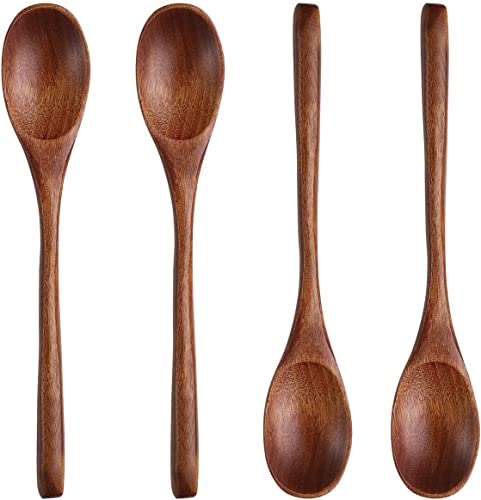 Long Handle Wooden Spoon For Mixing Coffee Tea Jam and Bath Salt In Kitchen, Environmentally Friendly Table Spoon, 8.6 Inches,4 Pieces…