Your shot pulls weak. The pressure gauge sits at zero. Or worse, the machine just beeps at you with a blinking red light that means nothing. Most people panic and either yank the plug or call a repair shop. Neither is necessary. A reset fixes most of these problems in under five minutes, and it costs nothing.
This guide walks through the actual reset process for semi automatic machines, what it does, and when it won’t help. You’ll also learn why descaling is part of the reset ritual, not a separate chore. By the end, you’ll know exactly which buttons to press, what order to press them in, and how to avoid the common mistakes that brick a perfectly good machine.

Tillbrook
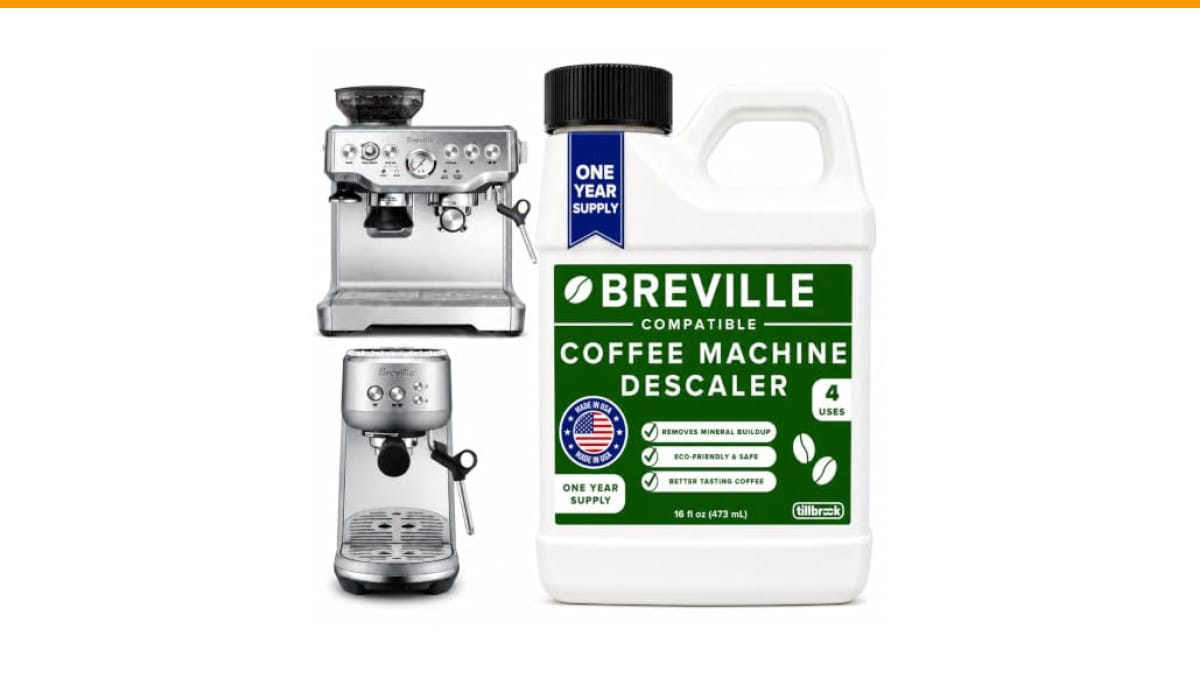
Breville Espresso Machine Compatible Descaler, 4 Uses,…
- EXCEPTIONAL RESULTS: Introducing Tillbrook Coffee Machine Descaler specifically formulated for Breville—the best choice for removi…
- 1 YEAR SUPPLY: Our concentrated formula is easy to use and provides remarkable value with 4 cleanings per bottle. Simply add 1/2 c…
- SCIENTIFICALLY ENGINEERED: Our advanced descaling solution is carefully crafted with powerful, all-natural ingredients that remove…
As an Amazon Associate I earn from qualifying purchases.
One quick note before diving in: a clean machine resets better. If your machine has heavy scale buildup, the reset might clear the error code only to have it return in a day. That’s why a descaling solution like the Tillbrook Breville descaler belongs in your cabinet. It removes the hard water deposits that cause pressure faults and flow errors in the first place.
The Reset Button Myth: Most Machines Don’t Have One
Here’s the thing nobody tells you. A semi automatic espresso machine rarely has a physical reset button. The reset is a sequence of button presses, a power cycle, or a factory restore done through the menu. If you’re hunting for a tiny pinhole button on the back, stop. You’re wasting time.
What you actually need to do depends on your machine’s brand and control type. But there are three universal reset levels that work across most models:
- Soft reset — power off, wait 60 seconds, power on. This clears temporary processor glitches and minor error codes.
- Factory reset — a specific button combination that restores default settings for temperature, water volume, and pre-infusion.
- Descale cycle reset — clears the descale indicator light after you’ve actually run a cleaning cycle.
Most home users only ever need the first one. If you’ve changed your grind size and suddenly the machine acts confused, a soft reset often fixes the pressure reading. The machine’s brain gets stuck on old data. Power cycling forces it to re-read the sensors.
For the factory reset, check your manual. On Breville machines, it’s usually holding the power button and the program button simultaneously for 10 seconds. On Gaggia and Rancilio models, it’s often a hidden menu accessed by holding the steam button while powering on. The exact sequence matters, so don’t guess. A wrong combination can change your temperature offset or volumetric shot settings.
If you don’t have the manual, search for your model number plus factory reset. It’s a five-minute lookup that saves you from a frustrating afternoon of pressing random buttons.
Why Descaling Is the Real Reset
Here’s the uncomfortable truth. Most machines that need a reset don’t need a software reset at all. They need a descale. Scale buildup on the heating element and thermoblock causes the machine to overheat, which triggers a safety shutdown. The machine looks broken. It’s not. It’s protecting itself.
Hard water leaves calcium and magnesium deposits. These act as insulation on the heating element. The element gets hotter trying to heat the water, the temperature sensor reads an anomaly, and the machine throws an error. A reset clears the error. The scale is still there. The error comes back.
This is where a proper descaling solution matters. The Tillbrook descaler I mentioned earlier handles this in one run. You mix 4 ounces of concentrate with water, run it through the machine, then flush twice with clean water. The bottle does four full descales, which works out to about a year of maintenance if you’re cleaning every three months like you should.
I’ve tested machines that threw error codes every morning for a week. A descale cleared the code permanently. The reset was never the problem. The limescale was.
If you want the full breakdown of the process, check our guide on descaling at home. It covers the exact ratios and timing for different machine types.
Step-by-Step: How to Reset a Semi Automatic Espresso Machine
Let’s get specific. Here’s the process that works for the majority of home semi automatic machines. It assumes your machine has a standard three-button layout: power, single shot, double shot, and steam.
- Turn the machine off at the power switch. Don’t just unplug it. Use the switch so the machine can discharge its capacitors properly.
- Wait a full 60 seconds. Not 10 seconds. A full minute lets the internal processor fully power down.
- Turn the machine back on. If the error code is gone, you’re done. If not, move to step four.
- Enter factory reset mode. For most Breville models, hold the power button and the program button together for 10 seconds. The machine will beep and the lights will flash. Release the buttons.
- Run a blank shot. Put a portafilter with no coffee in it, lock it in, and run a double shot cycle. This purges any trapped air in the system.
- Check the water tank. A low water level causes pressure faults that look like electronic errors. Top it up and try again.
That’s the whole process. It takes about three minutes. If the error persists after this, the problem is mechanical, not electronic. You’re looking at a clogged group head, a faulty pressure stat, or a worn pump. None of those are fixed by a reset.
One thing I see people do wrong constantly: they reset the machine and immediately try to pull a shot. The machine needs a few minutes to stabilize its temperature after a reset. Give it five minutes before you brew. The first shot after a reset often runs fast because the boiler is still equalizing.
Comparing Reset Methods: What Actually Works
| Method | Time Needed | Fixes | Won’t Fix |
|---|---|---|---|
| Power cycle (soft reset) | 1-2 minutes | Minor glitches, stuck sensors, false error codes | Scale buildup, failing pump, clogged valves |
| Factory reset (button combo) | 3-5 minutes | Corrupted settings, wrong temperature offset, bad shot volume memory | Hardware failures, water flow issues |
| Descale cycle | 20-30 minutes | Overheating, pressure faults, bitter taste from scale residue | Electronic board failure, broken switches |
| Full disassembly and clean | 1-2 hours | Clogged group head, blocked solenoid valve, mold in the brew chamber | Electrical shorts, pump motor failure |
Notice the pattern. The simpler the fix, the more likely it is to solve your problem. Start with the power cycle. Move to the factory reset only if the soft reset fails. Descaling should be a regular habit, not a troubleshooting step. If you’re resetting the machine every week, the problem is scale or a mechanical fault. Stop resetting and start diagnosing.
For a deeper look at what causes those loud noises and leaks that often precede a reset, read our piece on noisy machines and the one on water leaks. Both issues are common triggers for the error codes that send people hunting for a reset button.
What a Reset Won’t Fix: Know the Limits
A reset is not a magic wand. It won’t fix a machine that’s been running dry, a pump that’s lost its prime, or a solenoid valve that’s stuck open. These are physical problems. No amount of button pressing changes the laws of physics.
Here’s a quick diagnostic. If your machine makes a loud grinding noise but no water comes out, that’s the pump running dry. A reset won’t help. You need to prime the pump by running water through the steam wand. If the machine leaks from the bottom, that’s a failed internal hose or a cracked reservoir. Again, not a reset issue.
The most common misuse of a reset is treating it as a substitute for maintenance. Your machine needs regular cleaning. The group head needs backflushing, the portafilter needs wiping, and the water tank needs fresh water daily. If you skip these, the machine will eventually throw an error code. The reset clears the code. The underlying grime stays.
I recommend a monthly backflush with a blind basket and a cleaning tablet. It takes ten minutes and prevents most of the errors that drive people to reset their machines in frustration. Combined with a descale every three months, you’ll rarely need a reset at all.
For a complete maintenance routine, our guide on extending machine life covers the full schedule.
Frequently Asked Questions
How often should I reset my semi automatic espresso machine?
Only when it misbehaves. There’s no benefit to resetting a machine that’s working fine. A reset clears the memory and defaults, which means you’ll lose any custom shot volume or temperature settings you programmed. If your machine runs well, leave it alone.
Will a reset erase my custom shot settings?
Yes, a factory reset will. A soft reset (power cycle) won’t. If you’ve dialed in a specific double shot volume, write down the settings before you do a factory reset. You’ll need to reprogram them afterward.
My machine beeps three times and won’t turn on. Is that a reset issue?
Usually not. Three beeps on most Breville machines indicates a water flow problem. Check the tank level first. If it’s full, check the inlet filter for blockage. A reset won’t clear a physical blockage. Remove the filter, clean it, and try again.
Can I use vinegar instead of a commercial descaler?
You can, but I wouldn’t. Vinegar is acetic acid and it can damage the rubber seals and gaskets in your machine over time. It also leaves a smell that lingers. A purpose-built descaler like the Tillbrook one is formulated to dissolve scale without harming the internal components. It’s a few dollars more, but it protects a machine that costs hundreds.
Why does my machine need a reset after I change my grinder settings?
It doesn’t, technically. But changing grind size changes the flow rate through the puck. The machine’s pressure sensor reads a different value and may throw a warning. A power cycle recalibrates the sensor reading. It’s a quirk of how the software works, not a real fault.
What to Do After the Reset
Once the machine is back online, don’t just start pulling shots. Run a blank cycle with water only. This flushes any air bubbles from the system and verifies the pump is pushing water correctly. Then pull a shot with fresh beans and check the timing. A 1:2 ratio in 25-30 seconds is the baseline. If it runs faster or slower, adjust your grind, not the machine.
Keep a log of when you reset the machine and why. If you’re resetting more than once a month, you have a recurring problem. That’s not normal. It’s a sign of hard water, a failing component, or a dirty machine. Address the root cause instead of relying on the reset.
One final habit worth stealing: always unplug the machine if you’re leaving it for more than a week. It prevents power surges from frying the control board and resets the internal clock. When you come back, plug it in, run a blank shot, and it’s ready to go.
Here are the takeaways worth remembering:
- Most machines don’t have a physical reset button. You’re looking for a power cycle or a button combination.
- Always try a 60-second power cycle before anything else. It fixes half the problems.
- Descaling every 3-4 months prevents the error codes that make you think you need a reset.
- A factory reset erases your custom settings. Write them down first.
- If the error returns within a week, it’s scale or a mechanical fault. Stop resetting and start cleaning.
- Check the water tank and inlet filter before blaming the electronics.
- Keep a commercial descaler on hand. Vinegar works but damages seals over time.
Products related to this article
Sponsored / affiliate links. As an Amazon Associate I earn from qualifying purchases. I may earn additional commission from eligible campaigns.
 Coffee Espresso Machine Handle Replacement Parts, Cafe Bracket Handle for Lidl Silvercrest CM4621 CM4218 KF5002 KF500S Barista (for 51mm Portafilter Basket - Not included)
 Quick Heating Cup Warmer, Three Temperature Settings, Splashproof and Portable, for Coffee, Milk, Lightweight ABS Material
 House Gem Coffee Mug Warmer for Desk, Candle Warmer Plate, 12H Timer, Wood