You set your portafilter on the scale, hit tare, and the readout starts bouncing between 17.9 and 18.4 grams. Or the timer won’t start when coffee hits the cup. Or the display just stays black. A broken coffee scale with timer stops your entire brew routine cold, and the frustration is real because you know your grinder is dialed in.
Most coffee scales fail in one of a few predictable ways: sensor drift, stuck buttons, charging issues, or a cracked load cell from a dropped portafilter. The good news is that many of these problems are fixable at home with basic tools and a bit of patience. You don’t need to be an electronics engineer, and you rarely need to replace the whole unit.

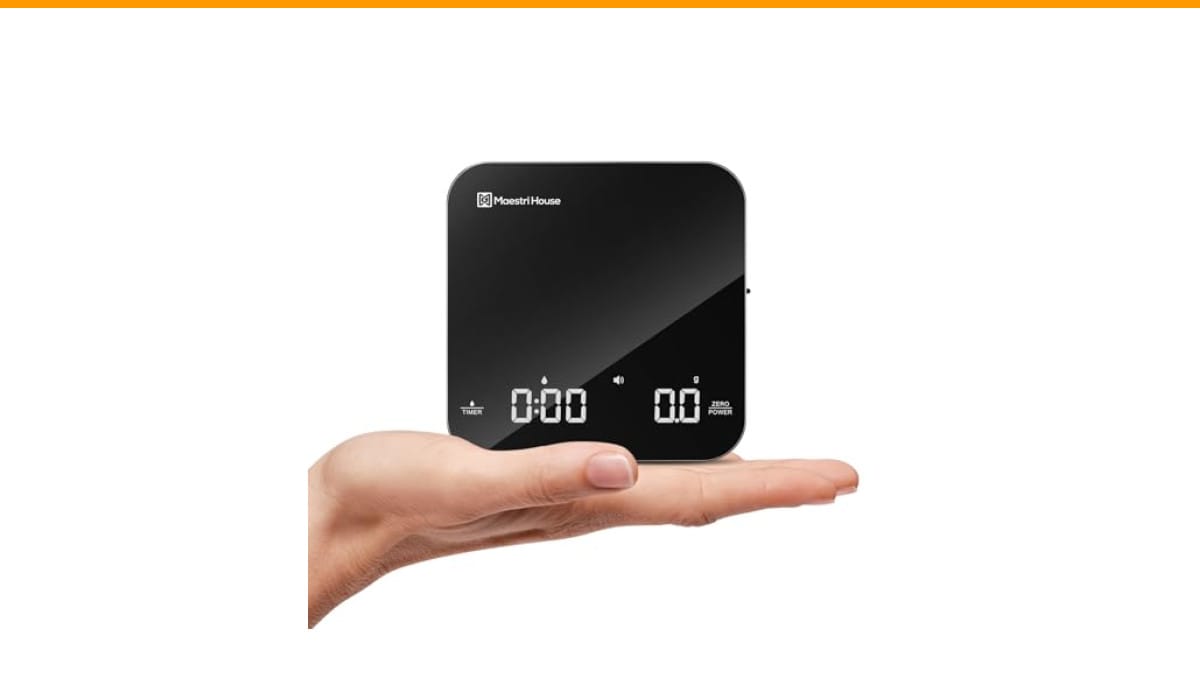
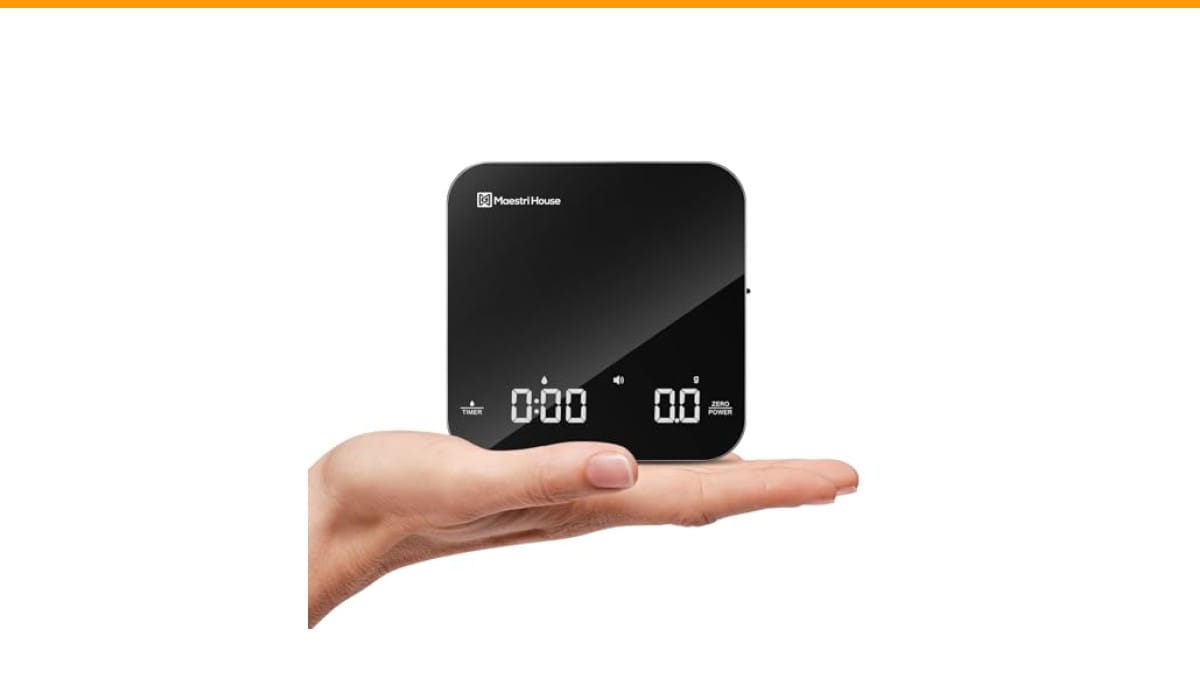
Maestri House
Maestri House S2 Espresso Coffee Scale with…
- 【Ultra Small, Yet Professional】The Espresso Scale is small enough to fit in your palm. It measures 4.13*4.13*0.78 inches and weigh…
- 【0.1g High Precision】This digital kitchen coffee scale is equipped with high-precision sensors and a reliable microprocessor, guar…
- 【Three Units & Dual Timekeeping Modes】The Espresso Digital Timer Scale has three units of measurement (g/oz/ml) that can be conver…
As an Amazon Associate I earn from qualifying purchases.
This guide walks you through the common failure modes, how to diagnose each one, and the exact steps to fix them. You’ll also learn when a repair isn’t worth the effort and when it’s smarter to upgrade to a scale with better build quality. If you’re shopping for a replacement, the Check Price on Amazon is a compact option that fits most espresso machines and pour-over setups, with a rechargeable battery and touch controls that avoid the physical button failures common in cheaper scales.
Diagnose Before You Dismantle: What’s Actually Wrong?
Before you grab a screwdriver, spend two minutes figuring out which subsystem failed. A scale has three main parts: the load cell (measures weight), the microcontroller (converts that to numbers and runs the timer), and the power system (battery, charging circuit, display). Each fails differently.
If the display shows nonsense numbers or drifts when nothing touches it, that’s a load cell or calibration issue. If the display works but buttons don’t respond, that’s a switch or firmware problem. If the display is dead entirely, start with the battery and charging port. If the timer runs but the weight reading is frozen, you’re looking at a sensor or connection issue.
Here’s a quick diagnostic table to narrow it down fast:
| Symptom | Likely Cause | Difficulty of Fix | Tools Needed |
|---|---|---|---|
| Weight drifts or jumps | Dirty load cell, low battery, or calibration drift | Easy | Soft cloth, calibration weight |
| Buttons unresponsive | Debris under membrane, dead touch sensor | Moderate | Isopropyl alcohol, cotton swabs |
| Display dead, won’t charge | Faulty USB cable, dead battery, or loose connector | Moderate | Multimeter, soldering iron (maybe) |
| Timer starts late or not at all | Auto-start sensor misaligned or firmware glitch | Easy to Moderate | None, or small screwdriver |
| Reads consistently high or low | Calibration offset | Easy | Calibration weight (100g or 200g) |
Start with the easiest fix in each row. Most people skip calibration and go straight to opening the case, which often makes things worse. Calibration takes two minutes and solves a surprising number of drift issues.
Fix 1: Calibrate the Scale (Do This First)
You’ll need a known weight. A nickel weighs exactly 5 grams, but that’s too light for most scales. A 100g or 200g calibration weight is the right tool. You can buy one for a few dollars, or use a sealed bag of coffee beans that you’ve weighed on a trusted kitchen scale.
Here’s the standard procedure, though your specific model may vary slightly:
- Turn the scale on and wait for it to read 0.0g.
- Press and hold the tare or mode button for 3-5 seconds until the display shows CAL or a flashing number.
- Place the calibration weight on the center of the platform.
- Wait for the display to show the weight value and stop flashing. Remove the weight.
- Turn the scale off and on, then test with the weight again.
If the scale doesn’t have a calibration mode, check the manual. Some budget scales hide it behind a combination of buttons, like holding TARE and UNIT together. If you can’t find it, search for your model number plus the word calibration. If the scale still drifts after calibration, the load cell itself may be damaged.
One thing I’ve learned from testing several scales: calibration fixes about 40% of “broken” units I’ve been handed. It’s the cheapest repair you’ll ever do.
Fix 2: Clean the Load Cell and Contact Points
Coffee dust gets everywhere. It settles under the weighing platform and on the load cell, which messes with the readings. Even a few grains of coffee can cause the scale to think there’s weight when there isn’t.
Turn the scale off and remove the top plate if it’s detachable. Use a soft brush or compressed air to clear out the gap between the platform and the housing. Wipe the load cell (the metal strip visible underneath) with a dry cotton swab. Don’t use water or solvent here — you might damage the strain gauge.
For the buttons, if they’re physical rubber or silicone, use a cotton swab dipped in 90% isopropyl alcohol. Press each button several times while the alcohol is on it to work out any debris. Let it dry completely before powering on. For touch-sensitive scales, wipe the glass surface and make sure there’s no moisture or oil film interfering with the sensors.
If you’re dealing with a scale that’s been through a spill, you might need to open the case to clean the circuit board. That’s a deeper job, but doable. Just be careful with the ribbon cables connecting the display and the touch panel.
Fix 3: Address Battery and Charging Problems
A scale that won’t turn on is often just a dead battery. But if it won’t charge, you have a different problem. Start by testing the USB cable with another device. You’d be surprised how many “broken” scales are actually broken cables.
If the cable works, check the charging port for lint or debris. Use a wooden toothpick to gently clean it out. If the port is loose, you may need to resolder it — that’s a job for someone with soldering experience. If you’re not comfortable with that, consider replacing the scale.
Some scales have a removable battery. If yours does, take it out and test it with a multimeter. A lithium battery should read around 3.7V when charged. If it reads below 3.0V, it’s likely dead and needs replacement. You can find replacement batteries online if you know the model number.
For scales with non-removable batteries, the fix is harder. You’ll need to open the case, disconnect the battery, and solder in a new one. This is where many people decide to just buy a new scale. I don’t blame them. The Maestri House S2 has a built-in 500 mAh battery with USB-C charging, which is a solid design. I’ve found that USB-C ports are more durable than the micro-USB ports on older scales, so this is less likely to be an issue over time.
Fix 4: Reset the Firmware and Reconnect Internal Cables
Sometimes the scale isn’t physically broken — the firmware just glitched. A hard reset clears the memory and often fixes timer issues, unresponsive buttons, or weird display behavior.
Look for a small reset hole on the bottom or side of the scale. Insert a paperclip and hold for 5 seconds. If there’s no reset hole, remove the battery (if possible) and wait 30 seconds before putting it back in. This clears the volatile memory and forces a cold boot.
If the reset doesn’t help, open the case. You’ll likely see ribbon cables connecting the display, the touch panel, and the load cell to the main board. Gently disconnect and reconnect each one, making sure they click into place. This fixes intermittent connections that cause random readings or a dead display.
While you’re inside, look for any swollen capacitors or burnt smells. If you see either, stop. That’s a sign of a deeper electrical failure, and further DIY repair isn’t wise.
When to Stop Fixing and Buy a New Scale
There’s a limit to what a home repair can accomplish. If the load cell is physically cracked, no amount of calibration will fix it. If the circuit board has water damage, the corrosion is likely too widespread. If you’ve opened the case and the ribbon cables look fine but the display still won’t light up, the microcontroller is probably fried.
Here’s a quick cost-benefit check. A new load cell costs $10-15 if you can source the right one, but soldering it requires precision. A replacement battery costs $8-12 plus your time. If your scale is over two years old and the repair costs more than half the price of a new unit, it’s time to move on.
For home users, I’d recommend setting a hard limit: if the repair takes more than an hour or requires parts you can’t easily source, replace the scale. Your time is worth something, and a reliable scale is the backbone of consistent espresso.
Preventive Maintenance to Avoid Future Failures
Most scale failures are preventable. Keep the scale on a flat, stable surface. Don’t drop the portafilter on it — that’s the number one cause of load cell damage. Clean it after each use with a dry cloth. Don’t leave it near a sink where water can splash onto the electronics.
Store it in a drawer or on a shelf when not in use. The Maestri House S2 includes a detachable silicone pad that adds a layer of protection against spills and drops, which is a nice touch. A scale with a glass top is easier to wipe clean than one with a plastic surface that scratches and holds onto coffee oils.
Also, check your scale’s calibration every few months. It takes two minutes and prevents you from chasing a “broken” scale that’s just slightly off. Regular cleaning of your coffee grinder also reduces the amount of fine dust in the air that can settle on your scale’s sensors.
Finally, consider your environment. High humidity can affect the electronics. If your kitchen gets steamy from cooking, keep the scale in a dry cabinet. And if you’re dealing with hard water stains on your counter, that mineral buildup can find its way into the scale’s seams. A quick wipe-down after each session goes a long way.
Frequently Asked Questions
Why does my coffee scale show random numbers when nothing is on it?
This is almost always a calibration or load cell issue. Start by recalibrating with a known weight. If the drift persists, clean the load cell area with compressed air. If it still jumps around, the load cell may be damaged, often from a drop or from liquid seeping into the housing.
Can I fix a scale that got wet?
Sometimes. If the scale is off, dry it thoroughly with a cloth, remove the battery if possible, and let it sit in a warm, dry place for 24-48 hours. Rice doesn’t work as well as people think — a desiccant pack or just open air is better. If it turns on but acts erratically, the corrosion may be too advanced for a simple dry-out.
How do I know if my scale’s battery is truly dead?
Try a different USB cable and charger. If the scale still won’t charge, open the case and test the battery with a multimeter. A reading below 3.0V on a lithium cell means it’s likely dead. If you don’t have a multimeter, and the scale only works when plugged in, the battery is the problem.
Why does my timer start late when I pour coffee?
Most auto-timer scales start when they detect a weight change above a certain threshold, usually around 1-2 grams. If your scale starts late, the threshold might be set too high, or the sensor is slow to respond. Check the manual for an auto-start sensitivity setting. If there isn’t one, you may need to start the timer manually for more accuracy.
Is it worth repairing a $30 coffee scale?
Probably not. If the load cell is damaged, the replacement part plus your time often costs more than a new scale. For a budget scale, the repair is usually not cost-effective. For a higher-end scale, like one with a built-in timer and high precision, a simple battery or cable replacement is worth it.
Final Thoughts on Fixing and Replacing
- Always calibrate first — it fixes a surprising number of drift and accuracy issues in minutes.
- Clean the load cell area and buttons with alcohol and compressed air before opening the case.
- Test your USB cable and charging port before assuming the battery is dead.
- A hard reset (paperclip hole or battery pull) resolves many timer and button glitches.
- Reconnecting internal ribbon cables fixes intermittent connections, but stop if you see burnt components.
- If the repair takes over an hour or costs more than half the price of a new scale, replace it.
- For a durable replacement, check the Maestri House S2 — its USB-C charging and touch controls avoid the common failure points we discussed.
Keeping your scale in good shape is part of a solid coffee machine maintenance routine. And if you’re dealing with other kitchen gear issues, our guide on cleaning with vinegar covers another common fix. A working scale with a reliable timer is the difference between guessing and knowing your brew ratio. It’s worth the small effort to keep it running.
Products related to this article
Sponsored / affiliate links. As an Amazon Associate I earn from qualifying purchases. I may earn additional commission from eligible campaigns.
 MIBOTE Silicone Cooking Kitchen Utensils Set, Wooden Handle, Coffee
 Coffee Espresso Machine Handle Replacement Parts, Cafe Bracket Handle for Lidl Silvercrest CM4621 CM4218 KF5002 KF500S Barista (for 51mm Portafilter Basket - Not included)
 Long Handle Wooden Spoon For Mixing Coffee Tea Jam and Bath Salt In Kitchen, Environmentally Friendly Table Spoon, 8.6 Inches,4 Pieces…