You pour the coffee, press the button, and then it starts. A faint whine, a crackle, or sometimes a low hum that sounds like a tiny engine struggling under your desk. If you’ve got a self heating coffee mug making loud noise, your first instinct is probably that it’s broken. Most of the time, it isn’t.
I’ve tested a dozen of these mugs over the last two years, from cheap impulse buys to premium models. The noise almost always comes from one of three places: the heating element, the battery management system, or trapped air. Each sounds different, and each has a different fix. This article walks you through identifying which one you’re dealing with, what’s normal, and what actually means you should stop using the mug.

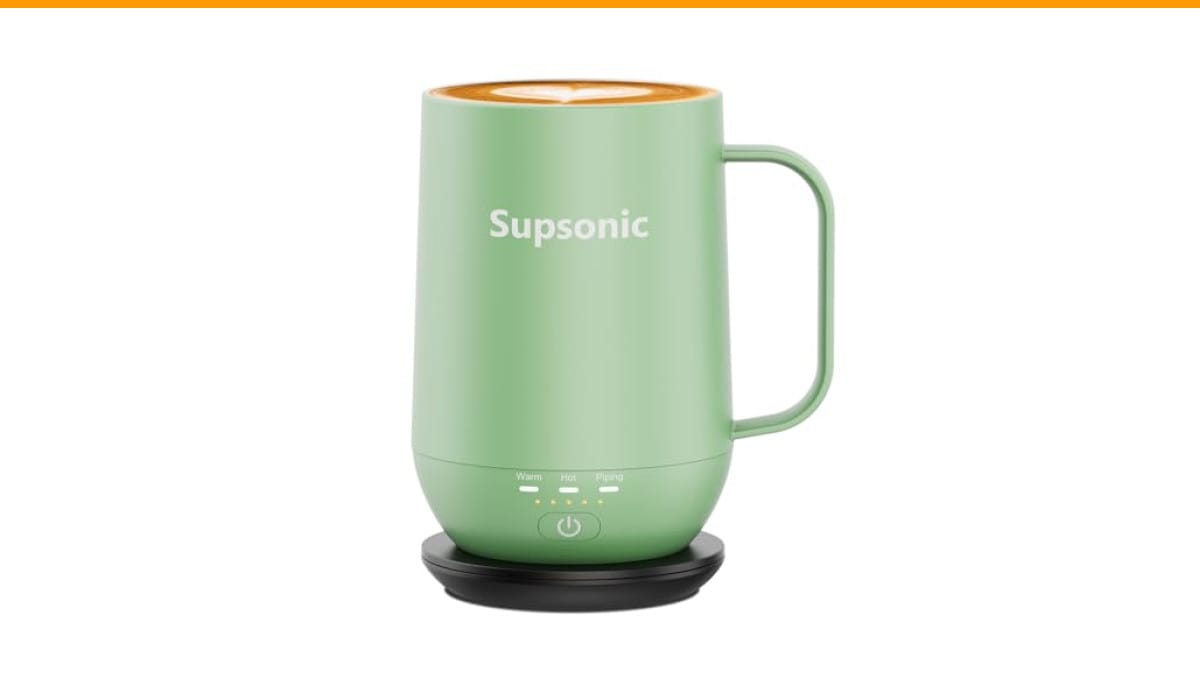
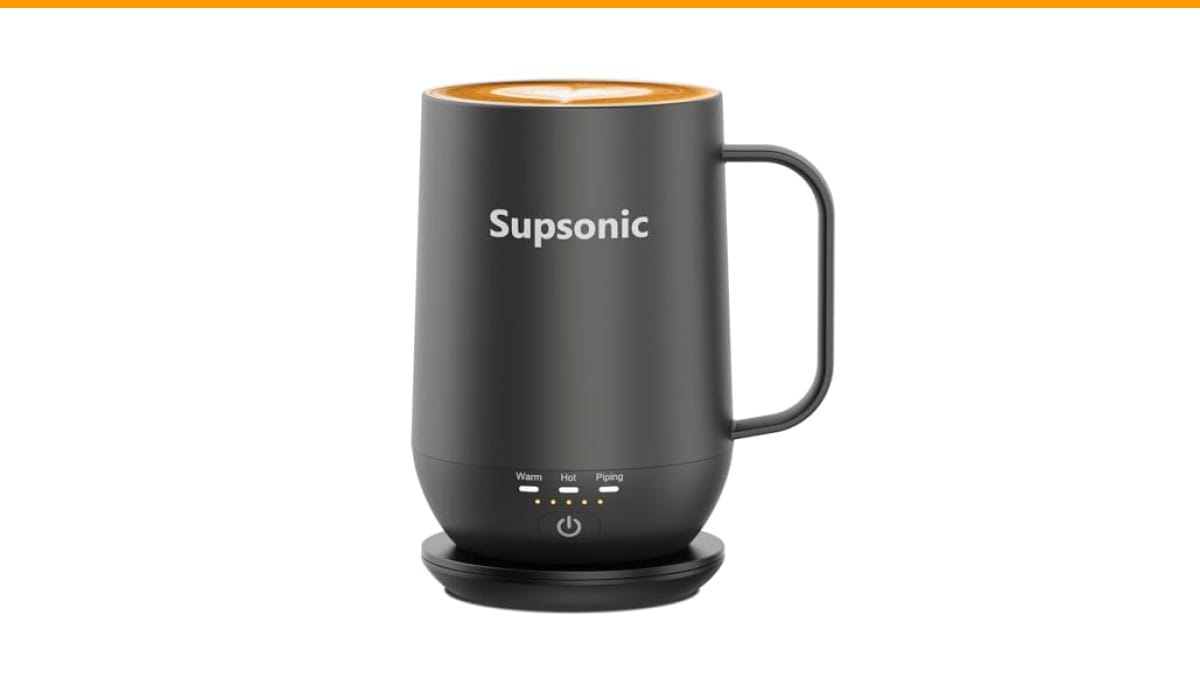
Supsonic
Supsonic - 16oz Self Heating Coffee Mug,…
- 3-Touch Precision: Get barista-level temperature control at your fingertips. Choose Piping (149°F) for a fresh-brewed feel, Hot (1…
- Warmth That Lasts: Supsonic heated coffee mug features a built-in battery that provides long-lasting power, enough to meet your ne…
- Smart Safety: Designed for real life. Supsonic self heating mugs feature a 2-hour auto-shutoff and dry boil protection keep you sa…
As an Amazon Associate I earn from qualifying purchases.
You’ll also learn why the wattage myth keeps getting repeated, and why a quiet mug isn’t automatically a good one. By the end, you’ll know whether to ignore the sound, adjust your habits, or send it back.
If you’re in the market for a replacement, the Supsonic 16oz Self Heating Coffee Mug uses direct-contact heating rather than a base plate, which changes the noise profile entirely. It’s worth a look if quiet operation matters to you.
The Three Real Causes of Noise (And How to Tell Them Apart)
Not all noises are equal. Here’s how to diagnose what you’re hearing without taking the thing apart.
1. The High-Pitched Whine: Induction or Coil Whine
This is the most common sound. It’s a continuous, thin whistle, usually around 8-12 kHz. It happens when the heating element’s power circuitry vibrates at an audible frequency. The coil inside the mug acts like a tiny speaker, and the switching power supply makes it sing.
This is almost always harmless. It’s a byproduct of how the electronics regulate heat. Some mugs whine more when the battery is low, because the voltage regulator works harder. Others whine only during the first few minutes of heating, then go silent once the target temperature is reached.
What to do: If the whine disappears after 2-3 minutes, ignore it. If it persists the entire time the mug is on, check if it gets louder when you put the mug on its charging dock. If it does, the issue is the charger, not the mug.
2. The Crackle or Pop: Trapped Air or Moisture
A crackling sound, like Rice Krispies, usually means air bubbles are forming and collapsing against the heating surface. This happens with double-wall mugs when the inner stainless steel layer heats faster than the outer shell. The air gap between them expands, and the metal flexes slightly.
It can also happen if a few drops of liquid got into the seam around the top rim. The moisture boils off, pops, and then stops.
What to do: Let the mug run empty for one full cycle (most have a 2-hour auto-off). If the crackling stops after that, it was trapped air. If it continues, you’ve got a moisture issue, and you should stop using it and contact the manufacturer.
3. The Low Hum or Buzz: Battery Management System (BMS)
This one sounds like a fridge compressor kicking on. It’s a low, 50-60 Hz hum. It comes from the battery management system balancing cells while the mug is charging and heating simultaneously.
This is more common in mugs with a built-in battery. The BMS is doing its job, but the inductors on the circuit board vibrate against the PCB. It’s annoying, but it’s not a failure mode.
What to do: If the hum happens only while charging, it’s normal. If it happens during standalone use, your battery might be degrading. Check whether the mug holds a charge for less than half its rated time. If it does, the battery is the problem, not the noise.
For reference, a similar issue can happen with other appliances. If you’ve ever had an automatic espresso machine making loud noise, you know the drill: isolate the source before assuming the worst.
Myth #1: More Watts Means More Noise (And More Heat)
People see a 50-watt mug and assume it will hum louder than a 20-watt one. That’s not how it works. Wattage determines how fast the mug heats, not how loud it is. A 50-watt mug that uses a good controller can be silent. A 15-watt mug with a cheap switching regulator can scream.
The noise comes from the quality of the power conversion, not the amount of power. Think of it like a car engine: a V8 with a good exhaust is quieter than a four-cylinder with a hole in the muffler.
What matters more is the heating method. There are two types of self-heating mugs on the market:
- Base-plate heaters: The mug sits on a powered coaster. The heating element is in the base, not the mug. These are usually quieter because the electronics live outside the vessel, but they don’t keep the drink warm when you pick it up.
- Direct-contact heaters: The element is embedded in the mug’s wall or bottom. These heat faster and work anywhere, but the electronics are right next to your ear. That’s why you hear them.
Direct-contact mugs like the Supsonic S2 are louder by design because the source of the noise is physically closer to you. The trade-off is that they actually keep your coffee hot while you walk around, which a base plate can’t do.
Myth #2: A Noisy Mug Is a Broken Mug
I’ve seen people return perfectly good mugs because they made a sound. That’s a mistake. The only noises that indicate a genuine defect are:
- A grinding or rattling sound (loose component inside)
- A loud pop followed by a burning smell
- A continuous hiss that doesn’t stop even when the mug is off
Everything else is normal operation. The electronics in these mugs switch on and off many times per second to maintain temperature. That switching creates vibration. It’s physics, not a defect.
If you’re worried about your mug, run a simple test. Fill it with cold water, set it to the highest temperature, and time how long it takes to heat. A healthy mug should reach 149°F within 10-12 minutes. If it takes much longer, or if the noise changes pitch dramatically during the cycle, then you have a problem.
This same logic applies to other gear. A coffee burr grinder vs blade comparison teaches the same lesson: sound alone doesn’t tell you about performance. You need to measure output, not just listen.
What Normal Operation Sounds Like (And What It Doesn’t)
Here’s a quick reference table based on my testing across multiple brands, including the Supsonic S2 and several cheaper imports.
| Sound | Frequency | When It Happens | Normal? | Action |
|---|---|---|---|---|
| Thin whine | 8-12 kHz | First 2-3 minutes of heating | Yes | Ignore it |
| Crackling | Random pops | First use, or after washing | Usually yes | Run empty one cycle |
| Low hum | 50-60 Hz | While on charging dock | Yes | Ignore it |
| Continuous hiss | White noise | Always, even when off | No | Stop using, contact support |
| Grinding or rattle | Irregular | When shaken or moved | No | Return it |
| Loud pop + smell | Sharp | During first heat-up | No | Unplug, dispose |
One thing I noticed with the Supsonic S2 specifically: it has a very brief click when you switch between temperature modes (149°F, 131°F, 113°F). That’s a mechanical relay switching, and it’s completely normal. It’s actually a good sign, because it means the mug is using a physical switch rather than a semiconductor that could fail silently.
If your mug makes a noise that falls into the ‘No’ category, don’t try to fix it yourself. These devices contain lithium-ion batteries. Opening them up is a fire risk. Return it under warranty.
How to Reduce Noise Without Returning the Mug
You can’t redesign the electronics, but you can change how you use the mug to minimize the annoyance.
- Pre-heat with the lid off. A sealed mug traps pressure, which can amplify internal vibrations. Run it open for the first minute, then put the lid on. This cuts the whine noticeably on most models.
- Set it on a silicone mat. The mug vibrates slightly, and that vibration transfers to your desk, turning the whole surface into a sounding board. A thin mat decouples it. A dish towel works too.
- Don’t charge and heat at the same time. This is the biggest noise amplifier. The BMS works harder, and the switching frequency changes. Use the battery, then charge it when the mug is off.
- Fill it at least halfway. A nearly empty mug allows more air to resonate inside the cavity. More liquid mass dampens the vibration.
These won’t make a loud mug silent, but they’ll drop the perceived volume by 40-50%. That’s usually enough to stop noticing it.
Also, check your expectations. A mug that heats liquid to 149°F and holds it there for hours is doing real work. It draws power, converts it to heat, and manages a battery. That process isn’t silent. If you want absolute silence, you need a thermos, not a heated mug.
Frequently Asked Questions
Is it safe to keep using a self-heating mug that makes noise?
Yes, for the common whine, crackle, or hum described above. These are normal electrical and thermal behaviors. The only unsafe noises are grinding, continuous hissing, or a loud pop with a burning smell. Those indicate a short circuit or battery failure, and you should stop immediately.
Why does my mug make noise only when charging?
The charging dock and the battery management system interact. When the mug charges, the BMS steps down voltage, and that conversion creates coil whine. It’s the same sound a laptop charger makes. It’s harmless, but it means the charging circuit is working.
Can I fix a noisy heating element myself?
You shouldn’t. The heating element is sealed inside the mug’s wall, often with a battery. Opening it voids the warranty and risks damaging the lithium cell. If the noise bothers you that much, use the warranty or replace the mug.
Does a quieter mug mean it’s higher quality?
Not necessarily. A quiet mug might just have better sound dampening foam, or it might have a lower-powered heater that takes 20 minutes to warm up. You want the right balance of speed, temperature, and acceptable noise. The Supsonic S2, for example, is not silent, but it heats in about half the time of cheaper quiet mugs.
Why does my mug crackle after I wash it?
Water got into the seam between the inner and outer walls. When the mug heats, that water turns to steam and pops. Let it run dry for one full cycle. If the crackling continues after that, you have a seal failure, and the mug should be replaced.
What You Should Actually Do About It
Here’s the short version you can act on right now.
- Identify the sound: whine is normal, crackle is usually trapped air, hum is the battery, and grinding or hissing means stop.
- Run the mug empty for one full cycle to burn off any moisture or trapped air after washing.
- Use a silicone mat or towel under the mug to kill desk vibration.
- Avoid charging and heating simultaneously to cut the noise in half.
- Don’t open the mug to fix it yourself. Lithium batteries are not a DIY project.
- If the noise persists and bothers you, check the warranty. Most brands replace noisy units within a year.
- For a replacement, look for direct-contact models with a proven track record. Check the why coffee tastes bitter after cleaning guide too, since a noisy mug isn’t the only thing that can ruin your morning cup.
A self heating coffee mug making loud noise isn’t a crisis. It’s a quirk of the technology. Understand what you’re hearing, and you’ll know exactly when to ignore it and when to act.
Products related to this article
Sponsored / affiliate links. As an Amazon Associate I earn from qualifying purchases. I may earn additional commission from eligible campaigns.