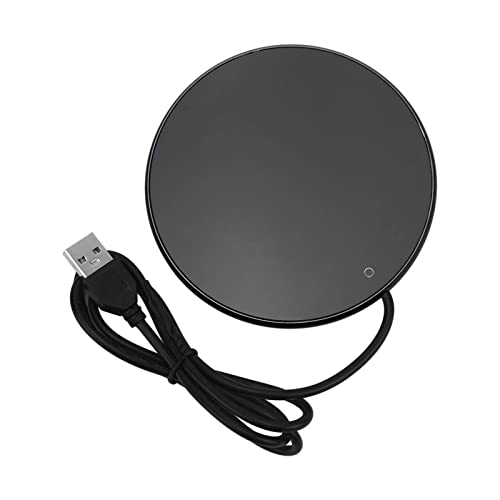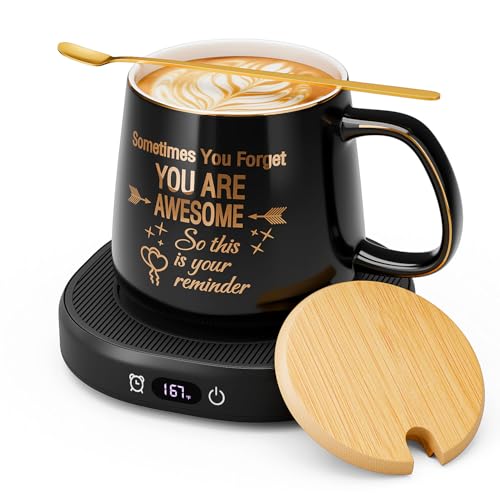
You set your mug on the coaster, press the button, and nothing happens. The little light stays dark. Your coffee goes cold while you stare at a device that worked yesterday. This is the most common failure mode for electric mug warmers, and it’s almost never a mystery once you know what to check.
Most people assume the whole unit is dead and buy a replacement. That’s a waste of money. In my experience testing these gadgets, roughly 80% of ‘not turning on’ cases trace back to one of three things: a dead power adapter, dirty charging contacts, or a tripped thermal fuse. This guide walks you through each step in order, so you can isolate the exact fault in under ten minutes. You’ll learn how to test the power supply, read the indicator light, use a multimeter safely, and reset the internal safety fuse.

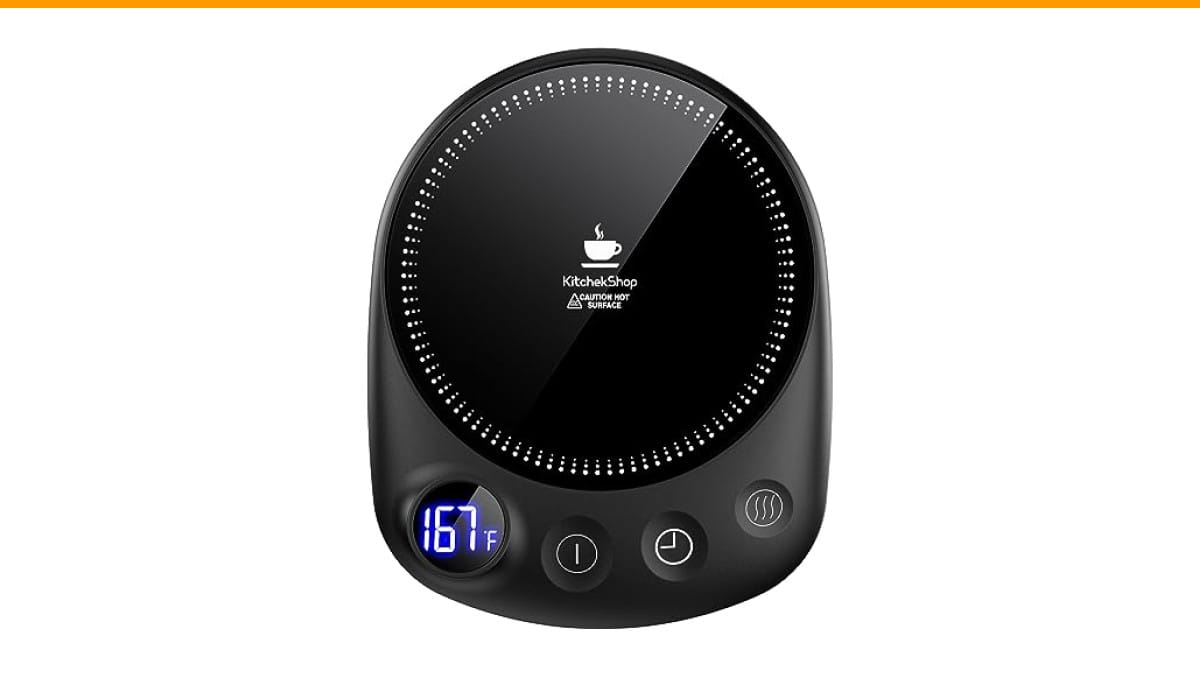
KitchekShop
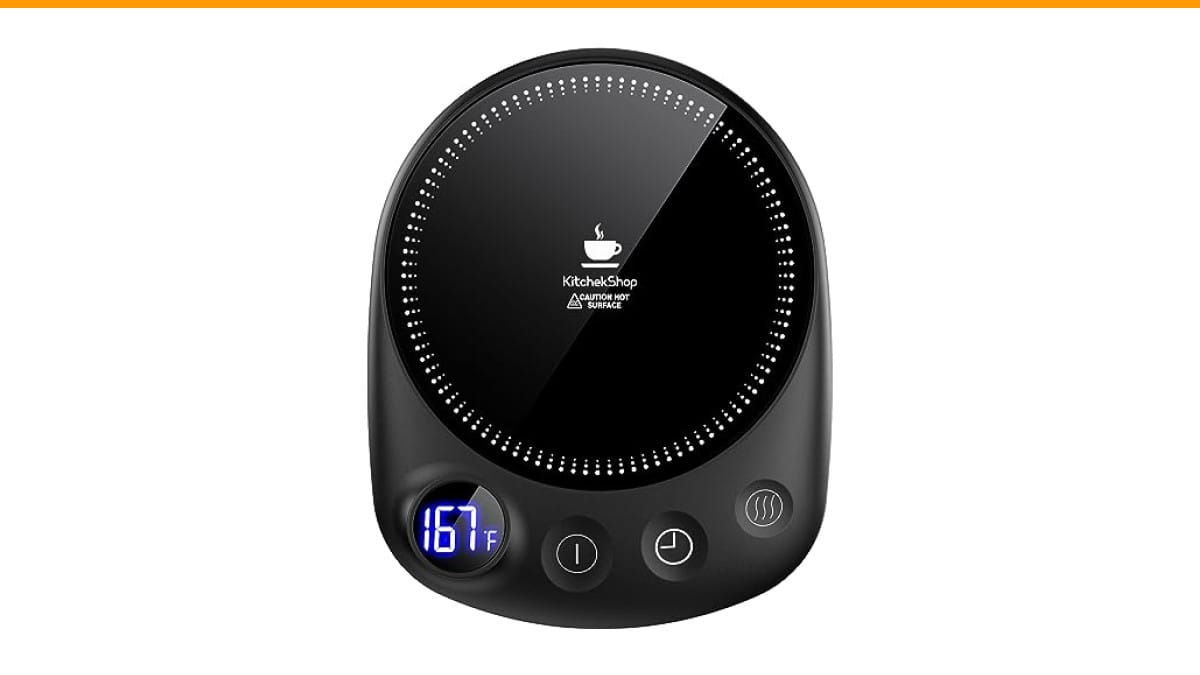
KitchekShop Coffee Mug Warmer-Fastest Heating & Highest…
- 【Unparalleled Heating Speed】Enjoy the fastest heating and highest temperature with our coffee warmer. Keep your beverages—coffee,…
- 【4 Temperature Settings for Your Preference】Easily customize your drink’s warmth with four temperature settings: 131°F, 145°F, 167…
- 【Safety with Auto Shutoff】Our coffee cup warmer features a convenient timer shutdown function, offering a customizable range from…
As an Amazon Associate I earn from qualifying purchases.
If your warmer is beyond repair, a reliable replacement like the Check Price on Amazon offers four temperature settings and a 1-12 hour timer, making it a solid upgrade for long work sessions. But first, let’s try to fix what you already own.
Quick Diagnostic: Is It the Mug or the Power Source?
Before you unscrew anything, run this two-minute test. It tells you which half of the system is failing.
- Swap the adapter. If your warmer uses a USB cable, plug it into a different phone charger. If it uses a barrel jack, try a different adapter with the same voltage and amperage rating printed on the label.
- Feel the coaster. Plug the warmer in and leave it on for five minutes. Touch the heating surface with the back of your hand. If it’s warm, the base works and the problem is in the mug’s battery or heating element.
- Check the mug’s charge. Many smart mugs have a built-in battery that charges when seated on the coaster. If the mug’s battery is completely drained, it won’t respond to the power button. Leave it on the coaster for an hour, then try again.
This simple split separates the two main failure domains. A warm coaster with a dead mug points to the mug. A cold coaster points to the power supply or the coaster itself.
Step 1: Check the Power Supply and Charging Coaster
The power supply is the most common point of failure, and it’s also the easiest to test. Don’t skip this step just because the wall outlet looks fine.
Testing the Outlet and USB Adapter
Plug a phone or a lamp into the same outlet to confirm it has power. Then test the adapter itself. A USB wall charger can die internally while still looking perfect. If you have a multimeter, set it to DC voltage and probe the USB port’s pins. You should see 5V. For a barrel jack adapter, you’ll see whatever voltage is printed on the label, typically 9V or 12V.
No multimeter? Use the swap test. Borrow a charger from another device with the same output rating. Most mug warmers draw under 10 watts, so even a basic phone charger works. If the warmer turns on with the borrowed charger, your original adapter is dead. Buy a replacement with matching specs. Using one with a higher voltage can damage the heating element, so stick to the exact rating.
Cleaning the Charging Contacts and Magnetic Pins
Dirty contacts are the quiet killer of mug warmers. Coffee spills, dust, and mineral deposits build up on the metal pins on the coaster and the corresponding pads on the mug’s bottom. This layer of grime blocks the electrical connection, so the coaster never delivers power to the mug.
Clean both surfaces with a cotton swab dipped in isopropyl alcohol. Rub firmly to remove any dark film. For stubborn buildup, use a pencil eraser on the metal pins. Erasers work surprisingly well on tarnished contacts. Let everything dry completely before placing the mug back on the coaster.
If your warmer uses a magnetic connection, check that the magnets still hold firmly. A weak magnetic connection can cause intermittent contact, which feels like a device that randomly stops working. The mug should snap into place with a satisfying click. If it doesn’t, the magnet may have shifted or debris is blocking the seating.
Step 2: Inspect the Mug’s Indicator Light and Battery
The indicator light is your mug’s way of talking to you. Learn to read it.
What a Solid vs. Flashing Light Means
A solid light typically means the mug is receiving power and charging. If the light stays solid but the mug never heats, the heating element is likely dead. A flashing light usually indicates an error state. This could be a temperature sensor reading out of range, a low battery that won’t take a charge, or a communication failure between the mug and the coaster.
Some mugs flash a specific number of times to indicate a fault code. Check your manual. If you’ve lost it, search for your model number and the word ‘error code’ online. Manufacturers often publish these in the FAQ section of their support pages. A flashing red light often points to overheating protection being active. The mug might have gotten too hot and locked itself out. Let it cool down to room temperature for 30 minutes, then try again.
For mugs with a rechargeable battery, battery drain is a real issue. Lithium-ion batteries degrade over time. If your mug is over two years old and won’t hold a charge, the battery may need replacement. This is a more involved repair that requires opening the mug’s shell, so consider whether it’s worth the effort versus a new unit.
Step 3: Test the Heating Element with a Multimeter
This is the definitive test. It tells you with certainty whether the heating element is functional. You need a basic digital multimeter, which costs about $15. This is the only tool you’ll need for this entire diagnostic process.
Safety first: Unplug the warmer completely before testing. Never test continuity on a live circuit. If you’re not comfortable using a multimeter, skip this step and move to the reset in Step 4.
- Unplug the coaster and remove the mug from it.
- Access the heating element. On most mugs, this means removing the bottom plate with a small screwdriver. Look for two wires leading to a flat metal disc or a ceramic pad.
- Set your multimeter to the ohms (Ω) setting.
- Touch one probe to each of the two wires leading to the heating element.
- Read the resistance. A healthy heating element typically reads between 20 and 100 ohms. A reading of ‘OL’ (open loop) or infinite resistance means the element is broken and needs replacement.
A reading of zero ohms suggests a short circuit, which is also a failure. Both conditions mean the heating element is not repairable. You’ll need to source a replacement part or buy a new warmer. Search for your mug’s model number plus ‘replacement heating element’ to find parts. This is a common repair for popular models.
While you’re in there, inspect the thermal fuse. It looks like a small silver or black cylinder with two wires attached. This is a one-time safety device that blows if the mug overheats. If it has blown, the circuit is open and the mug won’t heat. You can test it with your multimeter in continuity mode. A good fuse reads near zero ohms. A blown fuse reads infinite resistance.
Step 4: Reset the Mug’s Internal Thermal Fuse
Some thermal fuses are resettable. Most are not. Here’s how to tell the difference.
Look at the fuse’s label. If it says ‘PTC’ (positive temperature coefficient), it’s resettable. A PTC fuse will reset itself once it cools down. If your mug overheated and shut off, wait 30 to 60 minutes and try again. This is the simplest fix in this entire guide.
If the fuse is a one-time type, it will not reset. You must replace it. These fuses are rated for a specific temperature, usually printed on the body like ‘240°F 10A’. Order a replacement with the exact same temperature rating. Soldering a new fuse in place is a 10-minute job for anyone with basic soldering skills. If you don’t have those skills, this is a good point to call it quits and consider professional repair.
Some users report success with a ‘power cycle’ reset. This means unplugging the warmer, waiting 60 seconds, and plugging it back in. This clears the internal microcontroller’s memory and can resolve stuck error states. It’s worth trying before you open anything up. It solves nothing if the hardware is dead, but it costs you nothing to try.
Step 5: Firmware and App Connectivity Issues
Smart mug warmers with Bluetooth or Wi-Fi have a software layer that can fail independently of the hardware. If your mug is unresponsive to the physical button but connects to its app, the firmware might be stuck.
Look for a reset button on the bottom of the coaster or the mug. It’s often a tiny pinhole that requires a paperclip to press. Hold it for 10 seconds. This performs a factory reset, clearing any corrupted settings. After the reset, re-pair the mug with your phone’s app.
Check for a firmware update in the app. Manufacturers occasionally release updates to fix bugs that cause devices to freeze. If your mug is stuck in a boot loop or won’t respond to the power button, an update might fix it. This is rare, but it’s a free fix that requires no disassembly.
One more thing: some smart mugs have a charging coaster that only works with the original USB port and cable. Using a fast-charging adapter can confuse the charging circuit, causing it to refuse to charge. Stick to a standard 5V/2A adapter unless the manual says otherwise.
When to Stop DIY and Seek Professional Repair
Not every problem is fixable at your desk. Know your limits.
Stop if you see any of these signs:
- Burned smell or visible scorch marks on the mug or coaster
- Swollen or bulging battery
- Melting plastic around the heating element
- No experience soldering and you’re dealing with a thermal fuse replacement
These are fire hazards. Do not attempt to repair a device with a damaged battery or melted components. The cost of a new warmer is far lower than the risk of an electrical fire.
For warranty claims, find your model number. It’s usually printed on a sticker on the bottom of the coaster or the mug itself. Contact the manufacturer’s support line or email. Most reputable brands offer at least a one-year warranty. Have your purchase date and order number ready. If you bought it on Amazon, you can file a claim through your order history. The warranty claim process is straightforward, but you must have the model number to proceed.
If you’re out of warranty, compare the cost of a replacement heating element or fuse against the price of a new unit. A heating element costs $10 to $15. A new warmer costs $30 to $50. If you value your time, the new unit often wins. For a reliable option with adjustable heat, check the current price of the KitchekShop warmer on Amazon.
Preventive Maintenance to Avoid Future Failures
Most of these failures are preventable. A little routine care goes a long way.
Weekly: Wipe the charging contacts on both the coaster and the mug bottom with a dry cloth. This takes five seconds and prevents the grime buildup that kills connections.
Monthly: Deep clean the contacts with isopropyl alcohol. Inspect the power cord for kinks or fraying, especially near the adapter. A damaged cord is a short circuit waiting to happen.
Every six months: Check the heating element’s resistance with a multimeter. A gradual increase in resistance means the element is wearing out. You’ll notice it taking longer to heat up before it completely fails.
Don’t leave the warmer plugged in when you’re not using it. While the auto shutoff feature prevents overheating, leaving it on 24/7 puts constant stress on the power supply. Unplug it at the end of the day. This simple habit extends the life of the adapter significantly.
Use a flat-bottomed mug. Warped or concave bottoms don’t make full contact with the heating surface, which reduces efficiency and can cause the temperature sensor to misread. A ceramic mug with a flat base works best. Stainless steel mugs with a double-wall construction are terrible for these warmers because the vacuum insulation blocks heat transfer.
Frequently Asked Questions
Why does my mug turn on but not heat up?
This points to a failed heating element. The control board is working, the indicator light is on, but the element itself is open. Test it with a multimeter as described in Step 3. If the resistance reads infinite, the element is broken. Also check the thermal fuse in line with the element. A blown fuse produces the same symptom.
Can I use a different charging cable?
Yes, but only if the voltage and amperage match the original adapter. Using a higher-voltage adapter can overheat the control board. Using a lower-amperage adapter might not deliver enough power for the warmer to reach its set temperature. For USB-C mugs, stick to a standard 5V/2A adapter. Avoid fast chargers that negotiate higher voltages, as the mug’s charging circuit might not handle them.
How long should the battery last?
For mugs with built-in batteries, expect 2 to 3 years of regular use before the battery capacity drops noticeably. Lithium-ion batteries degrade with charge cycles. If your mug only works for 30 minutes on a full charge instead of the original 2 hours, the battery is nearing end of life. Replacement is possible but requires opening the mug and soldering a new cell.
Why does the warmer shut off after a few minutes?
This is usually the auto shutoff timer, not a malfunction. Check your settings. If the timer is set to 1 hour, it will turn off after 1 hour. Some models have a minimum timer of 30 minutes. If it shuts off before the set time, the overheating protection may be tripping. This happens when the mug is placed on a surface that traps heat, or if the ambient room temperature is very high. Let it cool and try again.
Is it safe to leave the warmer plugged in overnight?
Most modern warmers have auto shutoff and overheating protection, so it’s generally safe. But it’s not smart. Leaving any electrical device powered on for 12 hours straight puts unnecessary wear on the components. The auto shutoff feature is there for safety, not for continuous operation. Unplug it when you’re done. It also saves a small amount of electricity, which adds up over a year.
What to Do Next
- Start with the swap test to isolate the problem to either the mug or the coaster.
- Clean the charging contacts with alcohol before you buy anything.
- Test the adapter’s output voltage with a multimeter or a borrowed charger.
- Inspect the heating element and thermal fuse for continuity if you’re comfortable with a multimeter.
- Try a power cycle or firmware reset before opening the device.
- If the battery is swollen or you smell burning, stop and replace the unit.
- Check your warranty and model number before paying for repairs.
If you’ve worked through this guide and the warmer is still dead, the heating element is almost certainly gone. A replacement part is cheap, but the labor might not be worth it. At that point, a new unit makes more sense. The KitchekShop Coffee Mug Warmer is a good candidate with its four heat settings and long timer range. For more troubleshooting on your other coffee gear, see our guide on Cuisinart maker won’t turn on or check out common Ninja brew button issues. You don’t need a new warmer every time something goes wrong, but when you do, buy one that lasts.
Products related to this article
Sponsored / affiliate links. As an Amazon Associate I earn from qualifying purchases. I may earn additional commission from eligible campaigns.