You set your mug down, get absorbed in a spreadsheet, and ten minutes later you take a sip of lukewarm disappointment. A coffee mug warmer seems like a simple device—plug it in, set the temperature, and your drink stays hot. But when it fails, the troubleshooting can feel oddly frustrating. Is it the outlet? The mug? The heating element itself?
Most people waste time trying random fixes. You’ll walk away from this guide knowing how to isolate the exact variable causing the problem. We’ll cover the specific wattage and voltage specs that matter, why your mug’s bottom texture is often the real culprit, and the electrical safety checks worth doing before you buy a replacement. This is the diagnostic approach a technician would use, minus the service call fee.

KitchekShop
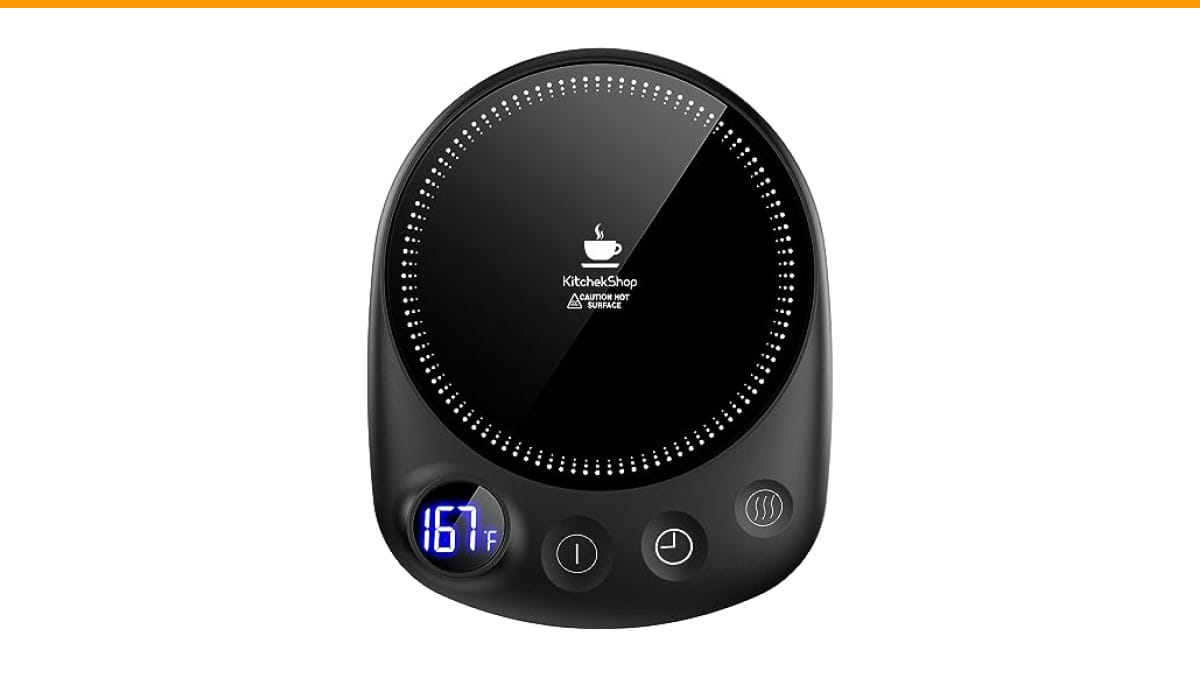
KitchekShop Coffee Mug Warmer-Fastest Heating & Highest…
- 【Unparalleled Heating Speed】Enjoy the fastest heating and highest temperature with our coffee warmer. Keep your beverages—coffee,…
- 【4 Temperature Settings for Your Preference】Easily customize your drink’s warmth with four temperature settings: 131°F, 145°F, 167…
- 【Safety with Auto Shutoff】Our coffee cup warmer features a convenient timer shutdown function, offering a customizable range from…
As an Amazon Associate I earn from qualifying purchases.
If you’re shopping for a unit that avoids many of these headaches, the Check Price on Amazon offers four temperature settings and a 1-12 hour timer. It’s a solid option if you want precise control over heat output rather than a single fixed temperature.
Quick Diagnostic: Is It the Mug, the Plate, or the Power?
Before touching any screws or cords, run this simple three-step isolation test. It takes about two minutes and will save you from replacing a perfectly good warmer.
- Swap the mug. Use a flat-bottomed ceramic mug with no textured glaze. If it heats up, your original mug is the problem. Warped or recessed bases create an air gap that blocks heat transfer.
- Swap the outlet. Plug the warmer into a different circuit entirely—not just a different socket on the same wall. Try the kitchen counter outlet instead of your desk power strip.
- Swap the cord. If your warmer has a detachable power cord, test it with another compatible device. A frayed or partially broken cord can deliver intermittent power.
These three checks isolate 80% of common coffee mug warmer problems and fixes. If the device works after step one, you don’t have a warmer problem—you have a mug problem.
Problem 1: Warmer Not Heating at All
This is the most common complaint, and it’s rarely the heating element itself. Let’s work through the likely causes in order of probability.
Check the Power Source and Cord
Most mug warmers draw between 15 and 50 watts. A standard 15-amp household circuit handles this easily, but power strips with surge protectors sometimes trip internal breakers without resetting visibly. Test the outlet with a phone charger or lamp first. If that works, inspect the warmer’s cord for kinks, chew marks, or exposed wire—especially near the base where it bends.
If you have a multimeter, set it to AC voltage and test the warmer’s input connector. You should read between 110 and 120 volts in North America. A reading below 105 volts indicates a wiring issue upstream, not a warmer defect.
Inspect the Heating Plate for Damage
Look at the heating plate surface under bright light. Cracks, burn marks, or discolored spots indicate the heating element has failed or shorted. These plates are typically aluminum or ceramic-coated. A crack allows moisture to reach the internal wiring, which can trip a GFCI outlet or blow a fuse.
If the plate looks fine but the unit feels completely cold after five minutes, the internal thermal fuse likely blew. This is a one-time safety component that fails when the device overheats. Replacing it requires soldering and is rarely worth the effort for a $20-30 warmer.
Problem 2: Slow Heating or Inconsistent Temperature
Your warmer works, but it takes forever to heat your coffee, or the temperature fluctuates wildly. This is where most people misunderstand what’s happening.
The Role of Mug Material and Bottom Flatness
Ceramic mugs with a recessed ring on the bottom are the number one cause of poor heat transfer. That recessed ring means only the outer edge touches the heating plate, creating a thin air pocket that insulates your coffee. Stainless steel mugs work better but conduct heat so efficiently that they can scorch the bottom of your drink at higher settings.
Test your mug’s flatness by setting it on a counter and trying to slide a piece of paper underneath. If the paper slides in easily from any side, the base isn’t flat enough for optimal contact. Glazed mugs with textured patterns on the bottom have the same issue. The warmer can only heat what it touches.
Understanding Wattage and Heat Loss
A 15-watt warmer maintains the temperature of an already-hot drink. It will not bring cold coffee to drinking temperature in a reasonable time. You need at least 40-50 watts for that. The KitchekShop unit reaches up to 185°F, which is hot enough to keep a beverage steaming for hours.
Heat loss is also a factor. Every time you lift the mug, you lose heat. Every time you pour in cold milk, you drop the temperature significantly. A warmer with a higher wattage recovers from these interruptions faster. If your warmer takes more than 15 minutes to bring a cold mug of coffee to a comfortable sipping temperature, it’s likely underpowered for your mug size.
Problem 3: Auto Shut-Off Triggering Too Early
Modern warmers include timers and thermal sensors for safety. When they shut off prematurely, it’s usually one of two things.
First, the thermal sensor might be reading the plate temperature, not the mug temperature. If your mug has a thick base, the plate gets hot while the coffee stays lukewarm. The sensor hits its cutoff threshold and shuts off, even though your drink needs more heat. Try a thinner-bottomed mug to see if the shut-off timing changes.
Second, the timer setting might be shorter than you think. Many units default to 2 or 4 hours. If you’re using it during a long work session, check the manual to extend the timer. The KitchekShop model lets you set a timer from 1 to 12 hours, which covers most workdays without needing a reset.
Problem 4: Overheating or Burning Smell
A burning smell from any electrical device is a red flag. Unplug it immediately. This is not a fix-it-yourself situation.
The most common cause is debris on the heating plate. Coffee spills, dust, or paper residue from a coaster can burn onto the surface. If you catch it early, unplug the unit, let it cool completely, and wipe the plate with a damp cloth. Never use abrasive pads—they scratch the coating and create hot spots.
If the smell persists after cleaning, the internal wiring insulation is degrading. This happens with age or after a power surge. Replace the unit. A $25 warmer is not worth a fire risk.
Problem 5: Peeling Coating or Scratched Plate
The non-stick or ceramic coating on heating plates degrades over time, especially if you slide mugs across the surface or use metal utensils. A scratched plate doesn’t just look bad—it heats unevenly and can flake into your drink.
Once the coating starts peeling, there’s no effective repair. You can sand it down, but that removes the protective layer and exposes the raw aluminum. This increases the risk of oxidation and uneven heating. Replacement is the only real solution.
To prevent this, always lift the mug straight up instead of sliding it. Wipe the plate clean after each use to avoid abrasive residue building up.
Problem 6: Battery Drain in Self-Heating Mugs
If you’re using a self-heating mug rather than a plate-based warmer, battery drain is a common complaint. These mugs use internal batteries that need recharging after a few hours of use. The heating element draws significant current—typically 10-20 watts—which drains a small battery quickly.
There’s no fix for this beyond understanding the limitation. A self-heating mug is designed for portability, not all-day desk use. For that, a plugged-in mug warmer with a heating plate is more reliable. You don’t have to worry about battery health or remembering to charge it.
Problem 7: App Connectivity and Sensor Calibration Issues
Some higher-end warmers connect to smartphone apps for temperature control. When the app won’t sync or the temperature readings seem off, check the sensor calibration first.
Most units require a recalibration process. This usually involves placing a known-temperature object on the plate and holding a button for a few seconds. Consult your manual for the exact sequence. If the app connection fails repeatedly, delete the app, reinstall it, and pair the device again. Bluetooth interference from other devices can also cause intermittent drops.
These smart features add convenience, but they also add failure points. If you just want your coffee hot, a manual unit with preset temperature settings is often more reliable.
When to Stop Fixing and Just Replace It
Here’s a practical cost-benefit rule. If the heating element or thermal fuse is dead, replacement costs more than a new unit. If the power cord is damaged, replacement is also not worth the risk of a poor solder joint. If the coating is peeling, there’s no fix.
Warranty coverage matters here. Check if your unit is still under warranty before buying anything. Many manufacturers offer a 1-year warranty that covers defects. If you’re out of warranty and the issue is internal, recycle the unit and buy a new one.
When you do replace, look for a unit with a higher wattage, a flat heating surface, and an auto shut-off timer. These three features prevent most of the problems listed above.
Maintenance Checklist to Prevent Future Problems
You can extend the life of your mug warmer with a few simple habits. These take less than a minute each.
- Wipe the heating plate dry after every use. Moisture left on the surface can seep into the seams and corrode the internal wiring.
- Lift mugs straight up. Sliding them scratches the coating and creates uneven wear.
- Use flat-bottomed mugs only. This reduces strain on the heating element and improves efficiency.
- Unplug the warmer when not in use. This prevents power surges from damaging the internal components.
- Clean spills immediately. Sugary coffee residue burns onto the plate and becomes hard to remove.
- Avoid using metal utensils near the plate. A dropped spoon can chip the coating.
These habits won’t prevent every failure, but they address the most common causes of premature wear.
Comparing Fixes vs. Replacements by Problem Type
| Problem | Likely Cause | Fix Effort | Cost to Fix | Better to Replace? |
|---|---|---|---|---|
| No power at all | Dead outlet or frayed cord | Low | $0-10 | Only if cord is damaged |
| Slow heating | Mug bottom not flat | Low | $0 | No—swap the mug |
| Auto shut-off early | Sensor reading plate temp | Medium | $0 | Only if timer is fixed |
| Burning smell | Debris or wiring failure | Low (clean) / High (wire) | $0-25 | Yes, if smell persists |
| Peeling coating | Wear and tear | None | N/A | Yes |
| Battery drain (self-heating) | Design limitation | None | N/A | Consider a plug-in model |
Frequently Asked Questions
Can I use a stainless steel mug on a mug warmer?
Yes, but with caution. Stainless steel conducts heat very well, so it heats faster than ceramic. However, it can get too hot to touch on the outside and may scorch the bottom of your drink at high settings. Use a lower temperature setting if you prefer stainless steel.
Why does my mug warmer work with one mug but not another?
The bottom of the mug is the deciding factor. Mugs with recessed rings, textured glazes, or curved bases don’t make full contact with the heating plate. Air acts as an insulator, so heat doesn’t transfer efficiently. Use a flat-bottomed ceramic mug for best results.
Is it safe to leave a mug warmer on overnight?
Most modern warmers have an auto shut-off timer, typically ranging from 1 to 12 hours. If your unit has this feature, leaving it on overnight is reasonably safe. If it doesn’t have a timer, unplug it. A heating element left on indefinitely is a fire hazard, especially if the plate is covered.
Why does my warmer turn off after a few minutes?
This is usually the thermal sensor detecting that the plate has reached its maximum safe temperature. If the mug isn’t absorbing the heat (due to a poor bottom seal), the plate overheats and the sensor trips. Try a different mug to see if the issue resolves.
Can I repair a cracked heating plate?
No. A cracked heating plate compromises the electrical insulation and creates a shock hazard. Do not attempt to glue or patch it. Replace the entire unit. This is one of the few issues where repair is never a viable option.
What Actually Matters in the Long Run
Here’s the short version of everything above, for the skimmers.
- Isolate the problem first: swap the mug, swap the outlet, swap the cord. This takes two minutes and solves most cases.
- Flat-bottomed ceramic mugs are your best friend. Recessed bases are the #1 cause of poor heating performance.
- Wattage matters. A 15W warmer maintains heat; a 40W+ warmer actually heats cold liquid. Know which one you own.
- Auto shut-off is a safety feature, not a defect. Adjust the timer or check the sensor if it trips too early.
- A burning smell or cracked plate means replace, not repair. Don’t risk electrical damage over a $25 device.
- Maintenance is simple: wipe the plate dry, lift mugs straight up, and unplug when idle.
- If you’re shopping for a replacement, prioritize a flat heating surface, higher wattage, and a timer you can actually set.
Most of these problems aren’t failures—they’re mismatches between the device and how you’re using it. Fix the variable that’s wrong, and you’ll get years of hot coffee out of the same unit.
Products related to this article
Sponsored / affiliate links. As an Amazon Associate I earn from qualifying purchases. I may earn additional commission from eligible campaigns.
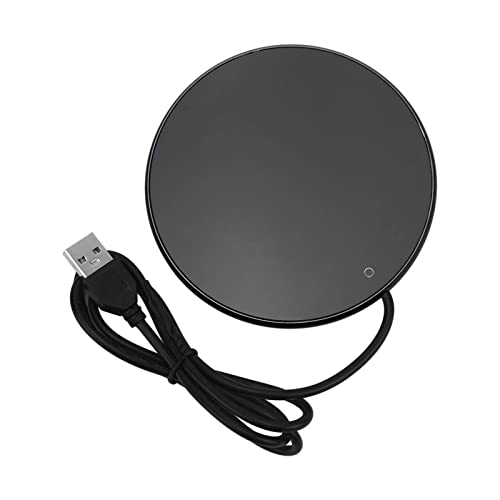 Coffee Mug Warmer for Desk, 3 Temp Settings USB Powered Electric Cup Warmer
 Coffee Mug Warmer & You are Awesome Mug Set, Electric Cup Warmer for Desk
 Coffee Mug Warmer,Cup Warmer with 7 Temp Settings,8H Auto Shut Off & 12H Timer,Fast Bottle Warmers for All Bottles,The Ultimate Coffee Warmer Plate for Beverage Lovers (Wood)