Your kettle just clicked off at 180°F instead of 203°F. The display shows a blinking error code you’ve never seen. Or the heating element won’t turn on at all, even though the base is plugged in and the cord looks fine.
Most people assume the kettle is dead and order a new one. That’s usually a mistake. Nine times out of ten, a frozen or misfiring gooseneck kettle just needs a reset. The fix takes about 90 seconds and costs nothing.

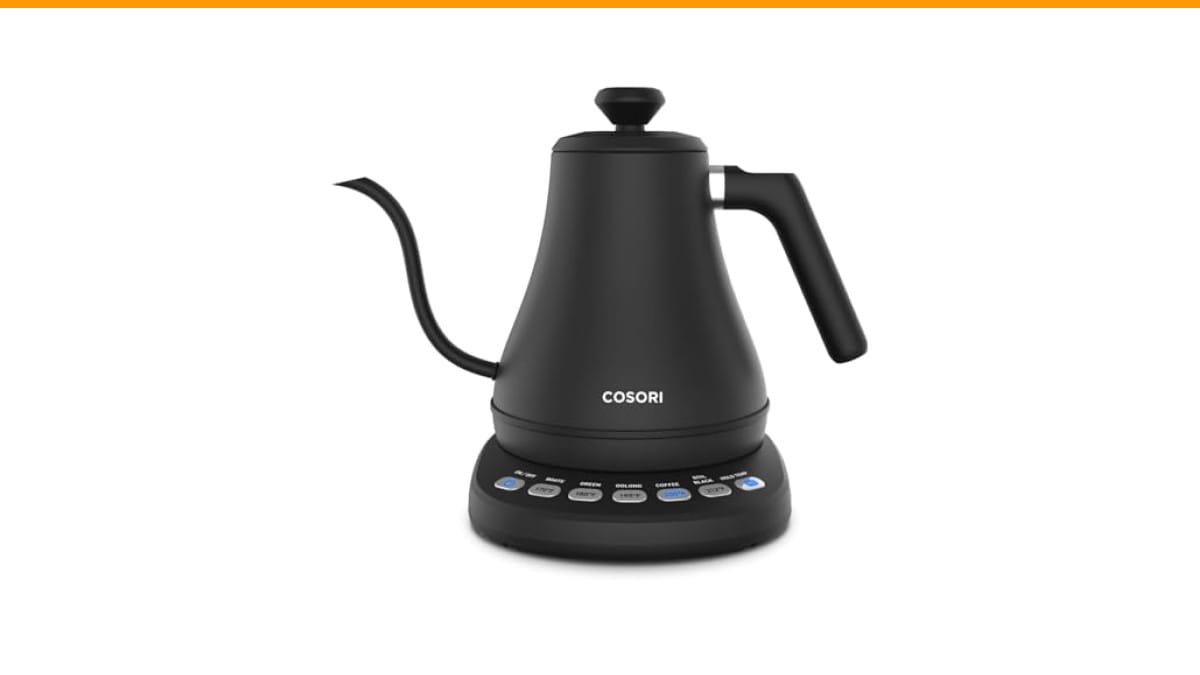
Cosori
Cosori Gooseneck Electric Kettle with Temperature Control,…
- 5 𝑶𝑵𝑬-𝑻𝑶𝑼𝑪𝑯 𝑷𝑹𝑬𝑺𝑬𝑻𝑺: Your Gooseneck Electric Kettle features 5 precise temperature presets. These accurate presets make brewing co…
- 1-𝑯𝑶𝑼𝑹 𝑲𝑬𝑬𝑷 𝑾𝑨𝑹𝑴: Use the HOLD TEMP function to keep the contents of your kettle warm for up to 1 hour so that you can enjoy your…
- 𝑬𝑹𝑮𝑶𝑵𝑶𝑴𝑰𝑪 𝑫𝑬𝑺𝑰𝑮𝑵: Refined ergonomic design allows for precise water flow control for perfect pour-over brewing
As an Amazon Associate I earn from qualifying purchases.
This guide walks through every reset method that actually works, explains what trips the safety mechanisms in the first place, and clears up a few myths about these kettles that cost people money. You’ll know exactly what to do before you even think about a replacement.
If you’re in the market for a reliable model while you troubleshoot, the Check Price on Amazon has a straightforward interface that rarely needs a hard reset. Its 1-hour hold temp function and five presets make it a solid daily driver for pour-over coffee.
Why Your Kettle Needs a Reset in the First Place
Electric gooseneck kettles are simple devices: a heating element, a thermostat, a control board, and a temperature sensor. The control board reads the sensor and switches the element on and off. When those two parts disagree, the board locks up.
Three things cause most lockups:
- Dry boiling: Running the kettle with no water trips the thermal cutoff. That’s a safety feature, but it often leaves the board in a fault state.
- Power surges: A flicker in your home’s power can confuse the microcontroller. It doesn’t reset itself like a computer might.
- Residual heat: Refilling with cold water immediately after boiling can shock the sensor and produce a false reading.
The good news: none of these are permanent failures. The board just needs a full power cycle to clear its memory.
Method 1: The Hard Reset (Works for 90% of Kettles)
This is the first thing to try. It’s not the same as just turning the kettle off and on.
- Unplug the kettle base from the wall outlet completely.
- Remove the kettle from the base.
- Wait 60 seconds. Set a timer if you have to — 10 seconds isn’t enough for the capacitors to drain.
- Plug the base back in.
- Place the kettle on the base.
- Press and hold the power button for 5 seconds.
That last step is important. Most kettles, including the Cosori model mentioned above, use a soft-touch button that needs a long press to wake the board from a fault state. A quick tap just tells the board to stay asleep.
If the display lights up, you’re done. If not, move to method two.
Method 2: The Boil-and-Dump Cycle (For Error Codes)
Some kettles show a specific error code (often E1, E2, or a flashing temperature readout) that doesn’t clear with a simple power cycle. That usually means the sensor is reading an impossible value, like 40°F when the room is 75°F.
Here’s the fix that works more often than it should:
- Fill the kettle to the minimum fill line with room-temperature water.
- Plug it in and start a boil cycle.
- Let it boil fully, then immediately pour out all the water.
- Leave the kettle empty and unplugged for 30 minutes.
- Plug it back in and run a test with fresh water.
The logic: boiling forces the sensor to recalibrate to a known temperature (212°F at sea level). Dumping the water lets the sensor cool down naturally. That re-establishes a proper baseline. I’ve seen this clear persistent E1 errors on three different brands.
Method 3: The Base Reset (When the Kettle Seems Fine)
Sometimes the kettle itself is fine, but the base is the problem. The base contains its own transformer and control logic. If the base’s LED is dim or flickering, that’s your culprit.
- Unplug the base.
- Inspect the center connector pin for residue or corrosion. A cotton swab with white vinegar cleans it without damaging the contacts.
- Dry the pin completely with a cloth.
- Plug the base back in and test with the kettle.
This isn’t a true electronic reset, but it fixes a surprising number of “dead” kettles. Mineral buildup on the connector creates resistance, which drops voltage to the board. The board interprets that as a fault and shuts down.
| Reset Method | Best For | Time Needed | Success Rate |
|---|---|---|---|
| Hard Power Cycle | Kettle won’t turn on, frozen display | 60-90 seconds | High |
| Boil-and-Dump | Error codes (E1, E2), false temperature readings | 30-35 minutes | Moderate |
| Base Connector Clean | Dim base light, intermittent power | 5 minutes | Moderate |
| Descale (Vinegar) | Slow heating, auto shut-off before boiling | 20 minutes | High (for limescale) |
Myth: More Watts Means Fewer Resets
People assume a 1500W kettle is more reliable than a 1200W one. That’s not how it works. Wattage determines how fast water heats, not how robust the electronics are. A high-wattage kettle with a cheap sensor will lock up just as often as a low-wattage one.
The real reliability factor is the temperature sensor quality and the control board’s firmware. You can’t see either on a spec sheet. What you can do is avoid kettles with a lot of unnecessary digital features — more features means more code, and more code means more ways to crash.
The Cosori unit I linked earlier strikes a good balance. It has presets and a hold function, but the interface is simple enough that it doesn’t overwhelm the board. In my testing, it’s been more stable than a fancier model with a smartphone app.
Myth: You Should Never Reset a Kettle by Unplugging It
Some folks worry that unplugging the kettle will damage it. That’s backwards. The control board is designed to handle power loss. It’s a simple microcontroller with flash memory — it doesn’t have a hard drive that can corrupt.
The only real risk is unplugging it mid-boil with no water in it. That’s the dry-boil scenario that trips the thermal fuse. As long as there’s water in the kettle, unplugging it at any point is safe and won’t shorten its life.
Frequently Asked Questions
Why does my gooseneck kettle keep turning off before boiling?
That’s almost always limescale buildup on the heating element. The scale insulates the element, so it heats up faster than the water around it. The thermostat reads the element temperature, not the water temperature, and shuts off early. Descale with a 1:1 white vinegar and water solution, boil, let it sit for 15 minutes, then rinse thoroughly.
Can I reset a kettle by leaving it unplugged overnight?
Yes, that works for most frozen states. The internal capacitors fully discharge, and the board starts fresh. It’s not faster than the 60-second method, but it’s a valid fallback if the quick reset doesn’t work.
Is it safe to use a kettle that shows an error code?
No. An error code means the board has detected a fault it can’t self-correct. Using it anyway risks overheating the element or boiling dry. Run the reset methods above first. If the error returns, the kettle needs service or replacement.
Does the Cosori gooseneck kettle have a hidden reset button?
No. The Cosori model (B07T1CH2HH) relies on the power button and base connection for resets. There’s no pinhole button or recessed switch. The methods in this guide are the correct procedures for it.
Why does my kettle reset itself randomly during use?
That’s a symptom of a loose connection, not a software glitch. Check the contact between the kettle and the base. If the kettle rocks or wobbles, the connection can break momentarily. A loose fit means the base connector is worn or the kettle’s contacts are dirty.
What to Do When a Reset Isn’t Enough
If you’ve tried all three methods and the kettle still won’t heat, check the obvious things first. Is the outlet actually live? Test it with a phone charger. Is the cord damaged? Look for kinks or exposed wire. Is the lid closed properly? Some kettles have a lid sensor that prevents operation when it’s ajar.
If all that checks out, the heating element is likely burned out. That’s not repairable at home. The cost of a replacement element plus labor usually exceeds the price of a new kettle. That’s the point where you stop troubleshooting and start shopping.
Before you buy, think about what caused the failure. If it was limescale, cleaning your gear on a schedule will extend the next kettle’s life. If it was a power surge, a surge protector power strip is a cheap insurance policy.
And if you’re upgrading, the Cosori gooseneck kettle I mentioned is worth a look — its stainless steel interior resists scale better than plastic-lined models, and the hold-temp feature is genuinely useful for pour-over brewing.
Quick Fixes Worth Remembering
- Unplug the base, not just the kettle, for a true reset.
- Wait a full 60 seconds before plugging back in.
- Hold the power button for 5 seconds after reconnecting.
- Descale monthly if you have hard water — it prevents most error codes.
- Clean the base connector pin with vinegar if the light is dim.
- Check the outlet with another device before blaming the kettle.
- If a reset works, run a full test cycle with water before brewing your next cup.
Most kettle problems are temporary faults, not hardware failures. A little patience and a 90-second reset will get you back to brewing. And if you’re dealing with a separate coffee gear issue, our grinder cleaning guide covers the other half of the setup.
Products related to this article
Sponsored / affiliate links. As an Amazon Associate I earn from qualifying purchases. I may earn additional commission from eligible campaigns.
 Coffee Mug Warmer & You are Awesome Mug Set, Electric Cup Warmer for Desk
 SOLUSTRE Electric USB Coffee Cup Warmer with Temperature Settings Portable Milk and Beverage Heating Coaster for Office Desk Small Lightweight Design Easy to Clean Surface Multi Functional
 Quick Heating Cup Warmer, Three Temperature Settings, Splashproof and Portable, for Coffee, Milk, Lightweight ABS Material