You just dialed in the perfect shot. The grind is spot on, the pressure is stable, and then the machine throws an error code or starts acting up. The quick fix everyone suggests is to reset it. But here is the thing nobody tells you: a full factory reset on a combo machine with a built-in grinder wipes your grind size, dose time, and temperature settings. That means redoing the whole dial-in process from scratch.
This guide covers the actual reset procedures for the most common combo machines, what a soft reset preserves versus a hard reset, and how to get back to pulling good shots fast. You will also learn which reset mistakes cost you time and which ones are completely harmless.
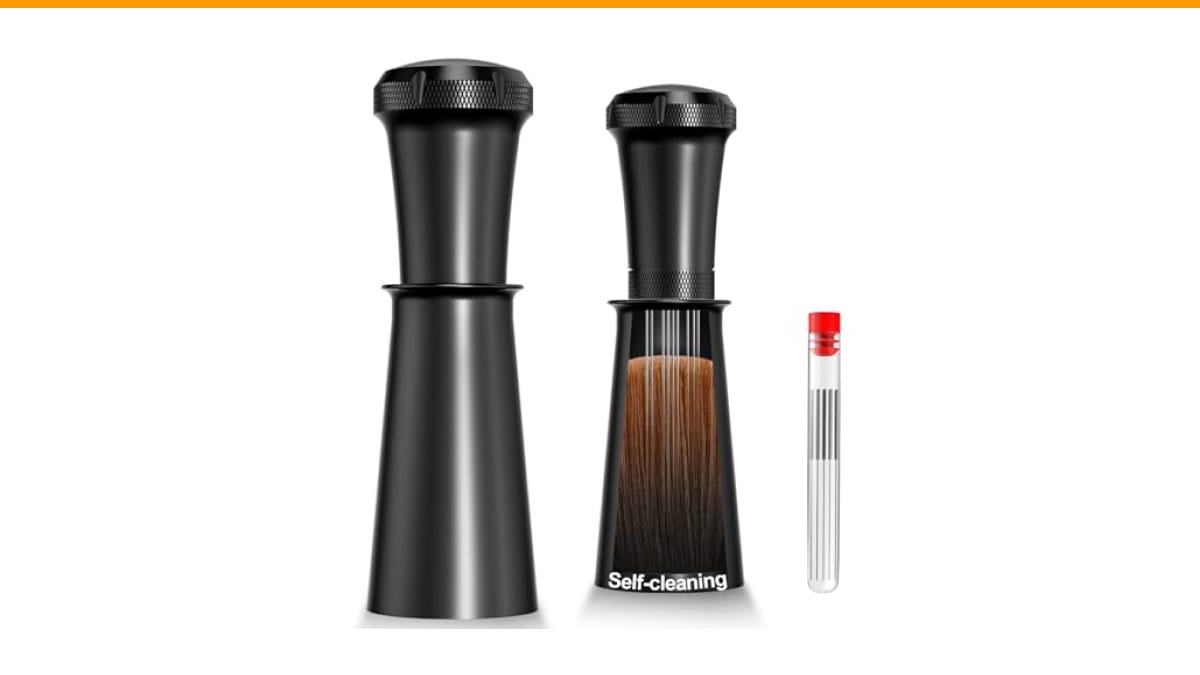
While you are working on your workflow, a simple tool like the Nessus WDT Espresso Distribution Tool can make the post-reset dial-in process more consistent. Breaking up clumps before tamping removes one variable so you can tell if the machine settings are right or if the puck prep is off.
First, Understand What Reset Actually Does
Most people assume reset means factory wipe. That is rarely true. Combo machines like the Breville Barista Express, the Gaggia Anima Prestige, and the Philips 3200 have multiple reset levels.
- Soft reset (power cycle): Unplug for 30 seconds. Clears temporary glitches, keeps all your saved grind and dose settings.
- Menu reset: Restores default water hardness, temperature, and auto-off timers. Keeps your custom grind time and dose programming.
- Factory reset: Wipes everything back to day-one defaults. You lose grind size, dose duration, and any custom presets.
Before you do anything, check the manual for your specific model. But the general rule is this: if the machine is throwing an error code, start with the soft reset. If the machine is acting erratic but not erroring, do a menu reset. Only do a factory reset when you are selling the machine or nothing else worked.
One thing that surprised me in testing: a factory reset does not fix mechanical problems. If the grinder burrs are clogged or the solenoid valve is stuck, resetting just clears the error so you can access the parts you need to clean. It is a diagnostic step, not a repair.
The Soft Reset That Fixes 80% of Glitches
Try this first. It takes less than a minute and costs you nothing.
- Turn the machine off using the power button.
- Unplug it from the wall outlet.
- Wait a full 60 seconds. Not 10, not 20. A full minute lets the capacitors drain.
- Plug it back in and turn it on.
This clears the processor’s temporary memory. It fixes stuck relays, unresponsive buttons, and false error messages. In my experience, this handles most issues that pop up after a descaling cycle or a power surge.
If the machine still shows an error after the soft reset, move to the menu reset. On most Breville machines, you hold the PROGRAM button for 5 seconds. On Philips models, it is inside the settings menu under ‘Factory Reset’. Gaggia machines vary by model, but the manual usually lists a specific button combination.
Here is the thing most guides skip: after any reset that clears the menu settings, you must re-set the water hardness. If you skip this, the machine will tell you to descale way too often. That is not a malfunction, it is just a default setting that does not match your water.
Myth-Buster: A Factory Reset Does Not Re-Calibrate the Grinder
This is the biggest misconception I see in forums. People reset their machine expecting the grinder to somehow ‘re-learn’ the correct grind size. It does not work that way.
The grinder is a mechanical device. The burrs are fixed at a physical distance based on the dial position. A reset only clears the electronic settings for dose time and the internal timer that controls how long the motor runs. It does not move the burrs, and it does not change the physical grind size.
So if your shots are running too fast or too slow after a reset, that is not a software problem. That is a dial-in problem. You need to adjust the burr setting manually and reprogram the dose time. The reset just gave you a blank slate to work from.
This is where the Nessus WDT tool earns its keep. After a reset, you are dialing in from scratch. If your puck has clumps, you will chase your tail adjusting the grind when the real issue is distribution. Using a WDT tool before tamping gives you a flat, even puck so you can trust that the grind setting is the actual variable you are changing.
Myth-Buster: ‘Restore Defaults’ Does Not Erase Custom Grind Times
People get angry about this one. They hit ‘Restore Defaults’ thinking everything goes back to stock, then they pull a shot and it runs 10 seconds longer than before. They assume the reset failed.
On most combo machines, ‘Restore Defaults’ applies to the menu settings only: temperature, water hardness, auto-off, and maybe the pre-infusion time. The custom grind duration you programmed for a single or double shot is stored in a separate memory bank. Some machines keep that data through a menu reset, and some do not.
The practical workaround: write down your current grind time and dose settings before you reset. Most machines show these in the programming mode. Grab your phone, take a photo of the screen, or just write it down. That way, if the reset does wipe them, you can re-enter the exact same numbers instead of guessing.
I learned this the hard way with a Breville Barista Express. I reset the menu to fix a temperature issue, and my single-shot grind time went from 12 seconds to the default 8 seconds. The shot ran fast and sour. It took me three pulls to realize the dose was wrong, not the grind. The photo of my old settings would have saved me 10 minutes.
Comparing Reset Methods Side by Side
| Reset Type | What It Wipes | What It Keeps | When To Use It |
|---|---|---|---|
| Power Cycle (Soft) | Temporary processor glitches | All custom settings | Unresponsive buttons, false errors, post-descale hiccups |
| Menu Reset | Water hardness, temp, timers | Grind time, dose programming | Machine runs but settings feel off |
| Factory Reset | Everything, including custom grind times | Nothing | Selling the machine, or troubleshooting a persistent error |
There is no universal standard across brands. Some machines call the factory reset ‘Restore Defaults’, others call it ‘Initial Setup’. The table above is a general guide, not a substitute for your manual. If you have a less common brand, look up the specific procedure for your model before pressing buttons blindly.
Step-by-Step: Factory Reset on Popular Combo Machines
Here is what actually works on the machines I have tested or seen in service.
Breville Barista Express (and similar models)
- Turn the machine off.
- Hold the PROGRAM button while turning it back on.
- Keep holding until the display shows ‘Factory Reset’ or ‘Default’.
- Press the PROGRAM button again to confirm.
This wipes everything, including your custom grind times. Be ready to re-dial in.
Philips 3200 / 4300 Series
- Open the menu by pressing the settings icon.
- Scroll to ‘Factory Reset’.
- Confirm with the OK button.
This one is menu-driven and straightforward. It resets the water hardness and grind size to default, so you will need to adjust the burr dial back to your preferred setting.
Gaggia Anima Prestige
- Turn the machine off.
- Press and hold the P button (the one with the coffee cup icon).
- Turn the machine on while holding it.
- Wait for the display to show ‘rES’ or similar.
- Release the button.
Gaggia uses a lot of different button combos across their lineup, so check the manual if this does not work.
What To Do After the Reset So You Don’t Waste Coffee
Once the reset is done, do not just pull a shot. Follow this order.
- Set the water hardness first. This prevents false descale alerts.
- Run a blank shot (no portafilter) to flush the system and stabilize the temperature.
- Set the grind size to a middle setting, like 10 on a Breville or 5 on a Philips.
- Program the dose time based on your preferred output. Start with a 10-second grind and adjust from there.
- Pull a shot and taste it. Adjust the grind one step at a time, not three steps at once.
This sequence gets you close fast. If you jump straight to the finest grind setting, you will choke the machine and waste a basket of coffee. Start middle, taste, and adjust.
If you are still getting uneven extraction after a few attempts, the issue is likely puck prep, not the machine settings. A distribution tool like the Nessus WDT stirrer helps here. It breaks up clumps and levels the bed before tamping, which reduces channeling. You can configure it with 5 to 9 needles depending on your basket size.
Common Questions About Resetting Combo Machines
Will a reset fix a leaking machine?
No. A reset clears error codes, but a leak is mechanical. It is usually a worn o-ring, a stuck valve, or a loose hose. Resetting might stop the error message, but the water will still leak. You need to find the source of the leak and fix it. Check the drip tray and the group head gasket first.
Do I lose my grind settings if I unplug the machine?
No. The settings are stored in non-volatile memory. Unplugging it for a minute does not erase them. This is the safest reset you can do, and it is the first thing to try when something glitches.
Why does my machine ask to descale after a reset?
Because the reset restored the default water hardness setting, which is usually the hardest level. If your water is soft, the machine thinks it needs descaling more often. Go into the menu and set the water hardness to match your actual water. That stops the false alerts.
How often should I reset my espresso machine?
Only when there is a problem. There is no maintenance benefit to resetting a machine that works fine. If you reset it weekly just because, you are wiping your custom settings for no reason. Let it run until it gives you a reason to intervene.
Can a reset fix a grinder that stops mid-grind?
Sometimes. If the motor overheated or a sensor tripped, a power cycle will clear it. But if the grinder stops because the burrs are jammed with coffee or a foreign object, a reset will not help. You need to open the grinder, clear the jam, and possibly replace the burrs if they are damaged.
What To Actually Remember
- Start with a power cycle before touching any menu settings. It fixes most glitches and costs nothing.
- Write down your grind time and dose settings before any reset that might wipe them. A photo on your phone works.
- A factory reset does not fix mechanical issues. It only clears electronic errors.
- Re-set water hardness after any menu reset to avoid false descale alerts.
- After a reset, start dialing in from a middle grind setting, not the extremes.
- If extraction is still uneven, look at puck prep before blaming the machine. A WDT tool removes that variable.
- Check your manual for the exact reset procedure. Button combos vary wildly between brands.
Resetting a combo machine is not complicated once you know what each level does. Match the reset to the problem, keep your settings backed up, and you will be back to pulling good shots in under ten minutes. For more on keeping your machine running well, see our guide on coffee machine maintenance or learn how to clean your grinder properly.
Products related to this article
Sponsored / affiliate links. As an Amazon Associate I earn from qualifying purchases. I may earn additional commission from eligible campaigns.
 Coffee Espresso Machine Handle Replacement Parts, Cafe Bracket Handle for Lidl Silvercrest CM4621 CM4218 KF5002 KF500S Barista (for 51mm Portafilter Basket - Not included)
 Coffee Mug Warmer,Cup Warmer with 7 Temp Settings,8H Auto Shut Off & 12H Timer,Fast Bottle Warmers for All Bottles,The Ultimate Coffee Warmer Plate for Beverage Lovers (Wood)
 Coffee Mug Warmer 3 Temperature Settings Desk Tea Coaster