You’ve dialed in your espresso grinder for a week. Then one morning it starts stalling, or the grind size drifts from fine to coarse with no warning. Or the motor hums but the burrs won’t turn. Nine times out of ten, the fix isn’t a new grinder — it’s a reset. Not a factory wipe, but a mechanical and electronic re-zeroing that gets the burrs back to their true alignment and the controller back to its baseline.
This article covers the three types of resets: burr calibration, hopper/grind setting resets, and electronic resets for grinders with digital displays or timers. You’ll get the exact steps for each, plus the mistakes that cause more harm than good. By the end, you’ll know whether your grinder needs a full teardown or just a quick button press.

NESSUS
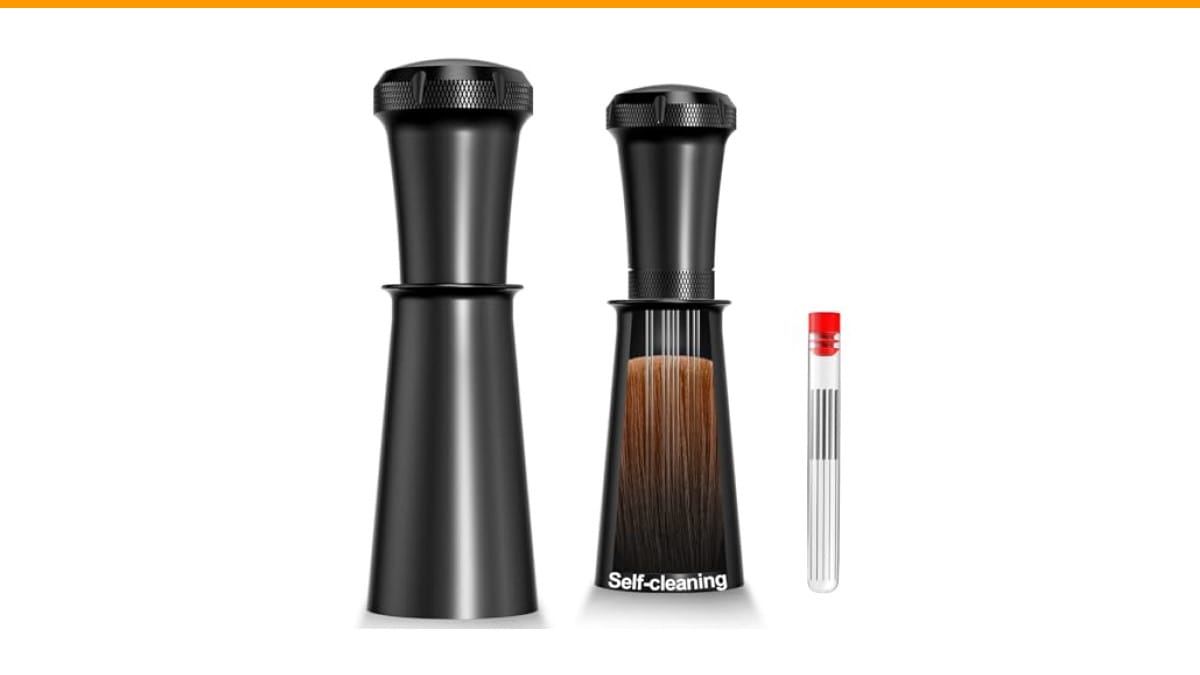
Nessus WDT Espresso Distribution Tool, Espresso Accessories…
- 【A Perfect Espresso Shot Companion】 Nessus espresso distributor includes 10 food-grade stainless steel needles with a 0.35mm diame…
- 【Effortless Cleaning, More Enjoying】 Forget tedious cleaning! After stirring coffee grounds, simply insert the needles into the ba…
- 【Your Coffee, Your Way】 Break free from the limitations of other espresso tools. Our WDT distribution tool offers easy assembly an…
As an Amazon Associate I earn from qualifying purchases.
One tool that makes the post-reset workflow easier: a WDT distribution tool. After you reset and re-dial, breaking up clumps with a 0.35mm needle distributor gives you a more even puck, which means fewer channeling issues and a cleaner taste test. It’s not a grinder part, but it’s the difference between a good reset and a great shot.
Why Your Grinder Needs a Reset in the First Place
Grinders drift. Burrs wear unevenly, spring-loaded upper burr carriers lose tension, and stepless adjustment rings can slowly rotate from vibration. For grinders with digital timers, the microcontroller can also lose its zero-point reference after a power surge or a dropped hopper.
The most common symptom is a sudden change in grind size when you didn’t touch the dial. Another is the grinder stalling on beans that used to grind fine — that usually means the burrs are touching when they shouldn’t be, or the motor’s overload protection tripped.
Most home grinders (like Baratza, Eureka, and Rancilio models) have a mechanical reset: you set the burrs to a zero point and lock it. Electronic grinders (like the Fellow Ode or Breville Smart Grinder Pro) have a hidden reset button or a button combination that clears the calibration offset. The steps differ, but the principle is the same — return the machine to a known physical state before you re-dial.
Reset Type 1: Burr Calibration (Mechanical Zero)
This is the reset that fixes most consistency problems. It’s not about pressing a button — it’s about physically realigning the burrs so that your grind setting numbers actually mean something again.
- Empty the hopper and run the grinder until no beans remain. This prevents any bean from jamming the burrs while you work.
- Remove the hopper and the upper burr carrier. Most grinders use a twist-lock or a spring-clip mechanism. If it’s stuck, turn it clockwise while lifting — do not pry with a screwdriver.
- Clean the burrs and the carrier threads with a stiff brush. Coffee oils and fines build up and alter the zero point. You can use a grinder cleaning routine here if it’s been a while.
- Reinstall the upper burr carrier, but do not tighten it fully. Turn the adjustment ring to its finest setting (often marked with a small dot or zero).
- Rotate the upper burr until you hear a light chirp — that’s the burrs just touching. Back off a quarter to a half turn. This is your new zero point.
- Lock the collar or set the indicator ring to match the new zero. On stepless grinders, this is a friction fit; on stepped grinders, you align the numbers.
After this reset, your grind setting will be more accurate, but you still need to re-dial for your current beans. The zero point doesn’t tell you the perfect setting — it just gives you a reliable reference.
A quick note: if your grinder has a shim kit (like Baratza’s), the chirp test may not work if the burrs are too far apart. In that case, follow the manufacturer’s shim instructions first, then do the chirp test.
Reset Type 2: Electronic Reset for Digital Grinders
Digital grinders store a grind-time offset and a burr position offset in memory. When those get corrupted — often from unplugging mid-grind or a power outage — the display might show settings that don’t match the actual burr gap. The fix is a full electronic reset.
Here’s the generic procedure that works on most Breville and Fellow grinders:
- Unplug the grinder for 30 seconds. This clears the volatile memory and lets the microcontroller reboot.
- Plug it back in and hold the ‘Start’ or ‘Manual’ button for 10 seconds. Some models flash a light or beep. That’s the reset confirmation.
- For grinders with a grind-time dial, set it to zero, then press and hold the ‘Grind’ button. This recalibrates the timer’s zero-point.
- Run a single grind cycle with no beans. Listen for the motor — it should spin freely without surging. If it stalls, the burrs are too tight; back off the adjustment ring.
Check your manual for the exact button combination. Breville uses ‘Start’ + ‘Manual’ for factory reset; Fellow Ode uses a hidden pinhole button on the bottom. If you don’t have the manual, search the model name plus ‘reset procedure’ — most manufacturers have a PDF.
This reset does not fix physical alignment. If your burrs are misaligned, the electronic reset won’t help. Do the burr calibration first, then the electronic reset.
The Myth: ‘Resetting Fixes Burr Wear’
Here’s the part most people get wrong. A reset can realign the burrs, but it cannot restore a dull edge. If your grinder produces more fines than usual, or the grind size changes mid-bag, and the chirp test shows the burrs touching at the same point as when new — your burrs are probably worn out.
Burr life varies by material. Steel burrs in home grinders typically last 500–1000 pounds of coffee. Ceramic burrs last longer but chip more easily. If you’ve had the grinder for three years of daily use, a reset might mask the problem for a week, but the real fix is a new burr set.
Another misconception: a reset will fix grind retention. It won’t. Retention is a physical property of the grinder’s chute and chamber. If you’re getting 2–3 grams of stale grounds in your next dose, that’s not a calibration issue. That’s a design issue, and the only fix is a bellows attachment or a different grinder.
Reset Type 3: Hopper and Grind Setting Reset
This one sounds trivial, but it’s the most common fix for ‘my grinder is stuck on coarse’ or ‘my grinder won’t go fine enough.’ Some grinders (especially Eureka Mignon models) have a hopper that can be rotated independently of the burr adjustment. If the hopper’s tabs are not aligned with the grinder body, the adjustment ring may not move the burrs at all.
To reset this:
- Remove the hopper completely.
- Look at the three or four tabs on the hopper base. They need to align with the slots on the grinder body.
- Rotate the adjustment ring to its coarsest setting first, then reinstall the hopper. This prevents the hopper from jamming against the burr carrier.
- Turn the hopper clockwise until it clicks. You should feel the tabs seat into the slots.
This is also the reset to do when you switch from pour-over to espresso. Many grinders have a ‘range’ adjustment that changes the minimum gap. If you’ve been grinding for French press and suddenly can’t get fine enough for espresso, the range collar is probably set to the coarse range.
Comparison: When to Do Which Reset
| Symptom | Reset Type | Time Needed | Tools Required | Risk Level |
|---|---|---|---|---|
| Grind size drifts during the same bag | Burr calibration | 15 minutes | Brush, maybe screwdriver | Low |
| Digital display shows wrong time or setting | Electronic reset | 5 minutes | None | Very low |
| Grinder stalls on beans that used to grind fine | Burr calibration + check burr wear | 20 minutes | Brush, burr wrench | Medium |
| Adjustment ring won’t move or feels loose | Hopper and range reset | 10 minutes | None | Low |
| Grinder won’t grind fine enough for espresso | Range collar reset | 10 minutes | None | Medium |
If you’re unsure which one applies, start with the hopper reset. It’s the least invasive and often solves the issue. Then do the burr calibration. Only do the electronic reset if you have a digital display and the problem persists.
Common Reset Mistakes That Make Things Worse
The biggest mistake is running the grinder with the burrs touching during the chirp test. That’s fine for a second, but if you leave it in that position and grind beans, you’ll heat the burrs and possibly chip them. Always back off at least a quarter turn after you hear the chirp.
Another mistake is forcing the upper burr carrier if it doesn’t lift easily. Some grinders have a locking screw that must be loosened first. Check for a small hex bolt or a thumb screw on the side of the carrier. If you force it, you’ll strip the threads.
Finally, don’t do a full reset just because your shots are sour. Sour espresso is usually an extraction problem, not a grinder alignment problem. If the grind looks consistent and the machine pressure is normal, adjust your dose or temperature before touching the grinder. A burnt taste can also mimic a grinder issue when it’s actually water temperature.
After the Reset: Re-Dialing in Three Shots
Once you’ve reset the grinder, don’t assume your old grind setting is still correct. The zero point has moved, so your previous number is meaningless. Start fresh.
- Set the grind to a medium-fine setting (around the middle of the espresso range).
- Pull a shot with your normal dose. Time it from pump start to the first drop. Aim for 8–12 seconds to first drop, 25–30 seconds total.
- If the shot runs fast (under 20 seconds total), grind finer by one full number or two clicks.
- If the shot stalls or drips, grind coarser by one number.
- Adjust one variable at a time. Change the grind, not the dose, until you get a 1:2 ratio in 25–30 seconds.
This takes about 15 minutes and three shots. It’s faster than guessing and wasting a bag of beans. After you’ve dialed in, use a burr grinder consistently — blade grinders can’t be reset because they have no burr alignment.
Frequently Asked Questions
How often should I reset my espresso grinder?
Only when you notice a problem. Don’t reset on a schedule. If the grinder is consistent, leave it alone. Most home users reset once every 3–6 months, usually after a deep clean or when switching between very different brew methods.
Will a reset fix a grinder that’s jamming on oily beans?
No. Oily beans cause clumping and retention, not alignment issues. A reset won’t help. Clean the burrs and chute, and consider a cleaning routine for your specific grinder model. If jamming persists, the motor may be weak or the burrs may be dull.
Can I reset a hand grinder?
Yes, but it’s simpler. Hand grinders have a fixed zero point — usually when the handle won’t turn. To reset, fully close the burrs (handle stops), then back off to your desired setting. There’s no electronic component to reset.
My grinder has a reset button but pressing it does nothing. Why?
You’re probably holding it for too short a time. Most require 10–15 seconds. Or the grinder needs to be unplugged first. If that doesn’t work, check if the button is actually a pinhole that needs a paperclip. Some models label the button ‘P’ for programming, not reset.
Does resetting void my warranty?
No, if you follow the manufacturer’s procedure. Opening the burr chamber for cleaning is normal maintenance. However, if you force parts or strip threads, that’s on you. Always check the manual’s maintenance section before attempting a teardown.
What to Do When the Reset Doesn’t Work
If you’ve done all three resets and the grinder still misbehaves, it’s not a calibration problem. Look at the motor. A grinding noise or a burning smell means the motor bearings are failing. That’s a repair, not a reset.
Also check the power supply. Some grinders have a thermal fuse that trips when the motor overheats. If the grinder runs for 2 seconds then stops, let it cool for an hour and try again. If it still stops, the fuse may need replacing.
For grinders with plastic gearboxes (like some budget models), a stripped gear can mimic a burr alignment issue. You’ll hear a clicking sound when the motor spins but the burrs don’t. This requires a gear replacement — resetting won’t help.
If you’re not comfortable with repairs, a semi-automatic machine upgrade might be a better investment than fixing a worn grinder. But for most home users, a proper reset fixes 80% of consistency complaints.
Final Thoughts on Resetting Your Grinder
- Do the hopper reset first — it’s the simplest and often the fix.
- Burr calibration (chirp test) is the core reset for grind consistency.
- Electronic resets only clear memory — they don’t fix physical alignment.
- After any reset, re-dial with fresh beans and pull 3 test shots.
- If resetting doesn’t solve stalling, check for worn burrs or a failing motor.
- Keep a clean workspace — a clean grinder resets more reliably.
- When all else fails, refer to the manufacturer’s manual before disassembling anything.
Resetting your espresso grinder is a 20-minute task that saves you from buying a new machine. It’s not glamorous, but it’s the difference between a frustrating morning and a consistent shot. Do it right, and your grinder will serve you for years.
Products related to this article
Sponsored / affiliate links. As an Amazon Associate I earn from qualifying purchases. I may earn additional commission from eligible campaigns.
 Coffee Espresso Machine Handle Replacement Parts, Cafe Bracket Handle for Lidl Silvercrest CM4621 CM4218 KF5002 KF500S Barista (for 51mm Portafilter Basket - Not included)
 Linnkyfloa Coffee Espresso Maker Handle Replacement for Stovetop Moka Pot or Percolator, Black Plastic for Spare Part Compatible with Italian(9-12 Cup)
 Wrenmor Replacement Handle For Coffee Espresso Moka Stove Pot, Black Plastic Accessory Compatible With 1/3/6/9/12 Cup Sizes For Easy Installation And Long-Lasting Use(1 Cup)