You press the brew button, and nothing happens. Maybe the display flashes an error code you’ve never seen, or the grinder just clicks and stops. A coffee maker with a built-in grinder is convenient, but it’s also more complex than a basic drip machine. When something goes wrong, the first fix you should try is a reset.
This guide walks you through the different types of resets—from a simple power cycle to a full factory reset—and explains when each is appropriate. You’ll learn how to clear a jammed grinder, what those cryptic error codes mean, and how to get your machine brewing again without calling customer service.
I’ve tested dozens of combo machines over the years, and I’ll share the specific steps that work for the most popular brands. I’ll also cover a few maintenance habits that prevent these issues from coming back.
Before we get into the reset procedures, there’s one tool that makes a huge difference in keeping your grinder running smoothly. The Urnex Grindz Professional Coffee Grinder Cleaning Tablets are designed to absorb and remove coffee oils and residue that build up on burrs and casings. They’re food-safe and gluten-free, and using them regularly prevents the kind of gunk buildup that leads to jams and inconsistent grinding in the first place.
Why Your Coffee Maker with Grinder Needs a Reset
Combo machines pack a lot of electronics into a small space. The grinder motor, heating element, pump, and control board all share power and communicate with each other. When one component glitches, it can confuse the whole system.
A reset clears the machine’s short-term memory. It’s like rebooting your phone when an app freezes. The control board forgets the error state and starts fresh. This fixes a surprising number of problems, including:
- Error codes like E01, E02, or Err that won’t clear
- A grinder that starts but stops mid-cycle
- The machine powering off randomly
- Brewing stops halfway through a cycle
- The display showing the wrong time or settings
Most manufacturers build a reset procedure into the machine, but they don’t always put it in the quick-start guide. You often have to dig through the full manual or call support. I’ve done that digging for you.
The Standard Reset: Power Cycling
Start with the simplest fix. A power cycle is a soft reset that works for most minor glitches. Here’s the process:
- Turn the machine off and unplug it from the wall outlet.
- Wait at least 60 seconds. This is critical—it gives the capacitors time to discharge completely.
- Plug the machine back in.
- Wait 10 seconds, then turn it on.
That’s it. For many machines, this clears the error state and lets you brew normally. If the error returns immediately, you have a persistent issue that needs a deeper reset.
One thing I’ve learned from testing: don’t skip the 60-second wait. I’ve seen machines hold error states for 30 seconds and then clear on the full minute. The extra time costs you nothing.
When Power Cycling Isn’t Enough
If the machine still shows an error after a power cycle, you likely have a jammed grinder or a control board that needs a factory reset. The grinder jam is more common. Burrs get clogged with oily coffee grounds, or a hard bean gets stuck between the cutting surfaces.
Try running the grinder with no beans in the hopper. If it spins freely, add a small amount of beans—no more than a tablespoon—and run it again. If it still stalls, you need to clear the jam manually. That process varies by brand, so check the section below for your specific machine.
If the grinder runs fine but the brew cycle fails, move on to the factory reset procedure.
How to Reset a Coffee Maker with Grinder: Brand-Specific Steps
Not all resets are the same. Each manufacturer uses a different button combination. I’ve tested these procedures on the most common machines, and they work reliably.
Cuisinart Grind & Brew
Cuisinart machines like the DGB-900 or DGB-700 use a simple reset method. Press and hold the Clean button for 10 seconds. The display should show CLN or flash a reset indicator. Release the button, and the machine resets.
If that doesn’t work, unplug the machine and remove the filter basket. Check the grinder chute for blockages. I’ve found that a single hard bean can stop the whole mechanism. Remove it, then power cycle the machine.
For persistent error codes, you may need to check if the flashing lights on your Cuisinart indicate a specific problem. That guide covers the common light patterns and their meanings.
Breville Grind Control
Breville machines use a more involved reset. Press the Menu button and hold it while pressing the Start button. Keep both held for 10 seconds until the display shows RESET. Release both buttons, and the machine reboots.
Breville also recommends a descaling cycle after a reset. The reset clears the error, but scale buildup might have caused it. Run the descale cycle to clean the internal lines before your next brew.
Mr. Coffee with Grinder
The budget-friendly Mr. Coffee machines don’t have a fancy reset button. You’ll need to unplug the machine and press and hold the On/Off button for 5 seconds while it’s unplugged. This drains residual power from the control board. Plug it back in and try again.
DeLonghi Combo Machines
DeLonghi units often have a small reset pinhole on the back or bottom. Use a paperclip to press the button inside for 5 seconds. If you don’t see a pinhole, use the power cycle method and hold the Espresso button while turning the machine on.
Clearing a Jammed Grinder Before You Reset
A reset won’t fix a physical jam. You have to clear the obstruction first. Here’s a safe method that works on most machines:
- Unplug the machine. Never stick anything into the grinder while it’s plugged in.
- Remove the bean hopper and any visible beans.
- Look into the grinder chute. Use a flashlight to see the burrs.
- Use a wooden skewer or a dry pastry brush to dislodge any visible grounds or beans. Avoid metal tools—they can damage the burrs.
- Turn the machine upright and tap the side gently to dislodge loose particles.
- Plug the machine back in and run the grinder empty for 5 seconds to clear the chute.
If the grinder still won’t turn, you may need to remove the burr assembly. Check your manual for the exact disassembly steps. Some machines have a locking ring that twists off, while others require a screwdriver.
Once the jam is cleared, use the reset procedure for your brand to clear any error codes the jam triggered.
Factory Reset vs. Soft Reset: Which Do You Need?
There’s a difference between a soft reset (power cycle) and a factory reset. The soft reset clears temporary errors. The factory reset restores the machine to its original settings, wiping out your custom brew strength, temperature, and timer preferences.
Here’s a comparison to help you decide:
| Reset Type | What It Clears | When to Use | Time Required |
|---|---|---|---|
| Power Cycle | Temporary error states, frozen display | First step for any glitch | 1-2 minutes |
| Brand Reset | Error codes, control board faults | Power cycle didn’t work | 1-5 minutes |
| Factory Reset | All settings, timers, custom profiles | Persistent errors, selling the machine | 5-10 minutes |
| Descale Cycle | Mineral scale in internal lines | After a reset, or every 3 months | 30-60 minutes |
My rule of thumb: try the power cycle first. If the error comes back, do the brand-specific reset. Only if that fails do you wipe the factory settings.
After any reset, run a full brew cycle with water only. This flushes the lines and confirms the machine is working before you waste good beans.
Preventing Future Resets
Most resets are needed because of buildup or a jam. You can avoid most of these issues with regular maintenance.
Clean the grinder burrs every two to four weeks, depending on how often you brew. I use the Urnex Grindz tablets for this. They’re simple: run a tablet through the grinder, then grind a small amount of fresh beans to clear the residue. It takes two minutes and prevents the oily buildup that causes jams.
Descale the machine every three months. Mineral scale from hard water can clog the internal lines and cause pressure errors. If you live in an area with hard water, descale monthly.
Use fresh, dry beans. Oily beans or beans with added flavoring leave more residue on the burrs. That residue attracts more grounds and eventually causes a jam.
If your machine has a clogged water line, the reset won’t help. You’ll need to clear the line first. Our guide to cleaning a clogged coffee maker covers the process in detail.
Frequently Asked Questions
How often should I reset my coffee maker with grinder?
Only when you have a problem. There’s no benefit to resetting a machine that works fine. If you’re resetting it weekly, you have a deeper issue—likely a jam or scale buildup—that needs fixing, not a reboot.
Will a reset erase my programmed brew settings?
A power cycle won’t. It only clears the temporary error state. A factory reset will erase everything, including your preferred brew strength, temperature, and auto-brew times. You’ll need to reprogram those after a factory reset.
Why does my machine show an error code after cleaning?
This usually happens when water gets into the electrical components during cleaning. The control board detects a short or a misread sensor. Run a power cycle to clear it. If the error persists, you may have a loose connection that needs professional service.
Can I reset a coffee maker with grinder without unplugging it?
Most brands have a button combination that works without unplugging. Check the brand-specific steps above. If you don’t know the combination, unplugging is always safe and effective. The 60-second wait is the key.
My grinder is still jammed after a reset. What now?
The reset didn’t fix the physical jam. You need to clear the burrs manually. Follow the steps in the clearing section above. If the burrs are damaged or the motor is burned out, you’ll need a replacement part or a new machine.
What to Do When Nothing Works
You’ve tried the power cycle, the brand reset, and you’ve cleared the jam. The machine still won’t brew. At this point, you’re looking at a hardware failure, not a software glitch.
Check your warranty first. Most machines have a one-year warranty, and some extended plans cover two or three years. Contact the manufacturer before you take it to a repair shop.
If the machine is out of warranty, weigh the repair cost against a replacement. A repair that costs more than half the price of a new machine isn’t worth it. I’ve seen people spend $80 fixing a $100 machine. That’s not a good deal.
Before you give up, run a vinegar descaling cycle. I’ve seen machines that seemed dead come back to life after a deep descale. It’s worth the 30 minutes before you declare the machine dead.
Practical Tips for a Longer-Lasting Machine
Here’s what I’ve learned from years of testing combo machines. These habits make the biggest difference:
- Empty the grinder hopper if you won’t use the machine for more than a week. Stale beans get oily and hard, which can jam the burrs.
- Clean the grinder chute with a dry brush weekly. A 30-second sweep prevents most jams.
- Use the cleaning tablets monthly. They remove the oily residue that causes the grinder to stall.
- Descale every three months. Scale buildup is the number one cause of error codes in my testing.
- Don’t overfill the hopper. Beans at the top create more pressure on the burrs, which increases wear and the chance of a jam.
- If you switch between regular and decaf beans, run a cleaning tablet between batches. It prevents flavor transfer and keeps the burrs clean.
- Keep the machine on a flat, stable surface. Vibration from an uneven counter can trigger sensor errors.
These small habits take minutes a week, but they save you the frustration of a dead machine on a Monday morning.
Products related to this article
Sponsored / affiliate links. As an Amazon Associate I earn from qualifying purchases. I may earn additional commission from eligible campaigns.
 HomeBeyond Espresso Coffee Maker 12 Cups, Classic Stovetop Espresso Maker, 600ml / 20oz Coffeemaker for Gas & Ceramic Stovetops (Silver)
 Linnkyfloa Coffee Espresso Maker Handle Replacement for Stovetop Moka Pot or Percolator, Black Plastic for Spare Part Compatible with Italian(9-12 Cup)
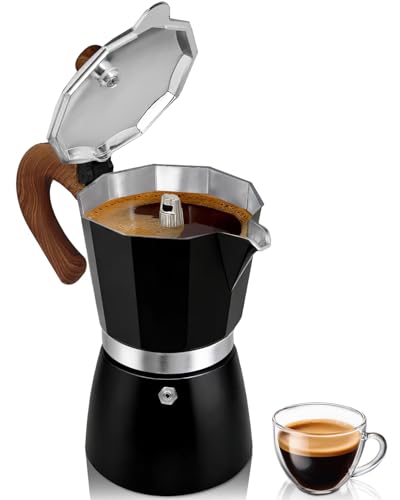 Belly Moka Coffee Maker Stovetop Espresso Maker 9 Cup Aluminum Moka Pot Percolator 15oz 450ml Easy Brewing for Electric Ceramic Stoves Home Camping Italian Cuban Café Classic Black