You set your mug on the warmer, get lost in a spreadsheet, and come back to coffee that’s still hot. It’s a small luxury that makes a big difference. But like any appliance that sits on a desk and deals with heat and spills, a mug warmer needs a little care. Skip the maintenance and you’ll end up with a sticky plate, a burnt-on smell, or a unit that dies after six months.
This guide covers everything I’ve learned from testing and maintaining mug warmers at home and in the office. You’ll walk away knowing how to clean the plate safely, what to avoid putting on it, how to handle the cord and timer, and which common maintenance myths are simply wrong. I’ll also point out a few things most people never think about until it’s too late.
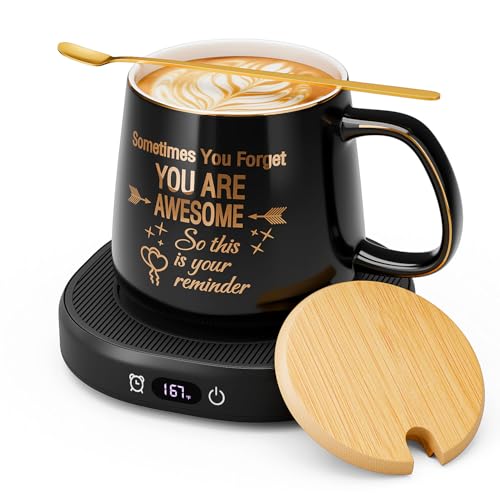
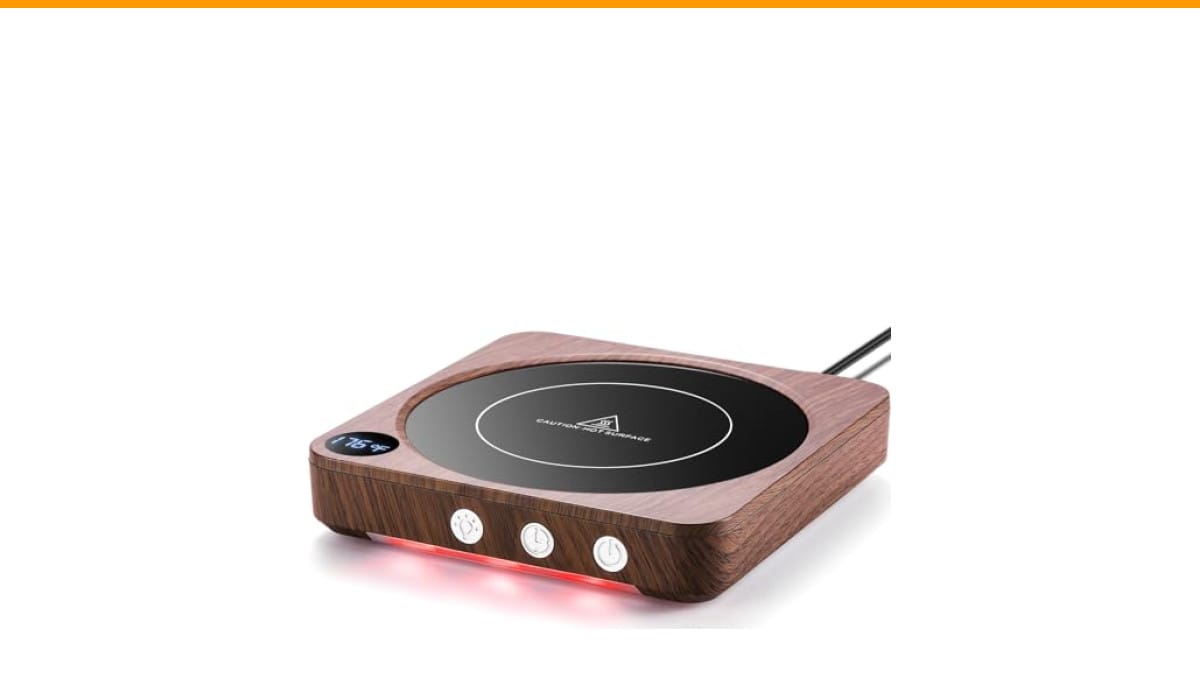
If you’re shopping for a warmer that’s easier to maintain than most, the Check Price on Amazon is a solid choice. Its glass plate wipes clean without scratching, and the 2–12 hour timer means you can set it and forget it while you work. The smart memory feature also remembers your last temperature setting, so you don’t have to fiddle with buttons every morning.
What Most People Get Wrong About Mug Warmer Maintenance
There’s a lot of bad advice floating around about keeping these things working. Let’s clear up the biggest misconceptions.
Myth: You can put any mug on it and walk away. No. The flat, thin-bottomed ceramic or glass mugs work best. Thick stoneware or mugs with a textured bottom transfer heat poorly, which means the warmer runs hotter for longer to compensate. That extra heat stresses the heating element and can shorten its life. Stick to mugs with a flat, smooth base and you’ll put less strain on the warmer.
Myth: More wattage means better performance. Wattage isn’t the whole story. A 50-watt warmer can do the job just fine if the plate is well-insulated and the mug has good contact. What actually matters is how evenly the heat transfers. A higher wattage unit that runs hotter than needed will just bake spills onto the plate and make cleaning harder. The House Gem’s three temperature settings (130°F, 150°F, 176°F) let you match the heat to your drink, so you’re not blasting everything at max.
Myth: You should unplug it every night or it’ll wear out. The timer and auto-shutoff are there for a reason. The default 4-hour shutoff on the House Gem, or the adjustable 2–12 hour timer, prevents the unit from running indefinitely. You don’t need to unplug it daily, but you should unplug it if you’re going away for a weekend or if the cord gets bent or damaged. The memory function on the House Gem remembers your last setting, so you won’t lose your preferences by unplugging.
Cleaning the Plate Without Ruining It
The glass plate is the part that sees the most abuse. Coffee drips, tea splashes, and the occasional sugar spill all end up there. If you let those dry, they bake on and become a crusty mess that’s hard to remove.
Here’s the routine I follow after every few uses:
- Unplug the warmer and let the plate cool completely. Never clean a hot plate—thermal shock can crack the glass.
- Wipe the plate with a soft, damp cloth. For dried-on residue, use a plastic scraper or the edge of a credit card to gently lift it off. Don’t use metal utensils or abrasive scrubbers—they’ll scratch the glass and create tiny grooves where gunk collects.
- For stubborn stains, mix a small amount of dish soap with warm water and apply it with a cloth. Avoid getting water into the seams around the plate. If you have a House Gem, the glass plate is easy to wipe clean, but you still want to keep moisture away from the base.
- Dry the plate thoroughly with a clean cloth before plugging it back in. Any moisture left on the plate can cause the heating element to short or corrode over time.
One thing most people skip: cleaning the bottom of the mug. If your mug’s base is greasy or has dried coffee residue, it transfers that grime onto the plate every time you set it down. A quick rinse under the tap and a wipe with a towel before placing it on the warmer will keep the plate cleaner for longer.
Safety Checks and Cord Care
The cord is the weakest link on any small appliance. People wrap it tightly around the base, step on it, or let it get pinched under a desk leg. That can cause internal wire damage that isn’t visible from the outside.
Every month, do a quick visual check: look for cracks, frays, or discoloration on the cord and plug. If you see any, stop using the warmer and replace it. The House Gem’s certification to UL 1026 (a safety standard for household appliances) means it’s built to a certain level of safety, but that doesn’t make the cord indestructible.
Also, keep the warmer away from the edge of your desk. A knock that sends it crashing to the floor can crack the glass plate or damage the internal thermostat. If you drop it, test it on a low setting first. If it doesn’t heat evenly or makes a buzzing sound, replace it.
Timer and Memory Features: Use Them or Lose Them
The auto-shutoff isn’t just a safety feature—it’s a maintenance feature. Running the warmer for hours on end heats the plate and the internal components to a constant high temperature, which accelerates wear on the heating element and the thermostat.
Set the timer to match your actual usage. If you typically drink your coffee in 30 minutes, don’t set it for 12 hours. The House Gem’s default is 4 hours, which is reasonable for a workday, but you can adjust it down to 2 hours if you want to be more conservative. The memory function means you only have to set it once, then it’s ready the next time you turn it on.
A common mistake is leaving the warmer on overnight by accident. The 4-hour default prevents that, but if you’ve manually set a longer timer, make a habit of turning it off before you leave your desk. It’s one less thing to worry about.
Mug Warmer Maintenance Methods Compared
| Maintenance Task | How Often | Best Method | What to Avoid |
|---|---|---|---|
| Wipe plate after use | Daily | Soft damp cloth | Metal scrubbers, abrasive pads |
| Deep clean plate | Weekly | Mild dish soap + water, plastic scraper | Submerging in water, harsh chemicals |
| Check cord and plug | Monthly | Visual inspection | Using if frays or cracks are visible |
| Test temperature accuracy | Every few months | Use a thermometer to compare settings | Assuming it’s always accurate |
| Clean mug bottom | Before each use | Rinse and dry | Setting greasy mugs on the plate |
That table covers the basics, but the real trick is consistency. A daily wipe takes ten seconds and prevents the weekly deep clean from becoming a chore. If you let residue build up for a month, you’ll be scraping for an hour.
Frequently Asked Questions
Can I use a mug warmer with a stainless steel mug?
Yes, but only if the mug has a flat, thin bottom. Stainless steel conducts heat well, but many stainless travel mugs have a double-wall construction that insulates too much. The warmer won’t be able to transfer heat effectively, so your drink won’t stay hot. Stick to single-wall stainless or test it first with a thermometer.
How do I remove burnt-on coffee residue from the plate?
Let the plate cool, then apply a paste of baking soda and water. Let it sit for 10 minutes, then gently scrub with a soft cloth. If that doesn’t work, use a plastic scraper. Avoid vinegar—it can damage the glass or leave a smell that lingers.
Why does my mug warmer smell like burning plastic?
That smell usually comes from a new unit burning off manufacturing oils, or from a spill that’s baking onto the plate. If it’s new, run it on the lowest setting for 10 minutes in a ventilated area. If the smell persists after a few uses, unplug it and check for any residue. If it still smells, contact the manufacturer.
Can I leave the mug warmer on all day?
You can, but you shouldn’t. Even with a timer, constant heat stresses the components. The House Gem’s 4-hour default is a good limit. If you need it on longer, use the adjustable timer and set it for no more than 8 hours. Your energy bill will thank you too.
Is it safe to clean the plate with a wet cloth while it’s plugged in?
No. Unplug it first. Water and electricity don’t mix, and even a small amount of moisture can cause a short. The plate is also hot, so you risk burning yourself. Always unplug and let it cool before cleaning.
Simple Habits That Keep Your Warmer Running
Here’s what I’ve found actually matters after years of using these on my desk:
- Wipe the plate after every use. Ten seconds now saves an hour later.
- Use the right mug. Flat, thin-bottomed ceramic or glass is best. Thick or textured bottoms force the warmer to work harder.
- Keep the cord loose and visible. Don’t wrap it tightly or let it get pinched under furniture.
- Set the timer to match your actual drinking time. The 4-hour default is fine, but shorter is better for the unit.
- Check the cord monthly for damage. If you see cracks or frays, replace the warmer.
- Clean the plate with mild soap and water only. Avoid abrasive pads and harsh chemicals.
- Unplug it if you’re leaving for more than a day. It’s not necessary every night, but it’s good practice for long absences.
If you’re in the market for a warmer that’s built to last, the House Gem Coffee Mug Warmer is worth a look. Its glass plate is easy to maintain, the timer gives you control, and the memory function means less fiddling. Just remember to keep the plate dry and clean, and it’ll serve you well for years.
For more on keeping your coffee gear in top shape, check out our guide on coffee machine maintenance or learn how to clean your coffee maker properly. Both cover habits that extend the life of your equipment—same idea, different appliance.
Products related to this article
Sponsored / affiliate links. As an Amazon Associate I earn from qualifying purchases. I may earn additional commission from eligible campaigns.