You pour a fresh cup, take two sips, and get pulled into a meeting. Twenty minutes later, that coffee tastes like lukewarm dishwater. That’s the exact moment a self-heating mug sounds like a miracle. But when the mug itself stops heating, or the battery dies mid-afternoon, or the LED blinks in some cryptic pattern, the miracle turns into a frustration.
Most of the time, these mugs aren’t broken beyond repair. A dead battery, a dirty charging contact, or a triggered safety sensor causes most failures. This guide walks through the common self heating coffee mug problems and fixes, from simple resets to knowing when to stop DIY and file a warranty claim. You’ll learn what’s inside your mug, why it fails, and how to diagnose the exact component at fault.
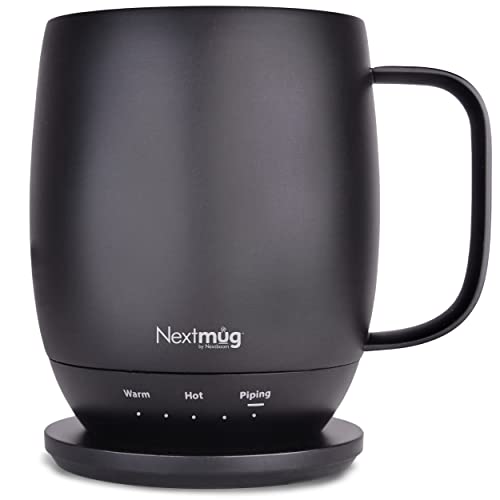
Nextmug by Nextboom
Nextmug - Temperature-Controlled, Self-Heating Coffee Mug |…
- ALWAYS THE PERFECT TEMPERATURE – The Nextmug will keep your hot coffee, tea or preferred beverage at the perfect temperature where…
- SMART MUG TECHNOLOGY – Long-lasting battery maintains your ideal temperature. LED lights display battery life & real-time temperat…
- SUPER SIMPLE – On-board Control Button easily turns mug On/Off & sets the temperature. Takes only seconds to set the mug to your p…
As an Amazon Associate I earn from qualifying purchases.
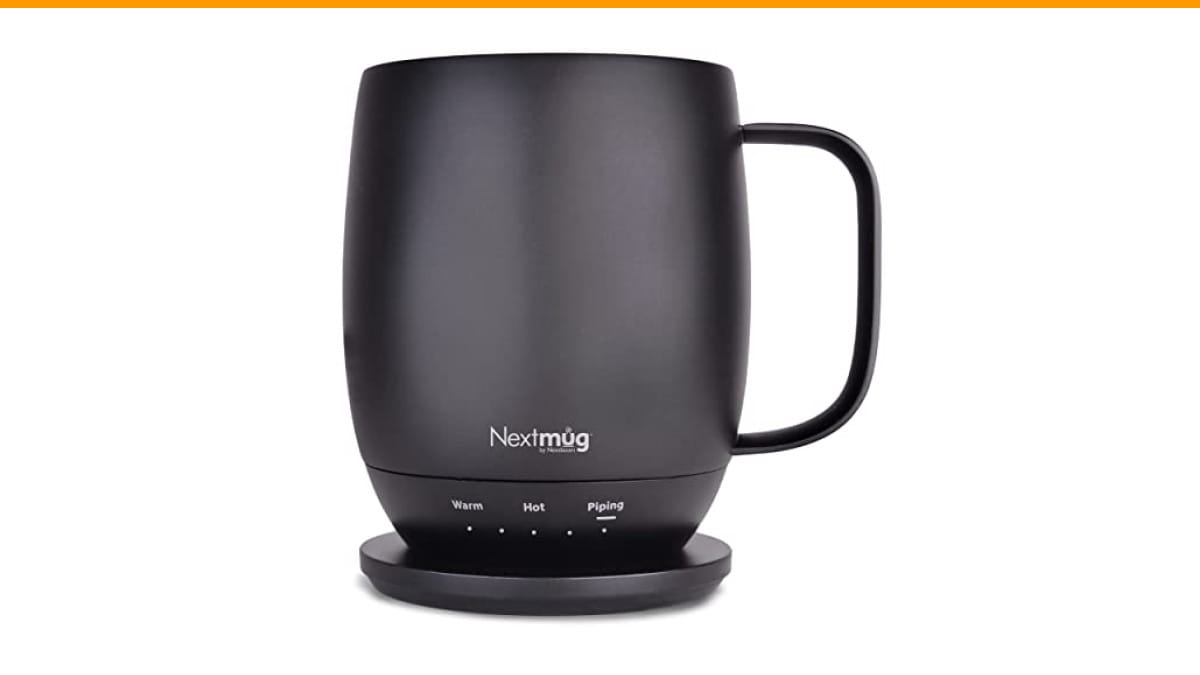
If you’re shopping rather than troubleshooting, the Check Price on Amazon offers three preset temperatures (Warm, Hot, Piping), a long-lasting battery, and a simple on-board button—no app, no pairing passwords. That simplicity avoids a whole category of connectivity problems covered below.
Quick Symptom-to-Fix Chart
Before tearing into the internals, match your symptom to the likely cause. This chart is your first diagnostic pass.
| Symptom | Likely Cause | Quick Fix |
|---|---|---|
| Mug won’t turn on at all | Dead battery, faulty charging base, or blown fuse | Clean contacts, try a different outlet, check LED on base |
| Turns on but coffee stays cold | Heating element failure or thermal sensor misread | Test heating plate with a multimeter; check for error codes |
| Temperature fluctuates wildly | Ambient temperature interference or sensor drift | Move mug away from drafts; recalibrate if possible |
| LED blinks red/green pattern | Overheating protection triggered or low battery | Let mug cool for 30 minutes; charge fully |
| Bluetooth won’t connect | App glitch, mug in deep sleep, or firmware issue | Reset mug; re-pair; update firmware |
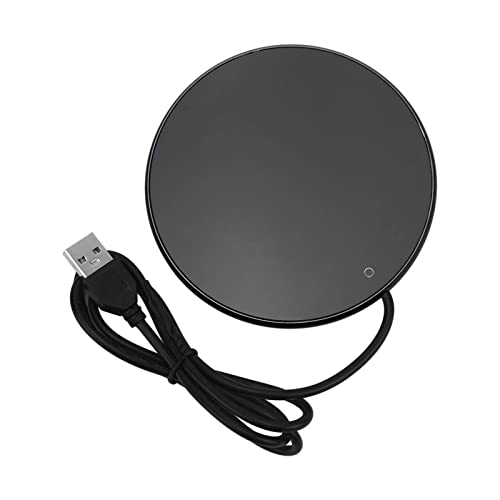
| Charging coaster doesn’t charge | Dirty magnetic contacts or wrong power adapter | Clean with rubbing alcohol; use OEM adapter |
This chart covers 80% of what you’ll encounter. For the remaining 20%, read on—some issues need component-level diagnosis.
Anatomy of a Self-Heating Mug: What’s Inside
To fix something, you need to know its parts. A typical self-heating mug like the Nextmug contains five key components:
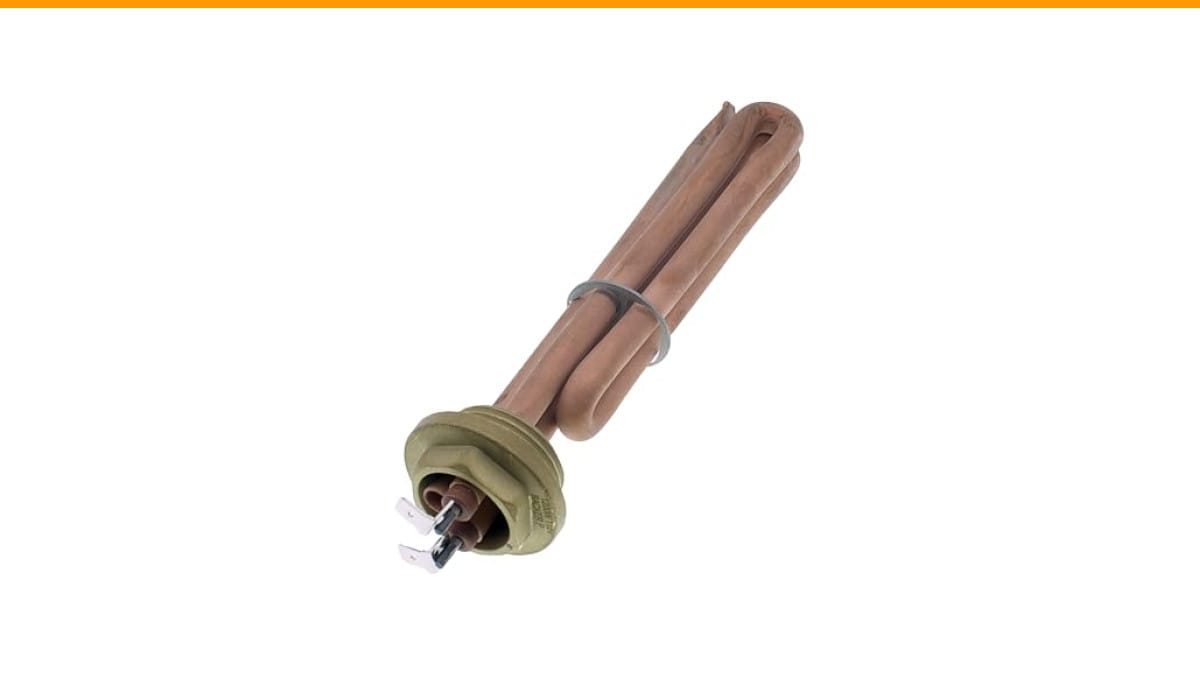
- Heating element: A resistive coil or ceramic plate that converts electrical energy into heat. It sits under the cup’s floor.
- Temperature sensor: Usually a thermistor or thermocouple that reads the liquid’s temperature and sends data to the control board.
- Control board: The brain. It processes sensor input, drives the heating element, and manages the LED indicators.
- Battery: A lithium-ion pack that stores power. Capacity ranges from 2000mAh to 5000mAh depending on the model.
- Charging coil/contacts: Magnetic pins or inductive coils that transfer power from the base to the mug.
The heating element draws the most power—typically 15-20 watts. That’s why battery life is measured in hours, not days. If the element fails, the mug becomes a regular cup. If the sensor fails, the mug might overheat or never heat at all.
Now let’s get into the specific failures, starting with the most common: power issues.
Power & Charging Failures (Mug Won’t Turn On)
This is the most reported issue. You place the mug on the charging base, wait, and nothing happens. Here’s how to diagnose it methodically.
Dead Battery vs. Faulty Charging Base
First, check the charging base. Plug it into a different wall outlet. Many bases have a small LED that lights up when powered—if that LED is off, the base is dead or the adapter is faulty. Try a different USB cable or adapter if the base uses USB-C.
Next, clean the contacts. Magnetic charging pins accumulate coffee residue, dust, and oxidation. A cotton swab dipped in rubbing alcohol works wonders. Wipe both the mug’s bottom and the base’s pins.
If the base works but the mug doesn’t charge, the issue is the mug’s battery or charging circuit. Leave the mug on the base for at least two hours. Sometimes a deeply discharged battery needs a trickle charge to wake up. If the LED on the mug still doesn’t blink, the battery may be permanently dead.
Pro tip: Don’t use a fast charger rated above 2A unless the manufacturer specifies it. Excessive current can fry the charging circuit. Stick with the included adapter.
When to Replace the Battery (End-of-Life Signs)
Lithium-ion batteries degrade after 300-500 charge cycles. If your mug is 2-3 years old, the battery might be at end-of-life. Signs include:
- Battery percentage drops from full to empty in under an hour.
- Mug shuts off even when the LED shows 50% remaining.
- Charging takes twice as long as it used to.
- The mug gets unusually warm while charging (not just the base).
Replacing the battery is possible but tricky. Most mugs are sealed with screws hidden under rubber feet or labels. If you’re handy with a soldering iron, you can replace the 18650 or pouch cell. But be careful: lithium batteries can catch fire if punctured. If the mug is under warranty, skip the DIY and file a claim.
If the battery is replaceable, buy a cell with the same voltage and capacity. A higher mAh rating gives longer life but may not fit physically.
Heating Element Not Working (Cold Coffee Problem)
The mug turns on, the LED is green, but your coffee stays cold. This points to the heating element or its driver circuit.
Testing the Heating Plate
You’ll need a multimeter for this. Set it to resistance (ohms). Unplug the mug and remove the bottom cover. Locate the two wires going to the heating element. Disconnect them and measure the resistance.
- A healthy element reads between 5 and 20 ohms.
- An open circuit (infinite resistance) means the element is burned out.
- A short (near zero ohms) means the element is shorted and may trip the control board.
If the element reads fine, the problem is the control board. Check for cold solder joints or blown capacitors. This is advanced repair—if you’re not comfortable, don’t risk it.
One common cause of element failure is thermal stress. Heating and cooling cycles cause expansion and contraction, eventually cracking the element. That’s why you should never drop a cold mug into a hot base or vice versa.
Overheating Protection Triggers and Resets
Most mugs have a thermal fuse or a thermistor-based cutoff. If the mug gets too hot—say, you left it on a radiator or ran it empty—the protection trips. The mug won’t heat until it cools down and resets.
Here’s the reset procedure for most models:
- Remove the mug from the base.
- Press and hold the power button for 10 seconds.
- Wait 30 minutes for the internal temperature to drop below 100°F.
- Place the mug back on the base and try again.
If the mug still won’t heat, the thermal fuse may have blown permanently. That fuse is a one-time device—it can’t be reset. You’d need to replace it, which requires soldering. Again, warranty is your friend here.
Temperature Inconsistencies (Too Hot, Too Cold, Fluctuating)
Your mug heats, but the temperature swings between scalding and lukewarm. This is a sensor or calibration issue, not a heating element failure.
Calibrating the Thermal Sensor
Some mugs allow manual calibration. Check the manual—often it’s a button sequence like holding the power button for 5 seconds until the LED blinks, then setting the desired temperature while the sensor reads ambient.
If your mug doesn’t have a calibration mode, you can still trick it. Place the mug in a room at a known temperature (like 72°F) for an hour. Then turn it on and immediately set the target temperature. This forces the sensor to read a baseline.
Sensor drift happens over time. A thermistor can shift its resistance curve by 1-2% per year, causing temperature errors of 5-10°F. That’s often enough to notice.
If calibration doesn’t fix it, the sensor itself might be damaged. Testing requires a multimeter—the sensor should read a specific resistance at room temperature (usually 10k ohms for a 10k thermistor). If it reads way off, replace it.
Ambient Temperature Interference
Self-heating mugs are designed for indoor use at 68-75°F. In a cold garage or near an open window, the heating element has to work harder to maintain temperature. The sensor reads the liquid temperature, but the mug’s walls lose heat faster. This causes the element to cycle on and off more aggressively, leading to temperature swings.
In a hot car (over 100°F), the mug might shut down entirely due to overheating protection. That’s a safety feature, not a bug. Don’t leave your mug in a parked car in summer.
Solution: use the mug in a stable environment. If you’re outdoors in winter, expect shorter battery life and less precise temperature control. The Nextmug’s three settings (130°F, 140°F, 150°F) give you headroom—choose a higher setting if you’re in a cold room.
Bluetooth & App Connectivity Issues
If your mug has Bluetooth, connectivity problems can be maddening. The mug might be physically fine, but the app won’t see it.
Re-pairing and Resetting the Mug
First, turn off Bluetooth on your phone and turn it back on. Then delete the mug from your phone’s Bluetooth list. On the mug, press and hold the power button for 15 seconds until the LED flashes rapidly—this clears the pairing memory.
Now re-pair: place the mug on the base (some models require it), open the app, and search for new devices. If the mug doesn’t appear, move your phone closer—Bluetooth range is about 30 feet, but walls interfere.
If the mug still won’t pair, check if it’s in deep sleep mode. Some mugs power down Bluetooth after 30 minutes of inactivity. Wake it by pressing the power button once, then try again.
Firmware Update Errors and Fixes
Firmware updates can fail mid-download, leaving the mug’s Bluetooth module in a bricked state. Symptoms include the LED staying solid red and the mug not responding to buttons.
Fix: put the mug on the charging base, then press and hold the power button for 30 seconds. This forces a firmware recovery mode. Re-open the app and it should prompt you to reinstall the firmware.
If that doesn’t work, uninstall and reinstall the app itself. Sometimes the app’s cached data corrupts the connection. This is a known issue with several brands—don’t assume your mug is broken.
One honest caveat: Bluetooth mugs are more trouble than they’re worth for many users. That’s why the Nextmug skips Bluetooth entirely—its on-board button and LED display handle everything. Fewer features, fewer failure points.
Cleaning Mistakes That Break Your Mug
You might be killing your mug with kindness. Self-heating mugs are not dishwasher safe—the high heat and moisture destroy the electronics. Hand-wash only, using a soft sponge and mild detergent.
Never submerge the mug beyond the water line. The charging contacts on the bottom are especially vulnerable. If water gets inside, it can short the battery or control board.
What about the ceramic coating? Most self-heating mugs have a non-stick coating inside. Abrasive scrubbers will scratch it, and those scratches become breeding grounds for bacteria. Use a non-abrasive sponge.
For stubborn coffee stains, fill the mug with warm water and a denture tablet. Let it sit for 30 minutes, then rinse. That dissolves tannins without scratching.
Dry the mug completely before placing it on the charging base. Moisture on the contacts can cause corrosion, leading to intermittent charging failures. A quick wipe with a dry cloth after washing is all it takes.
If you use a cleaning method that leaves a bitter aftertaste, it’s likely soap residue—rinse more thoroughly.
LED Lights and Error Codes Decoded
LED indicators are your mug’s way of speaking. Here’s a common translation guide:
- Solid green: Heating or maintaining temperature.
- Blinking green: Charging in progress.
- Solid red: Error or low battery.
- Blinking red: Overheating protection triggered.
- Alternating red/green: Firmware update mode or pairing mode.
If you see a pattern not listed here, consult your manual. Different brands use different codes. The Nextmug’s LED display shows real-time temperature and battery life, so you get a numeric readout rather than cryptic blinks.
When the LED blinks red, don’t panic. First, check the battery level. If it’s low, charge it. If it’s fully charged, the mug might be overheated—let it cool down for 30 minutes and try again. If the blinking persists, there’s a hardware fault.
One error that stumps people: the mug heats for a few seconds, then the LED turns red and it stops. This often means the thermal sensor is reading an impossibly high temperature (like 200°F) due to a short circuit. That’s a safety shutdown. The sensor or its wiring needs replacement.
When to Stop DIY: Safety Hazards and Professional Repair
Not every problem is fixable at home. Some issues present real fire or injury risks. Here’s when to stop and seek help:
- Battery swelling: If the mug’s bottom bulges or the battery case is deformed, stop using it immediately. A swollen lithium battery can catch fire.
- Burning smell: Any acrid or plastic smell while charging means a short circuit. Unplug and move the mug to a non-flammable surface.
- Cracked casing: If the outer shell is cracked, moisture can reach the electronics. Don’t use it.
- Excessive heat: If the mug gets too hot to touch (over 140°F on the outside), the insulation has failed. This is a burn hazard.
Professional repair is rare for these mugs—most shops won’t touch them. Your best bet is the manufacturer’s warranty. If the mug is out of warranty, consider recycling it. Many electronics retailers accept lithium-ion batteries for recycling.
Opening the mug voids the warranty. So if you plan to file a claim, don’t crack it open first. The manufacturer might refuse the claim if they see tampering.
Warranty, Returns, and Getting a Replacement
Most self-heating mugs come with a 1-year warranty. The Nextmug includes a 1-year warranty and US-based customer service. If your mug fails within that period, here’s the process:
- Contact customer support with your order number and a video of the issue.
- They’ll likely ask you to try a reset first.
- If that fails, they’ll send a replacement—often without requiring you to return the broken one.
- Keep your receipt and original packaging until the issue is resolved.
Don’t buy a third-party charger or base. Non-OEM accessories can deliver incorrect voltage, damaging the battery or control board. That also voids the warranty. Stick with the included base and cable.
If you’re out of warranty, check if the brand offers a battery replacement service. Some do for a fee. It’s cheaper than buying a new mug.
For other coffee gear issues, like a coffee maker that won’t brew or a Mr. Coffee with unresponsive buttons, the same diagnostic logic applies: isolate the component, test it, then decide.
Frequently Asked Questions
Can I put my self-heating mug in the dishwasher?
No. Dishwasher detergent and high heat will damage the electronics, the battery, and the non-stick coating. Hand-wash only, and avoid submerging the bottom of the mug.
Why does my mug stop heating after a few minutes?
Most likely the battery is low, or the overheating protection has tripped. Check the LED indicator. If it’s solid red, charge the mug. If it’s blinking red, let it cool for 30 minutes and reset by holding the power button for 10 seconds.
How long should the battery last on a full charge?
Expect 2-4 hours of continuous heating at the warm setting (130°F). At the hottest setting (150°F), battery life drops to 1-2 hours. If you’re getting significantly less, the battery is degrading.
Is it safe to leave the mug on the charging base overnight?
Yes, most mugs have overcharge protection that stops charging at 100%. But leaving it on the base for days can stress the battery. Unplug the base if you won’t use it for a week or more.
Can I use a different charger with my mug?
Only if the voltage and amperage match the original adapter. Using a higher amperage charger can fry the charging circuit. When in doubt, use the included charger. Third-party chargers are a common cause of unexpected failures.
The Bottom Line: Prevention Over Repair
Most self-heating mug problems are avoidable with basic care. Here’s what to remember:
- Hand-wash only—never submerge the base or charging contacts.
- Clean the magnetic contacts monthly with rubbing alcohol.
- Use the original charger—not a phone fast charger.
- Keep the mug away from extreme heat or cold.
- If the battery swells or you smell burning, stop using it immediately.
- Before opening the mug, check the warranty—you might get a free replacement.
- Consider a simpler model without Bluetooth, like the Nextmug, to avoid connectivity headaches.
Self-heating mugs are a small luxury that can last years with proper care. When something goes wrong, run through the symptom chart, test the components, and know when to call it quits. Your coffee—and your sanity—will thank you.
Products related to this article
Sponsored / affiliate links. As an Amazon Associate I earn from qualifying purchases. I may earn additional commission from eligible campaigns.