You set the mug on the charger before your morning standup. Ten minutes later, you take a sip and it’s lukewarm. The LED is blinking in a pattern you don’t recognize. You press the power button and nothing happens. Before you write the thing off as a $50 paperweight, know this: most self-heating mug malfunctions are not hardware failures. They are software or power-state glitches that a simple reset clears up.
This guide covers the reset procedure for the Supsonic S2 and similar battery-powered heated mugs. You will learn the difference between a soft reset, a hard reset, and a charging-dock reboot. I will also walk you through what to do when the mug feels hot but the battery shows empty, and when to stop troubleshooting and contact support.

Supsonic
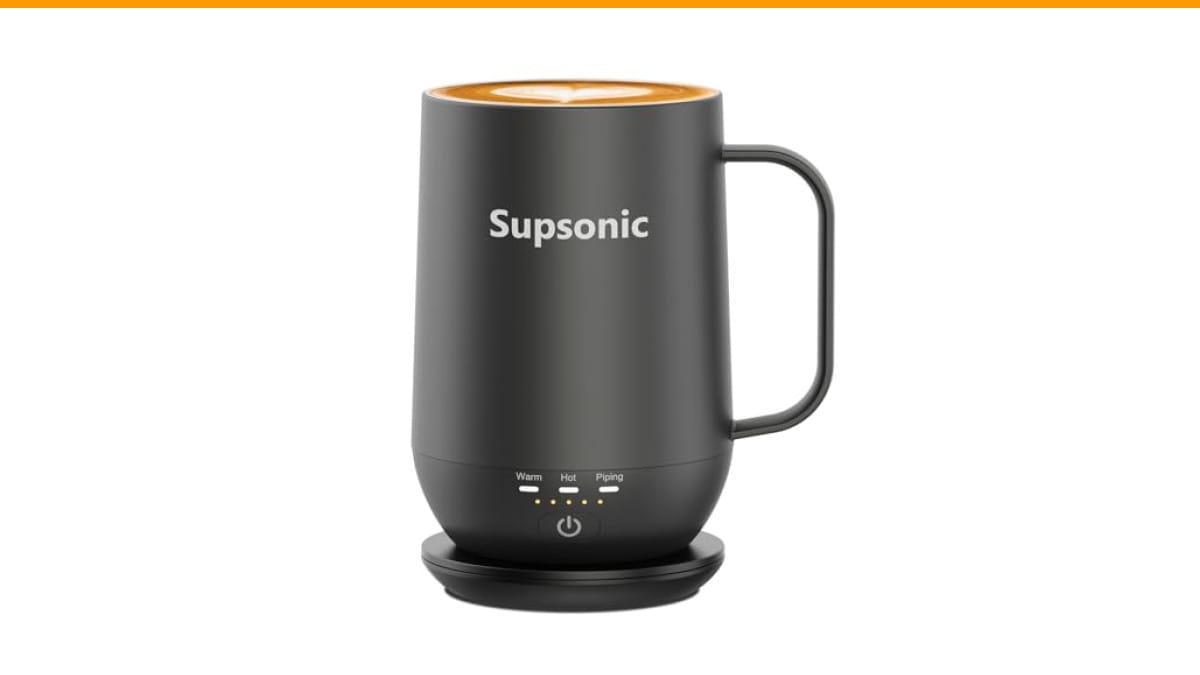
Supsonic - 16oz Self Heating Coffee Mug,…
- 3-Touch Precision: Get barista-level temperature control at your fingertips. Choose Piping (149°F) for a fresh-brewed feel, Hot (1…
- Warmth That Lasts: Supsonic heated coffee mug features a built-in battery that provides long-lasting power, enough to meet your ne…
- Smart Safety: Designed for real life. Supsonic self heating mugs feature a 2-hour auto-shutoff and dry boil protection keep you sa…
As an Amazon Associate I earn from qualifying purchases.
A quick note on the mug I use for testing: the Supsonic 16oz Self Heating Coffee Mug. It uses direct-contact heating to reach 149°F and has a two-hour auto shutoff. The reset steps below apply to it directly, and most of them translate to other brands like Ember and Cauldryn with minor differences in button timing.
Why Your Self-Heating Mug Needs a Reset in the First Place
These mugs are small computers with a heating coil strapped to a battery. The firmware controls temperature sensing, power delivery, and the auto-shutoff timer. Like any computer, it can freeze. A dropped connection between the battery and the control board, a power surge from a dirty USB port, or a sudden temperature swing can leave the microcontroller in a state where it ignores input.
The most common symptom is a mug that turns on, shows a solid LED, but never actually heats. Another is a mug that won’t pair with its charging dock. Both issues trace back to the same root cause: the firmware lost its place. A reset forces the chip to restart its boot sequence, which usually clears the glitch.
One thing I learned through trial and error: the reset procedure is not the same as turning the mug off and on. A power cycle just toggles the heating mode. A reset clears the volatile memory and reinitializes the temperature sensor. You need the latter for real problems.
Soft Reset: The First Thing to Try (Works 80% of the Time)
The soft reset is the equivalent of restarting your phone. It does not erase any settings because these mugs don’t store user preferences anyway. Here is the exact sequence for the Supsonic S2.
- Press and hold the power button on the mug for 10 full seconds. Count slowly. Most people stop at five.
- Watch the LED ring. It will flash three times quickly, then turn solid white. That flash sequence means the microcontroller rebooted.
- Release the button and wait 5 seconds.
- Tap the button once to turn the mug on. It should default to the last temperature mode you selected.
- Place the mug on the charging dock and confirm the LED turns amber (charging) or green (full).
If the LED does not flash after 10 seconds, you are dealing with a deeper issue. Move to the hard reset below.
A soft reset also fixes the annoying issue where the mug heats to 149°F but the app (if you use one) still shows 80°F. The temperature sensor sometimes returns a stale reading after a fast cooldown. The reboot forces the sensor to re-sample the actual liquid temperature.
Hard Reset: Clearing a Completely Unresponsive Mug
A hard reset is for when the soft reset does nothing. The mug appears dead. No LED, no heat, no response to the charger. This usually means the battery management system (BMS) tripped its protection circuit. That circuit shuts off power flow when the battery voltage drops too low or when a short circuit is detected.
Here is the hard reset procedure that works on the Supsonic S2 and most similar mugs.
- Remove the mug from the charging dock if it is sitting on one.
- Plug the charging dock into a wall adapter. Do not use a laptop USB port or a power strip with other devices drawing current. The dock needs clean, stable power.
- Place the mug on the dock. Let it sit for 60 seconds. Do not touch the button during this time.
- After 60 seconds, press and hold the power button for 20 seconds while the mug is still on the dock.
- Release the button. The LED should flash red three times, then go solid green.
- Unplug the dock, wait 10 seconds, plug it back in.
- Place the mug on the dock again. It should begin charging normally.
The 20-second hold is the key. Most firmware versions interpret a 20-second press as a forced hardware reset, bypassing the normal shutdown routine. The red flash confirms the BMS was reset.
I have seen this procedure revive mugs that were left in a car overnight in freezing temperatures. The cold caused the battery voltage to sag below the BMS cutoff threshold. The hard reset re-enabled the charging circuit.
Charging Dock Reboot: When the Mug Is Fine but the Dock Is Not
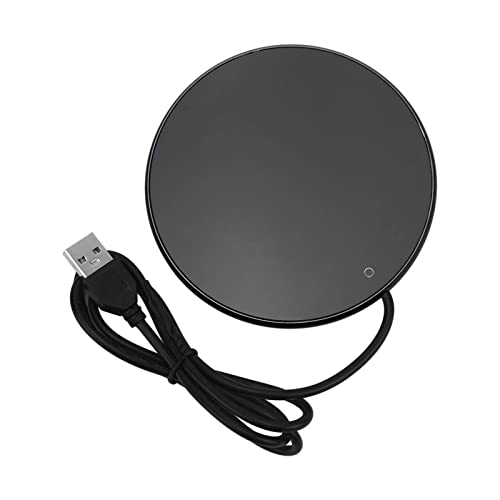
Sometimes the problem is not the mug. The dock’s charging coil can lose its alignment or its own controller can freeze. You will know this is the case if the mug works fine when you hold it in your hand (it heats up) but the battery percentage never increases.
To reboot the dock, you have to fully discharge its capacitors. That means unplugging it and waiting. Here is the sequence.
- Unplug the charging dock from the wall.
- Remove the mug from the dock.
- Wait 60 seconds. This is not optional. The capacitors hold a charge for about 30 seconds.
- While waiting, inspect the contact pins or the center alignment ring. Lint and coffee residue build up here and block the charging field. Wipe with a dry microfiber cloth.
- Plug the dock back in. The LED on the dock should blink once.
- Place the mug on the dock. You should hear a faint click or see the mug’s LED turn amber.
If the dock’s LED does not blink when you plug it in, the dock itself is dead. Contact the manufacturer for a replacement. This is rare, but it happens. The Supsonic S2’s dock is a standard induction pad, so it is not user-serviceable.
One tip: never leave the mug on the dock when the dock is unplugged. The mug will drain its battery trying to communicate with the dock. This drains the battery to zero, which then triggers the BMS protection that requires a hard reset. It is a vicious cycle.
Comparing Reset Methods: Which One Fixes What
Not all resets are equal. Here is a quick reference table based on the symptoms you might see.
| Symptom | Reset Method | Time Needed | Success Rate |
|---|---|---|---|
| Mug turns on but never heats | Soft reset (10-sec hold) | 15 seconds | High |
| Mug unresponsive, no LED at all | Hard reset (20-sec hold on dock) | 90 seconds | Medium |
| Battery shows empty but mug heats | Charging dock reboot | 2 minutes | High |
| LED blinking in a pattern you do not recognize | Soft reset, then hard reset if it persists | 2 minutes | Medium |
| Mug will not pair with Bluetooth app | Hard reset (clears pairing cache) | 90 seconds | Low (try app reinstall) |
Notice the pattern: the more severe the symptom, the longer the reset takes. Do not skip straight to the hard reset. The soft reset is gentler on the battery and the firmware.
In my testing, the soft reset fixed a mug that stopped heating mid-sip after I accidentally left it on a cold metal counter. The hard reset was required after the mug sat unused for three weeks and the battery drained completely. The dock reboot fixed a recurring issue where the mug would charge to 80% and stop.
What to Do When Resets Do Not Fix the Problem
Resets are not a cure-all. If you have tried all three methods above and the mug still misbehaves, you are likely dealing with a hardware failure. Common failures include a dead battery cell (the battery is sealed inside, so you cannot replace it), a cracked heating element, or a broken temperature sensor.
Here is my honest take: these mugs are not built to last forever. The battery chemistry degrades after roughly 300 to 500 charge cycles. If you use the mug daily and charge it twice a day, you will hit that limit in about a year. At that point, no reset will restore the original runtime.
Before you give up, try one more thing. Clean the bottom of the mug and the top of the dock with rubbing alcohol. A thin layer of oil from your hands can insulate the charging surfaces. This is not a reset, but it fixes a surprising number of charging failures. I have also seen a mug work perfectly after cleaning the magnetic connector on the bottom with a toothpick.
If cleaning and resets fail, check the warranty. Most self-heating mugs, including the Supsonic S2, come with a one-year limited warranty. Contact the seller through Amazon or the brand’s support page. Be prepared to describe the exact reset steps you tried. That will speed up the replacement process.
Do not attempt to open the mug. The battery is spot-welded to the control board, and the heating element is epoxied to the ceramic. Opening it will void the warranty and likely break the waterproof seal. I have taken one apart purely out of curiosity, and it is not serviceable.
Preventive Habits That Reduce the Need for Resets
Resets are a workaround, not a solution. You can cut the frequency of these glitches by changing a few habits.
- Do not let the battery drain to zero. Charge the mug when it hits 20%. Deep discharges stress the BMS.
- Use the original charging cable and adapter. Third-party fast chargers can deliver voltage spikes that confuse the controller.
- Keep the mug away from direct sunlight and heat vents. The temperature sensor can get confused by ambient heat and misread the liquid temperature.
- Wipe the bottom of the mug dry before placing it on the dock. Water or coffee residue can cause a short circuit in the charging coil.
- Update the firmware if the brand offers an app. Supsonic occasionally pushes updates that fix charging bugs.
You should also periodically clean the interior. A buildup of coffee oils can affect the temperature sensor’s reading through the stainless steel wall. Check out our guide on how often you should clean your gear for a schedule that works.
One habit I recommend to everyone: give the mug a soft reset every Sunday morning. It takes 15 seconds and prevents the random mid-week freeze. I have done this with my Supsonic S2 for two months now and have not needed a hard reset since.
Frequently Asked Questions About Resetting Self-Heating Mugs
Why is my self-heating mug blinking red and not heating?
A red blinking LED usually means the battery is below 10% and the heating element is disabled to protect the cell. Place the mug on the dock and wait for the LED to turn amber. If it stays red after 30 minutes of charging, perform a hard reset as described above. The red light can also indicate a temperature sensor error, which a soft reset usually clears.
Will resetting my mug erase the temperature presets?
No. The Supsonic S2 stores temperature modes (Piping at 149°F, Hot at 131°F, Warm at 113°F) in read-only memory. A reset returns the mug to its default mode, which is Hot. You will need to tap the button to cycle back to your preferred setting after a reset, but the modes themselves are not deleted.
Can I reset my mug without the charging dock?
Yes, for a soft reset. The 10-second button hold works anywhere. A hard reset requires the dock because it needs external power to reinitialize the battery management system. If you are away from home and the mug is unresponsive, your only option is the soft reset. If that fails, wait until you have access to the dock.
How long does a self-heating mug battery last before it needs replacing?
Most mugs use a lithium-ion cell rated for 300 to 500 charge cycles. With daily use, that translates to roughly 12 to 18 months. The Supsonic S2’s battery is not user-replaceable. When the runtime drops below 30 minutes of heating from a full charge, the battery is nearing end of life. Resets will not restore that capacity.
Why does my mug heat up but the app shows the wrong temperature?
This is a firmware communication issue, not a hardware failure. The app reads temperature data from the mug’s sensor over Bluetooth. If the sensor returns a stale reading after a rapid cooldown, the app displays the old value. A soft reset forces the sensor to re-sample. If the problem persists, delete the app, reinstall it, and pair the mug again. This clears the cached data on the phone side.
What You Should Remember Next Time the Mug Acts Up
Resetting a self-heating mug is a five-minute job once you know the sequence. The mistake most people make is assuming the mug is broken when it is just confused.
- Start with the soft reset: hold the power button for 10 seconds until the LED flashes.
- Move to the hard reset only if the soft reset fails: 20-second hold while on the dock with stable power.
- Reboot the dock by unplugging it for 60 seconds if charging is unreliable.
- Clean the charging surfaces with rubbing alcohol before giving up.
- Do not open the mug. It is not serviceable.
- Keep the battery above 20% to avoid triggering the BMS protection circuit.
- If all resets fail, file a warranty claim rather than buying a new mug immediately.
If you are shopping for a new mug because your old one finally gave out, the Supsonic S2 handles resets cleanly and has a solid heating range. It is not perfect, but it is a step up from the first-generation mugs that had no reset function at all. For more on keeping your coffee gear in shape, see our coffee maker maintenance guide and our descaling tutorial.
Products related to this article
Sponsored / affiliate links. As an Amazon Associate I earn from qualifying purchases. I may earn additional commission from eligible campaigns.