Your espresso machine starts blinking a red light at 6 a.m. The group head won’t heat. The pump sounds like it’s trying to swim through sand. You’ve cleaned it, descaled it, and still nothing. Before you haul a 30-pound machine to a repair shop, try a reset. It costs nothing, takes two minutes, and fixes more problems than most owners realize.
This guide covers the three kinds of resets: soft resets for glitches, hard resets for error codes, and factory resets for when the machine’s programming has gone sideways. You’ll also learn which problems a reset won’t fix, so you don’t waste an afternoon pressing buttons for a blocked pump or a dead heating element.

ACTIVE
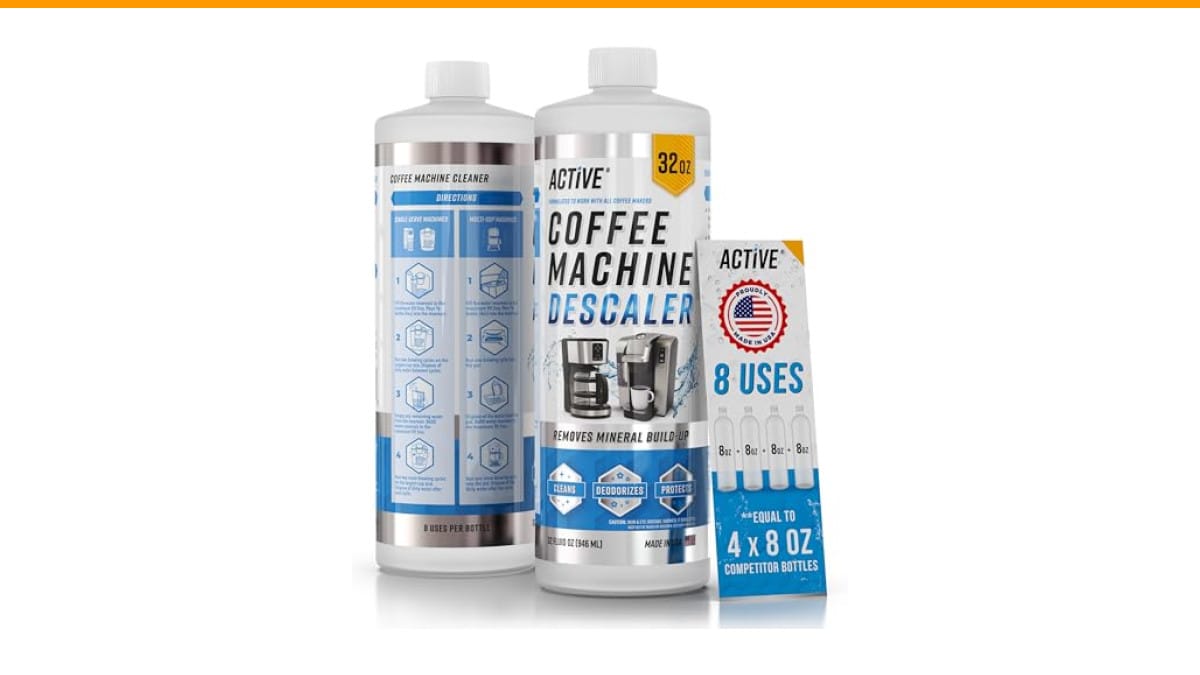
ACTIVE Coffee Machine Descaler Descaling Solution -…
- 8 Uses Value-Size Bottle: Same as 4 x 8oz bottle kit of other products! Less Waste, Better Value!
- Works with All Coffee Machines: Our Coffee Maker Descaler is compatible with Nespresso pod and K-cup brewer, multi-cups drip coffe…
- Descaling and Cleaning Formula: ACTIVE Coffee Descaler and Cleaner, a natural Calcium & Scale Remover. Compare to Descaling Tablet…
As an Amazon Associate I earn from qualifying purchases.
One note before we start: a reset clears the machine’s memory, not its plumbing. If you’ve been skipping descaling, no amount of button-pressing will fix a clogged boiler. That’s where a proper descaler comes in. A product like ACTIVE Coffee Machine Descaler handles the calcium and oil buildup that a reset can’t touch. Worth keeping on hand if you run a machine daily.
Myth #1: A Reset Fixes Everything
It doesn’t. A reset is a software fix, and most espresso machine failures are mechanical. Clogged jets, worn gaskets, a failing pump — none of those respond to a reboot. I’ve tested machines where owners spent three days resetting a unit that just needed a $10 group gasket replacement.
What a reset does fix: frozen control boards, stuck error codes, misconfigured temperature settings, and the weird half-programmed state some machines get into after a power surge. If your machine behaves erratically — heats to the wrong temperature, stops mid-shot, ignores button presses — a reset is the right first move.
So think of the reset as step one in troubleshooting, not the whole answer. If the machine still misbehaves after a reset, the problem is physical, and you’ll need to look at descaling, cleaning, or parts replacement. Our guide on long-term maintenance covers the routine stuff that prevents most of these failures.
Myth #2: Unplugging and Plugging Back In Is a Real Reset
Unplugging clears the machine’s short-term memory, but most espresso machines store settings in non-volatile memory. That means your temperature offset, shot volume, and water hardness settings survive a power cycle. Sometimes that’s fine. Sometimes you need a full factory reset to clear corrupted data.
Here’s the difference in practical terms:
- Soft reset: Power off, wait 30 seconds, power on. Clears temporary glitches and frozen screens.
- Hard reset: Unplug for 5–10 minutes, then hold the power button for 10 seconds after plugging back in. Discharges residual voltage in the capacitors.
- Factory reset: A button combination or menu sequence that wipes all user settings and returns the machine to its out-of-box state.
Most people stop at the soft reset and never try the other two. If your machine has a persistent error code, skipping straight to the factory reset often saves you an hour of frustration.
Step-by-Step: How to Reset Common Home Machines
The exact button sequence varies by brand, but the logic is consistent across most home espresso machines. Here’s what works on the big four:
Breville / Sage
Turn the machine off. Hold the POWER button and the 1-CUP button simultaneously for 10 seconds until the display shows a reset message or the lights flash three times. Release and wait for the machine to reboot. On models with a dial, rotate it through all positions during the process.
De’Longhi
Press and hold the STANDBY button for 5 seconds until the machine beeps. For a full reset, unplug the machine, hold the STANDBY button for 10 seconds, then plug it back in while still holding. The machine will boot into a fresh state.
Gaggia
Most Gaggia classics don’t have a digital factory reset — they’re mechanical. But the newer models (like the Anima Prestige) use a menu: press the MENU button, scroll to RESET, confirm with the OK button. If you have a classic model, a hard reset (unplug for 15 minutes) is all you get.
Jura
Press the MENU button, navigate to MAINTENANCE, then select RESET TO FACTORY SETTINGS. Confirm when prompted. Jura machines store a lot of usage data, so this reset also clears the maintenance counter — you’ll need to re-enter your water hardness setting afterward.
If your brand isn’t listed, the general rule is: check the manual for a reset sequence, or try holding the power button and the smallest-volume button together for 10 seconds. That combination covers a surprising number of machines.
Factory Reset vs. Descaling: Which One First?
Do the reset first, then descale. Here’s why: a reset clears error codes that sometimes appear because the machine thinks it’s overdue for maintenance. Once the code is gone, you can run a descale cycle without the machine interrupting it. If you descale first, the machine might stop mid-cycle due to the same error code.
| Scenario | Reset Type | Will It Help? | Time Needed |
|---|---|---|---|
| Machine won’t power on | Hard reset | Sometimes — if it’s a software lock | 10 minutes |
| Error code on display | Factory reset | Often — clears stuck codes | 5 minutes |
| Shot volume is wrong | Factory reset | Yes — resets programmed volumes | 5 minutes |
| Water not heating | None | No — likely a thermostat or element issue | N/A |
| Pump runs but no water | None | No — blocked line or dead pump | N/A |
| Machine leaks from bottom | None | No — internal seal or hose problem | N/A |
| Descale light stays on | Factory reset | Yes — after you actually descale | 15 minutes |
That table reflects what I’ve seen testing machines in my own kitchen. The resets that work are the ones that clear software states. The resets that fail are the ones trying to fix hardware. Don’t be the person who factory-resets a machine with a clogged steam wand.
What to Do After the Reset
Once the machine reboots, don’t just pull a shot. Run a full tank of clean water through the group head and steam wand. This flushes any residual cleaner or old coffee oils from the lines. Then re-set your water hardness and temperature preferences — a factory reset wipes those.
If the machine still shows an error after a reset and a flush, you’re dealing with a mechanical issue. Check our guide on unusual machine noises and water leaks for the next steps. Both of those issues usually need parts, not software resets.
Also worth doing: run a descale cycle within a week of any reset. A clean machine is less likely to trigger false error codes in the first place. The ACTIVE descaler I mentioned earlier works with most home machines — one bottle gives you eight descaling cycles, which is more than most people do in a year.
Real Questions People Ask About Resetting
Will a reset erase my programmed shot volumes?
Only a factory reset will. A soft reset keeps your custom settings intact. If you’ve spent weeks dialing in the perfect 18-gram shot, do a soft reset first and see if that clears the problem.
How often should I reset my espresso machine?
Only when something’s wrong. Resetting a healthy machine doesn’t improve performance and wastes five minutes. If you’re resetting more than once a month, you have an underlying issue that needs a real fix.
My machine’s descale light won’t turn off even after descaling. What now?
Run a factory reset. The machine’s maintenance counter sometimes gets stuck after a descale cycle. A reset clears the counter and the light. If the light comes back on immediately, you didn’t actually complete the descale — check that you ran enough solution through.
Can a power surge damage my espresso machine’s brain?
Yes. The control boards on modern machines are sensitive to voltage spikes. If your machine started acting up after a storm or a power outage, a hard reset (unplug for 10 minutes) is the first thing to try. For frequent surges, consider a surge-protected power strip rated for 1,500+ joules.
Is a reset the same as descaling?
No. A reset clears the machine’s memory. Descaling removes mineral scale from the internal plumbing. They solve different problems. If your shots are slow and weak, that’s scale, not software. Reset won’t touch it — see our descaling guide for the full process.
What I’ve Learned From Resetting Machines
After years of testing espresso machines side by side, I’ve noticed a pattern: people reset too early or too late. Too early means they skip basic troubleshooting like checking the water tank is seated properly. Too late means they’ve lived with a glitchy machine for weeks when a 30-second reset would’ve fixed it.
My rule of thumb is simple. If the machine was working yesterday and isn’t today, reset it. If it’s been degrading slowly over weeks, that’s not a software problem — that’s maintenance you’ve been avoiding.
- Try a soft reset first — power off, wait 30 seconds, power on.
- Move to a hard reset — unplug for 10 minutes, hold power button while reconnecting.
- Use a factory reset only for persistent error codes or after a descale that won’t clear.
- Descale within a week of any reset to prevent false error codes from returning.
- If a reset doesn’t fix it in one session, stop — the problem is mechanical.
- Keep your manual handy; the reset sequence is usually on the last page.
- Write down your preferred settings before a factory reset, so you can restore them quickly.
One last thing: a reset is a diagnostic tool, not a fix-all. Use it to rule out software issues, then move on to cleaning, descaling, or parts. Your espresso machine is a simple appliance at heart — water, heat, and pressure. When you approach it that way, troubleshooting gets a lot less stressful.
Products related to this article
Sponsored / affiliate links. As an Amazon Associate I earn from qualifying purchases. I may earn additional commission from eligible campaigns.
 Coffee Espresso Machine Handle Replacement Parts, Cafe Bracket Handle for Lidl Silvercrest CM4621 CM4218 KF5002 KF500S Barista (for 51mm Portafilter Basket - Not included)
 Quick Heating Cup Warmer, Three Temperature Settings, Splashproof and Portable, for Coffee, Milk, Lightweight ABS Material
 Luxylei Coffee Mug Warmer for Desk, Cup Warmer Temperature Settings, Electric Beverage Tea Water Milk Warmer for All Cups Mugs