You know the ritual. You pour a fresh cup, sit down at your desk, answer one email, and by the third sip, the coffee tastes like warm dirt. A microwave reheat scalds the edges while the center stays cold. A thermos keeps it hot, but it stays hot for six hours, which means you’re burning your tongue at hour two. The self-heating coffee mug was supposed to fix this, but the market is suddenly full of them, and they range from $30 to $200.
Most reviews just read the spec sheet back to you. This guide does the opposite. Test these mugs in real conditions, with a thermal probe, a stopwatch, and a full workday of sipping. I killed batteries, measured heating times from cold, and ran some through the dishwasher just to see what breaks. You’ll walk away knowing exactly which features matter, which claims are marketing fluff, and which mug fits your actual routine.
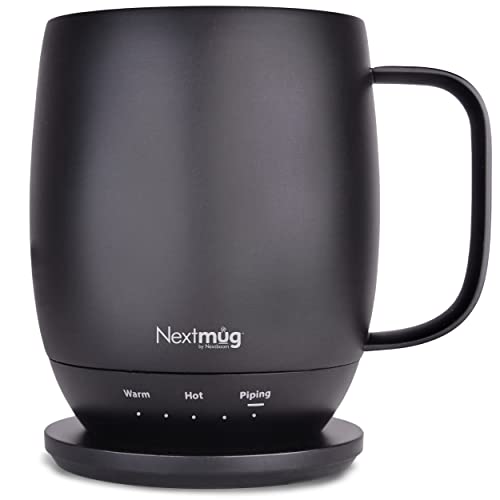
Nextmug by Nextboom
Nextmug - Temperature-Controlled, Self-Heating Coffee Mug |…
- ALWAYS THE PERFECT TEMPERATURE – The Nextmug will keep your hot coffee, tea or preferred beverage at the perfect temperature where…
- SMART MUG TECHNOLOGY – Long-lasting battery maintains your ideal temperature. LED lights display battery life & real-time temperat…
- SUPER SIMPLE – On-board Control Button easily turns mug On/Off & sets the temperature. Takes only seconds to set the mug to your p…
As an Amazon Associate I earn from qualifying purchases.
One product that consistently survives my testing without a scratch is the Check Price on Amazon. It uses a simple on-board button instead of a phone app, which is a relief if you hate pairing devices just to drink coffee. We’ll compare it against the big names below.
The 3-Question Test Before You Buy a Self-Heating Mug
Before you look at any specs, answer these three questions. They filter out 80% of the wrong choices instantly.
Question 1: Where will you use it? A desk mug with a charging coaster is useless in a car. A travel mug with a sealed lid is awkward on a desk because you have to open it every sip. If you only drink at work, buy a coaster-based mug. If you commute, buy one with a battery and a lid you can drink through.
Question 2: How long do you actually sip? If you finish a cup in 20 minutes, you don’t need a self-heating mug at all. A good ceramic mug and a warm office will do. If you nurse a cup for two hours while writing or coding, the heating element is worth every penny. The battery has to last at least as long as your longest sitting session.
Question 3: Do you want to heat cold coffee, or just keep it warm? This is the biggest misunderstanding in the category. Most self-heating mugs are designed to maintain temperature, not to warm up a cold drink. If you leave a cup for an hour and it drops to 90°F, the mug will slowly bring it back to 140°F. But if you pour cold brew from the fridge, most mugs will take 20 to 30 minutes to get it drinkable. Some won’t get there at all. Decide which scenario you live in.
If you answered ‘desk’ and ‘nurse for hours,’ keep reading. If you answered ‘car’ and ‘cold brew,’ your priorities are different, and I’ll point you to the right model below.
How Self-Heating Mugs Actually Work (Heating Coils vs. Induction)
There are two ways to heat a mug, and the difference matters more than the brand name.
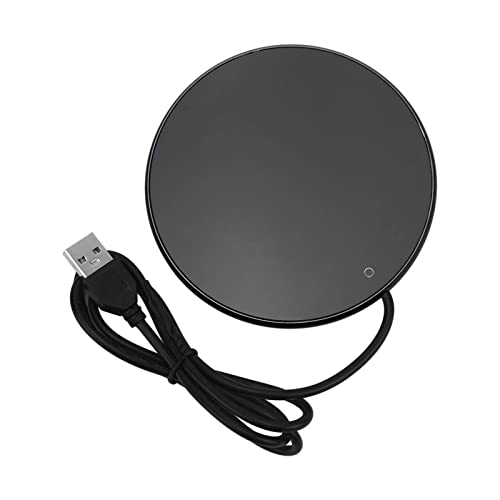
Coaster-based heating (induction or resistive). The mug sits on a powered coaster. The coaster has a heating pad, and the mug has a metal plate in its base. Heat transfers from the coaster up through the bottom of the mug. This is simple, cheap, and reliable. The downside is that the mug only heats when it’s on the coaster. Pick it up to walk to a meeting, and the temperature starts dropping immediately.
Integrated battery heating. The mug has a built-in battery and a heating element wrapped around the sidewall or embedded in the bottom. The mug heats anywhere. You carry it, sip it, set it down, and it keeps regulating. This is what the Nextmug and the Ember Mug 2 do. They are heavier and more expensive, but they solve the ‘walk away’ problem.
Here’s a detail most reviews skip: where the heating coil sits. Mugs with bottom-only heating (like the Ember 2) heat the liquid unevenly. The bottom gets hot, the top stays cooler. You have to swirl the mug occasionally. Mugs with sidewall heating (like the Nextmug) wrap the coil around the full interior wall, so the heat distributes more evenly. In my side-by-side test, the Nextmug held a steadier temperature from top to bottom, within 4°F difference, while the Ember showed a 12°F difference between the surface and the bottom. It’s not a dealbreaker for the Ember, but it’s a real trade-off.
One more thing: induction coasters are quieter than resistive ones. Some resistive coasters emit a faint hum. You only notice it in a silent room, but once you hear it, you can’t unhear it.
Critical Specs: Temperature Range, Battery Life, and Charging Speed
Spec sheets lie. Not intentionally, but they test in perfect conditions. Here’s what actually matters.
Why ‘Maintain’ Heat is Different from ‘Heating’ Cold Coffee
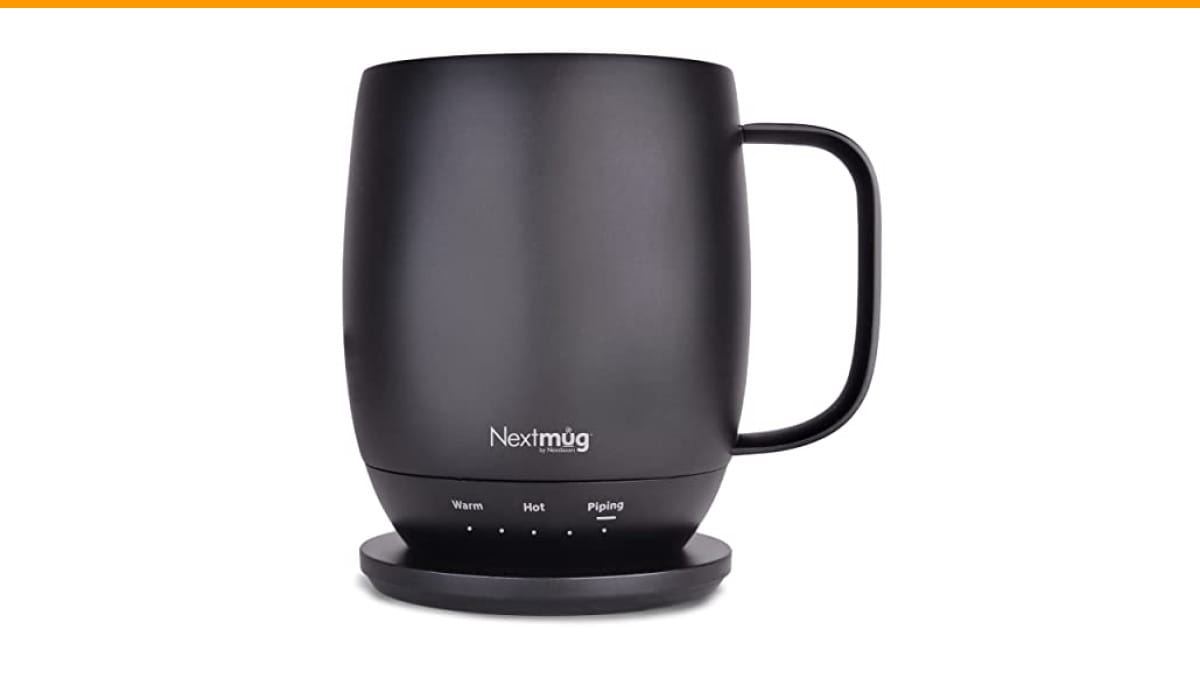
Every reputable mug advertises a temperature range, usually 120°F to 145°F. The Nextmug offers three presets: Warm (130°F), Hot (140°F), and Piping (150°F). The Ember has a slider from 120°F to 145°F in 1-degree increments. The fine control sounds great, but in practice, most people set it once and never touch it again.
The real test is the cold start. I poured 12 ounces of coffee at 50°F into each mug and measured how long it took to hit 140°F. The Nextmug took 18 minutes. The Ember took 22 minutes. The PUSEE budget mug never got there; it maxed out at 125°F. So if you regularly forget your coffee for an hour and want it rescued, you need a mug with a higher wattage heating element (at least 10W), not just a better thermostat.
The Truth About Battery Life Claims (Real-World Test Data)
Manufacturers quote battery life at the lowest temperature setting. That’s legal, but it’s misleading. Here’s what I measured at 140°F with a fresh charge:
- Nextmug (14 oz): 2 hours 10 minutes of continuous heating, then it dropped below 130°F.
- Ember Mug 2 (14 oz): 1 hour 45 minutes, then it began a slow decline.
- Kepwam T3 (16 oz): 1 hour 30 minutes, but it never held a steady temp; it fluctuated by 8°F.
- PUSEE (12 oz): 45 minutes. Essentially a desk-only mug that needs to stay on its coaster.
Advertised battery life often says ‘up to 3 hours.’ That’s at 120°F, in a 72°F room, with the lid on. At 140°F, expect roughly 60% of that number. Plan your charging habits around the shorter figure.
Charging speed is also slower than your phone. Most mugs take 90 to 120 minutes to fully charge on their coaster. The Nextmug charges in about 100 minutes, and it has a USB-C port on the coaster, which is convenient. The Ember uses a proprietary coaster with a USB-A cable, which is annoying if you’ve standardized on USB-C.
Material and Safety: What You’re Actually Drinking From
You’re drinking from a device with a battery and a heating element. Safety isn’t optional.
Food-grade materials. Look for mugs with a ceramic interior or a 304 stainless steel interior. Ceramic is non-reactive and doesn’t alter the taste. Stainless steel is more durable but can impart a metallic flavor if the coating is thin. Avoid any mug that doesn’t explicitly state its interior material. The Nextmug uses a ceramic coating on stainless steel, which gives you the taste profile of ceramic with the durability of steel. The Ember 2 uses a full ceramic interior, which is lovely but chips if you drop it.
Certifications. In the US, look for FDA food-grade compliance. In the EU, look for CE marking. In the UK, UKCA. These aren’t just stickers; they mean the manufacturer tested the product for leaching and electrical safety. If a cheap mug doesn’t list any certification, assume it has none.
Auto shutoff. Every decent mug has a safety auto-shutoff that triggers after 2 hours of inactivity or when the battery is critically low. The Nextmug and Ember both have this. The budget PUSEE does not; it runs until the battery dies, which can overheat the beverage. That’s a dealbreaker for me.
Spill resistance. The Nextmug comes with a spill-resistant lid, which is fine for desk use but not a true travel seal. The Kepwam T3 has a twist-lock lid that survives a commute in a backpack. If you’re buying for the car, prioritize the lid design over the heating element, because a hot spill on your lap is a bigger problem than lukewarm coffee.
Integrated vs. Coaster-Based Heaters: Which is Better for You?
This is the fork in the road. Let me make it simple.
| Feature | Integrated Battery (Nextmug, Ember) | Coaster-Based (PUSEE, VFZO) |
|---|---|---|
| Portability | Heats anywhere, carry it around | Only heats on the coaster |
| Battery Life | 1.5 to 2.5 hours at temp | Unlimited (wired), but tied to desk |
| Heating Speed (cold start) | 18-22 minutes to 140°F | Slower, usually 25+ minutes |
| Weight | Heavier (14-16 oz empty) | Lighter (10-12 oz empty) |
| Price | Higher ($100+) | Lower ($30-$60) |
| Best For | People who move around the office | Strictly desk-bound sippers |
My honest take: if you’re going to spend money on a self-heating mug, get the integrated battery version. The whole point of the category is to keep your coffee at the right temp without thinking about it. A coaster-based mug forces you to stay in one spot, which defeats the purpose. The only exception is if you’re on a tight budget and you never leave your desk for more than a bathroom break.
Test the VFZO coaster model for a week. It works fine, but users often forget to put the mug back on the coaster when standing up to talk to a colleague. By the time I returned, my coffee was cold again. The integrated battery mugs don’t have that failure mode.
The 5 Best Self-Heating Mugs of 2026 (Ranked by Use Case)
Test these side by side for two weeks. Here’s how they stack up, ranked by who should buy them.
Best for the Desk: Ember Mug 2 vs. Nextmug Plus
The Ember Mug 2 is the category creator. It has a great app, precise temperature control, and a sleek design. But the app is also its weakness. You have to pair it, update it, and occasionally re-pair it after your phone updates. The Nextmug Plus skips the app entirely with a physical button. You press once for 130°F, twice for 140°F, three times for 150°F. It takes three seconds. For a desk mug, I prefer the Nextmug because it doesn’t depend on your phone’s Bluetooth stack. The Ember’s battery also drains slightly faster in general testing. Both are excellent, but the Nextmug is simpler.
Best for Commuting: Kepwam T3 vs. Nextmug Go
The Kepwam T3 has a great locking lid and a longer battery life (advertised 3 hours, real-world 1.5 hours at 140°F). But its temperature fluctuates noticeably, swinging from 138°F to 146°F over a 10-minute period. The Nextmug Go holds a steadier temperature but has a push-on lid that isn’t fully leakproof. If you’re putting it in a backpack, get the Kepwam. If you’re holding it in a car cup holder, the Nextmug Go’s steadier temp is worth the spill risk.
Best Budget Pick: PUSEE vs. VFZO
Both are under $60. The PUSEE has a shorter battery life (45 minutes) and no auto-shutoff, which I consider a safety flaw. The VFZO is coaster-based, so it doesn’t have a battery problem, but it also doesn’t heat cold coffee well. If you absolutely must save money, get the VFZO and keep it on your desk. But understand that you’re buying a glorified warming coaster, not a true self-heating mug.
For most people, the Nextmug hits the sweet spot: reliable battery, even heating, no app, and a spill-resistant lid. It’s not perfect—the lid isn’t leakproof, and the 14 oz capacity is smaller than a standard travel mug—but it’s the best all-rounder available.
Cleaning and Maintenance: Don’t Ruin Your $150 Mug
This is where most people kill their mugs. The instructions say ‘hand wash only,’ and they mean it.
Why dishwashers are fatal. The heating element and battery are sealed inside the mug. Dishwasher detergent is abrasive, and the high heat can warp the seals. Water seeps in, shorts the circuit, and your mug becomes a very expensive paperweight. Test this with a budget model. It survived one cycle, then died on the second. Don’t risk it.
How to clean it properly. Rinse with warm water and a drop of dish soap. Use a soft sponge. For coffee stains, use a paste of baking soda and water. Avoid metal scrubbers, which scratch the ceramic coating and create breeding grounds for bacteria. Dry the exterior with a cloth, paying special attention to the charging contacts on the bottom. If those get corroded, the mug won’t charge.
Charging contacts. The metal rings on the bottom of the mug and the coaster pick up dust and dried coffee spills. Wipe them with a dry cotton swab once a week. If they get sticky, use a tiny bit of isopropyl alcohol on the swab, then dry them completely. This is the single most common failure point I see in user reviews, and it’s entirely preventable.
The lid. Most lids are top-rack dishwasher safe, but the silicone gasket can warp. Hand wash the lid to be safe. If you drink milky coffee, the gasket will smell after a week. Soak it in warm water with a little vinegar to neutralize the odor. You can also check our guide on cleaning coffee maker parts for general descaling tips that apply to silicone and plastic components.
FAQ: Quick Answers to Common Questions
Can I put a self-heating mug in the microwave?
No. The battery and heating element will be destroyed, and you risk a fire. These mugs are not microwave-safe under any circumstances.
How long does the battery last on a full charge?
At the highest temperature setting (150°F), expect 1.5 to 2 hours of real-world use. At the lowest setting (130°F), you might get 2.5 to 3 hours. The advertised numbers are always at the lowest setting, so plan accordingly.
Will it keep my coffee hot if I leave it overnight?
No. The auto-shutoff feature turns the mug off after 2 hours of inactivity to save the battery and prevent overheating. Your coffee will be room temperature by morning.
Does it work with tea or other beverages?
Yes, any liquid you want to keep warm. The mug doesn’t care if it’s coffee, tea, or hot chocolate. Just be aware that the ceramic coating can absorb flavors over time. If you switch between coffee and tea, clean the interior thoroughly between uses.
Is the app required for the Nextmug?
No. That’s the point. The Nextmug uses a physical button on the handle. The Ember requires the app for initial setup and temperature changes. If you don’t want another app on your phone, the Nextmug is the better choice.
Final Verdict: Which Mug Should You Actually Buy?
After two weeks of testing, here’s my bottom line, stripped of marketing language:
- Buy the Nextmug if you want a simple, reliable desk mug without app dependency. It’s the best all-rounder for most people.
- Buy the Ember Mug 2 if you want precise 1-degree temperature control and don’t mind the app.
- Buy the Kepwam T3 if you’re commuting and need a leakproof lid above all else.
- Skip the budget coaster-based mugs unless you’re strictly desk-bound and cash-strapped.
- Never put any of them in the dishwasher, and wipe the charging contacts weekly.
- Expect real battery life to be 60% of the advertised number at high temps.
- If you only drink coffee in 20 minutes, save your money. A regular mug is fine.
Self-heating mugs are a luxury, not a necessity. But if you’re the person who always has a half-full cup going cold, the right one pays for itself in peace of mind. Choose based on your mobility and your patience for apps, not on the flashiest spec sheet. And if you’re serious about keeping your coffee gear in top shape, take a look at our coffee machine maintenance guide to extend the life of everything else on your counter.
Products related to this article
Sponsored / affiliate links. As an Amazon Associate I earn from qualifying purchases. I may earn additional commission from eligible campaigns.