You’re standing there at 6:30 AM, half-asleep, watching the brew cycle finish. You pour a mug, take that first sip, and it tastes like warm dishwater. The coffee maker ran, water went through the grounds, but the result is lukewarm. Or worse, you flip the switch and nothing happens at all. No gurgle, no steam, no heat.
This is one of the most common failures in drip coffee makers. The good news: most of the time, it’s fixable. You don’t need to toss the machine and spend money on a new one. You need to know what to check, in what order, and how to test each part safely. This guide walks you through the entire process, from quick checks to opening the housing and testing components with a multimeter.
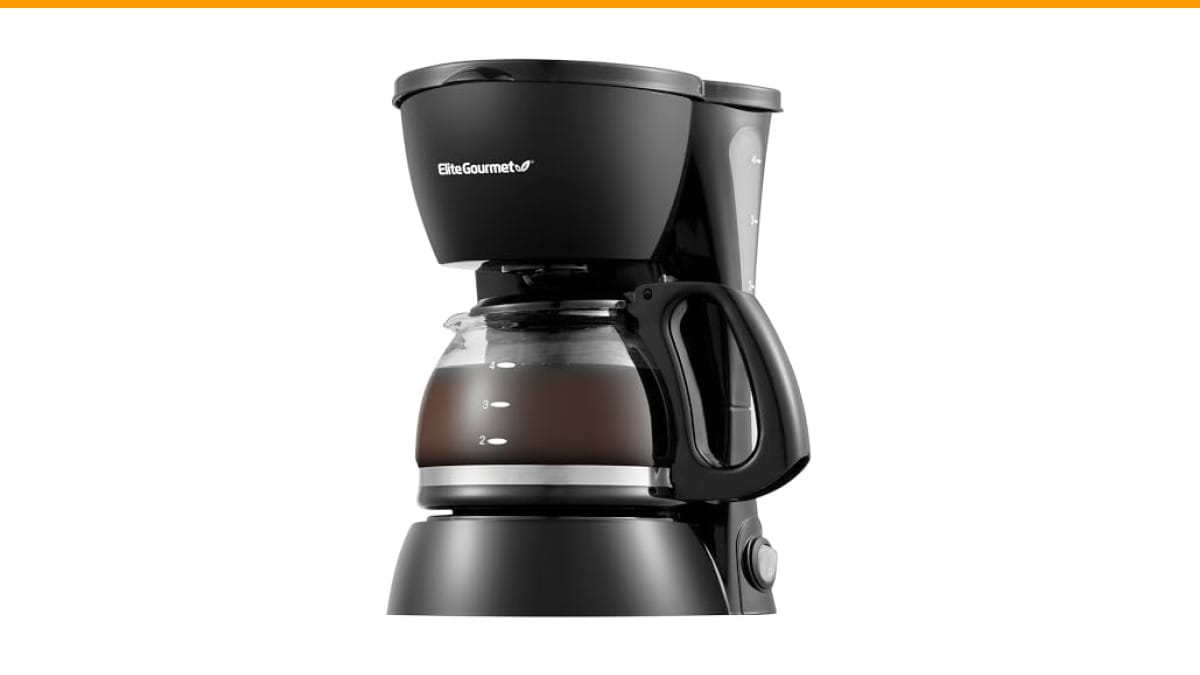
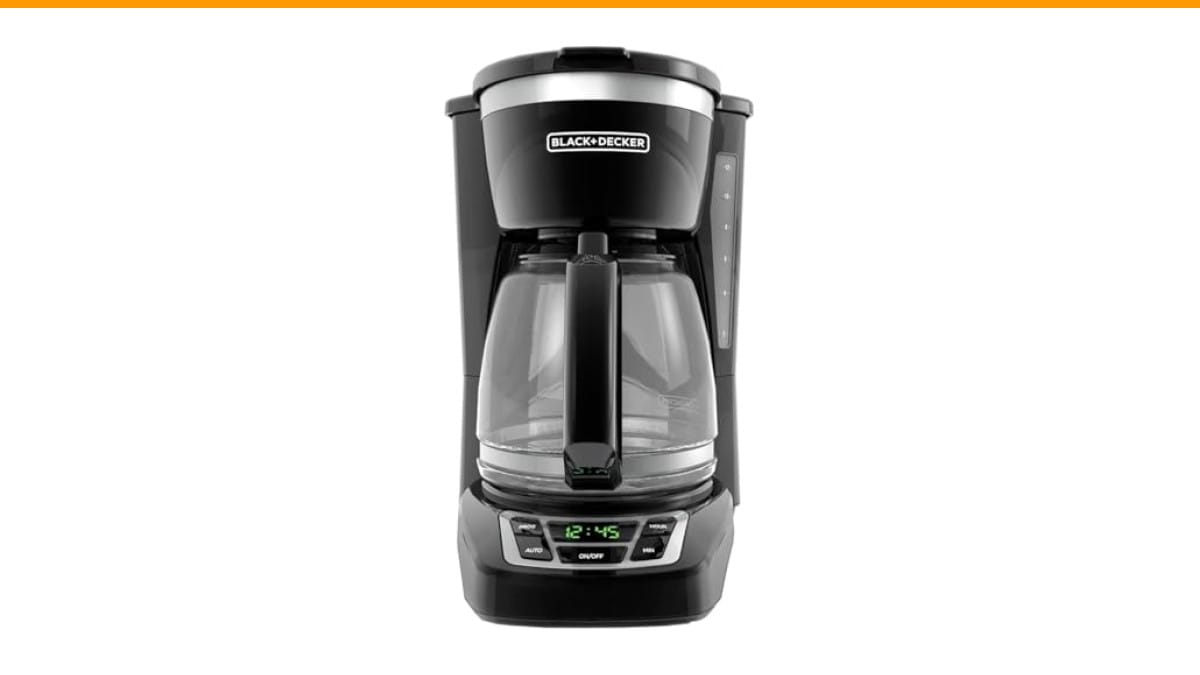
If your machine is beyond repair, a solid replacement like the Check Price on Amazon is a dependable option. It has a 2-hour auto shutoff and a sneak-a-cup feature, which are handy for daily use. We’ll get to repair decisions later, but first, let’s figure out what’s wrong with your current unit.
Let’s get one thing straight before we start: unplug the machine. Not just turn it off. Unplug it. You’ll be working near the heating element and the water reservoir, and the last thing you need is a live circuit while you’re poking around with a screwdriver.
Why Your Drip Coffee Maker Isn’t Heating (The 3 Main Culprits)
There are three parts that control heating in a standard drip coffee maker. Almost every failure traces back to one of them.
- The thermal fuse — a safety device that kills power if the unit overheats. It blows once and needs replacement.
- The heating element — the coil that actually heats the water and the warming plate. It can burn out or break.
- The thermostat — a switch that regulates temperature. It can stick open or closed, causing no heat or constant overheating.
Limescale is the fourth suspect, but it’s not a broken part. It’s a buildup of mineral deposits that insulates the heating element and blocks water flow. We’ll cover that too, because it’s the easiest fix and the most common cause of slow or weak heating.
Your diagnostic path depends on the symptoms. Does the machine have any power at all? Does the warming plate get hot but the water doesn’t? Does it heat for a minute then stop? Answer those questions, and you’ll know which part to test.
Safety First: Unplug and Prepare Your Machine
This section is short but non-negotiable. You’re dealing with mains voltage (120V in North America, 220-240V elsewhere). That can kill you if you’re careless.
- Unplug the coffee maker from the wall outlet.
- Wait at least 10 minutes. The heating element stays hot for a while.
- Remove the carafe and the brew basket.
- Lay a towel down on your work surface to catch screws and small parts.
- Have a small container ready for the screws you remove. They’re easy to lose.
The housing is usually held together by a few screws on the bottom or the back. You’ll need a Phillips-head screwdriver, and possibly a Torx bit for some brands like Mr. Coffee or Hamilton Beach. Flip the machine over and look for the screws. Some are hidden under rubber feet or stickers.
Once the screws are out, the housing should lift off. If it feels stuck, check for a hidden screw near the water reservoir or the control panel. Don’t pry hard; you’ll crack the plastic.
Quick Checks Before You Open Anything (Power, Auto Shut-Off, High Altitude Mode)
Before you disassemble anything, run through these three checks. They take two minutes and can save you a lot of work.
- Is the outlet live? Plug the coffee maker into a different outlet. Test the original outlet with a phone charger or a lamp. It sounds obvious, but a tripped GFCI or a dead outlet is a common cause of a dead machine.
- Is auto shut-off enabled? Many machines, including the BLACK+DECKER model mentioned above, have a 2-hour auto shutoff. If your machine brewed earlier and shut off, it might not respond to the power button until you unplug it and plug it back in. Do that reset cycle: unplug, wait 30 seconds, plug back in, then try again.
- Is there a reset button? Some models have a small red or black reset button on the bottom or the back. Check for it. Press it firmly with a pen tip. Mr. Coffee machines often have one near the power cord entry point. Hamilton Beach puts them on the bottom plate.
If the machine still shows no signs of life after these checks, you’re moving to internal testing. If it has power but the water stays cold, skip the power checks and go straight to the heating element and thermostat tests below.
One more thing: if you live at high altitude (above 5,000 feet), water boils at a lower temperature. Some machines have a high altitude mode you can set. Check your manual. It won’t cause a total failure, but it can make coffee seem lukewarm if the machine is set incorrectly.
The Thermal Fuse: The Most Common Failure Point
The thermal fuse is a small, white or brown cylindrical component with two wires attached. It’s usually clipped to the side of the heating element or tucked near the base. Its job is simple: if the temperature exceeds its rating (often around 240°F or 115°C), it blows and cuts power permanently. It’s a one-time safety device, not a switch you can reset.
Why does it blow? Usually from a buildup of limescale that traps heat, or from a stuck thermostat that lets the element run too hot. Sometimes it just fails with age.
This is the first part to test because it’s the most common failure and it’s cheap to replace. A new thermal fuse costs between $2 and $8.
How to Test the Thermal Fuse with a Multimeter
You’ll need a multimeter set to the continuity or resistance mode (the symbol that looks like a sound wave or the Greek letter omega, Ω).
- Locate the thermal fuse inside the housing. It’s in line with one of the power wires.
- Disconnect one wire from the fuse, or just touch the multimeter probes to the two metal leads while the fuse is still connected. Touching the leads in place is fine for a quick test.
- Set the multimeter to continuity. Touch one probe to each end of the fuse.
- If the meter beeps or shows a resistance near zero, the fuse is good. If it shows no continuity (OL, or infinite resistance), the fuse is blown.
A blown fuse doesn’t always mean the fuse itself is the root problem. It might have blown because the heating element is overheating. If you replace the fuse without fixing the cause, it will blow again. That’s why you test the heating element and thermostat too.
How to Replace the Thermal Fuse
Replacing the fuse is straightforward.
- Note which wire goes to which terminal. Take a photo with your phone if you need to.
- Cut the wires close to the old fuse, or unsolder them if you have the tools.
- Strip about a quarter-inch of insulation off the ends of the wires.
- Connect the new fuse. Use crimp connectors or solder and heat-shrink tubing. Electrical tape works in a pinch but isn’t as durable.
- Clip the new fuse back into the same holder, if there is one.
Pro tip: buy a fuse with the same temperature rating as the original. The rating is printed on the side of the old fuse. Using a higher-rated fuse defeats the safety purpose. Using a lower-rated one will blow immediately.
The Heating Element: Testing for Continuity
The heating element is a metal tube that runs under the warming plate and wraps around the water tube. It’s a resistive coil. When electricity flows through it, it gets hot. If the coil breaks, you get no heat at all.
To test it, you’ll need the multimeter again. Set it to the resistance (ohms) mode.
- Locate the two terminals on the heating element. They’re usually at the end of the metal tube, with wires connected.
- Disconnect the wires.
- Touch the multimeter probes to the two terminals.
- A good heating element will show a low resistance, typically between 10 and 50 ohms. The exact number depends on the wattage of your machine.
- If you see infinite resistance (OL), the element is broken and needs replacement.
Replacing a heating element is more involved than replacing a fuse. It’s usually riveted or bolted to the base, and it’s often integrated with the water tube assembly. You can find replacement parts online, but you need to match the exact model number of your coffee maker.
If the element is bad, you’re looking at a repair that costs $15 to $30 for the part, plus an hour of your time. That’s when you start thinking about whether it’s worth it. We’ll get to that math shortly.
The Thermostat: When It Sticks Open or Closed
The thermostat is a small disc or switch that sits against the heating element or the warming plate. It opens and closes based on temperature, cycling the heating element on and off to maintain the right brewing temperature (usually between 195°F and 205°F) and keep the plate warm.
There are two failure modes:
- Stuck open: The thermostat never closes, so power never reaches the heating element. No heat at all.
- Stuck closed: The thermostat never opens, so the element runs continuously. The machine overheats, and the thermal fuse blows to protect it. This is the more dangerous failure.
Testing the thermostat is similar to the fuse test. Set the multimeter to continuity. At room temperature, the thermostat should be closed (continuity). If it’s open at room temperature, it’s stuck open and needs replacement. If it’s closed at room temperature but the machine overheats, the thermostat is stuck closed.
Replacement thermostats cost $5 to $15. They’re usually held in place with a clip or a screw, and the wires are connected with spade connectors. It’s a straightforward swap.
One warning: a stuck-open thermostat can also be a symptom of a failing heating element. Test both parts. If the element is fine and the thermostat is open, replace the thermostat.
Limescale: The Silent Heater Killer (And How to Descale Properly)
Here’s the scenario: your machine heats water, but it takes forever, and the coffee is barely warm. The heating element is fine, the fuse is fine, the thermostat is fine. What’s wrong? Limescale.
Hard water contains calcium and magnesium. When you heat it, those minerals precipitate out and form a crust on the heating element and inside the water lines. That crust acts as an insulator. The heating element gets hot, but the heat can’t transfer to the water efficiently. The result is lukewarm coffee and a machine that works harder than it should.
Descaling is the fix, and you should do it every 1-3 months depending on your water hardness.
- Mix a descaling solution. You can buy a commercial descaler (like Dezcal or Urnex) or use a 1:1 ratio of white vinegar and water. Vinegar is cheaper, but it leaves a smell for a few brews.
- Fill the reservoir with the solution.
- Run a brew cycle without coffee grounds. Let it finish.
- Let the solution sit in the carafe for 15 minutes.
- Run two or three cycles with plain water to rinse everything out.
If the machine has heavy scale, you might need to run the vinegar solution through twice. You’ll know it’s working when you see chunks of scale coming out with the water. That’s the buildup breaking loose.
Regular descaling prevents this problem. It also extends the life of the heating element and the thermal fuse, because scale buildup is a leading cause of overheating. If you need a refresher on the broader cleaning routine, check out our guide on coffee maker cleaning frequency.
Repair vs. Replace: A Cost-Benefit Breakdown
This is the decision point. You’ve diagnosed the problem. Now you need to decide if fixing it makes sense. The table below lays out the typical costs and effort involved.
| Problem | Part Cost | Time to Fix | Difficulty | Worth It? |
|---|---|---|---|---|
| Thermal fuse blown | $2 – $8 | 30 minutes | Moderate | Yes, if no other issues |
| Thermostat stuck open | $5 – $15 | 45 minutes | Moderate | Yes, if the machine is under 3 years old |
| Heating element failed | $15 – $30 | 1 – 2 hours | Hard | Only if it’s a premium machine |
| Limescale buildup | $5 (descaling solution) | 30 minutes | Easy | Always worth it first |
| Multiple parts failed | $30+ | 2+ hours | Hard | No, buy a new machine |
Here’s the rule of thumb I use: if the repair costs more than half the price of a new comparable machine, or if you’re replacing more than one major component, buy a new one. A $20 coffee maker is not worth a $30 heating element and two hours of your Saturday. A $150 machine with a $15 thermostat is absolutely worth fixing.
Also consider the age of the machine. If it’s over five years old, other parts are likely to fail soon after you fix this one. Newer machines have better brewing technology and more consistent temperature control anyway.
When to Call a Professional
Most of these repairs are safe if you’re careful. But there are situations where you should stop and either call a repair shop or just replace the unit.
- You see burnt wires or melted plastic. That’s a sign of a serious electrical fault. It’s not safe to patch up.
- You smell a burnt smell when the machine is on. That could be the wiring harness, not just the heating element. It’s a fire hazard.
- You’re not comfortable working with a multimeter or opening the housing. That’s fine. Don’t force it. A small appliance repair shop will charge $40-$60 for a diagnostic, which is often not worth it for a cheap machine.
- Water leaked onto the internal components. If the machine has been leaking, the electrical parts might be corroded or shorted. That’s a replacement situation.
If you decide to replace, look for a machine with a strong track record. The Check Price on Amazon is a popular choice for a reason. It brews a full pot without the fuss, and the 2-hour auto shutoff gives you peace of mind if you forget to turn it off. It won’t have the same failure points as an older, scaled-up machine because it’s designed for regular use.
Before you buy, check our guide on proper coffee maker cleaning so you don’t end up in the same situation six months from now.
Frequently Asked Questions (FAQs)
Why is my coffee maker making coffee but it’s not hot?
If the machine brews but the coffee is lukewarm, the heating element is working, but it’s not transferring heat efficiently. The most common cause is limescale buildup on the element. Descale the machine first. If that doesn’t fix it, test the thermostat. A thermostat that’s opening too early will cut power to the element before the water gets hot enough.
How do I reset my coffee maker after it overheats?
Most machines don’t have a user-facing reset button. The thermal fuse is the reset, and it’s not resettable—it must be replaced. However, some models have a small reset button on the bottom (often near the cord). Unplug the machine, press the button with a pen tip, and plug it back in. If the machine still doesn’t power on, the thermal fuse is likely blown and needs replacement.
Can I use a higher-rated thermal fuse to prevent it from blowing again?
Don’t do it. The thermal fuse is rated to protect the machine from catching fire. If you install a fuse with a higher temperature rating, the plastic housing could melt or the wiring could overheat before the fuse blows. Replace it with the exact same rating. If the fuse keeps blowing, you have a deeper problem, like a stuck thermostat or a shorted heating element. Fix that instead of bypassing the safety.
Why does my coffee maker turn on but the warming plate stays cold?
This points to the warming plate element or its dedicated thermostat. Some machines use a separate, lower-wattage element for the warming plate. Test the thermostat on the plate. If it’s stuck open, the plate won’t heat. If the plate element itself has no continuity, it needs replacement. This is a less common failure than the main heating element, but it follows the same testing logic.
Is it worth repairing a $50 coffee maker?
Usually, no. If the thermal fuse is blown, the part is $5, and you can fix it in 30 minutes. That’s worth it. If the heating element is dead, the part is $20-$30, and the labor is fiddly. You’re better off buying a new machine. A good rule: if the repair part costs more than 30% of the machine’s original price, replace the machine.
The Bottom Line: Getting Your Coffee Hot Again
You’ve got the full diagnostic path now. Start with the simple stuff, then move to the internal parts. Here are the key points to remember.
- Always unplug the machine before opening the housing or testing components.
- Check the outlet, the auto shutoff, and the reset button before you take anything apart.
- Test the thermal fuse first. It’s the most common failure and the cheapest fix.
- Test the heating element for continuity. If it’s open, it’s dead.
- Test the thermostat at room temperature. It should be closed.
- Descale your machine every 1-3 months to prevent limescale from killing the heater.
- Do the math on repair vs. replacement. If the part costs half the price of a new machine, buy a new one.
If you’re replacing the machine, don’t skip the maintenance this time. A little descaling goes a long way. And if you run into a specific brand issue, like a button problem on a Cuisinart or a brew issue on a Ninja, we have guides for those too. Check out our troubleshooting for Cuisinart button problems or Ninja brew button failures if you hit a wall with those brands.
The fix is usually simpler than you think. Take it step by step, test each part, and you’ll have hot coffee on the counter again before noon.
Products related to this article
Sponsored / affiliate links. As an Amazon Associate I earn from qualifying purchases. I may earn additional commission from eligible campaigns.
 Quick Heating Cup Warmer, Three Temperature Settings, Splashproof and Portable, for Coffee, Milk, Lightweight ABS Material
 Coffee Mug Warmer, Heating Cup Mat Electric Cup Warmer Pad Electric Thermostat Coaster USB Cup Heater Electric Beverage Warmers for Office Home (A)
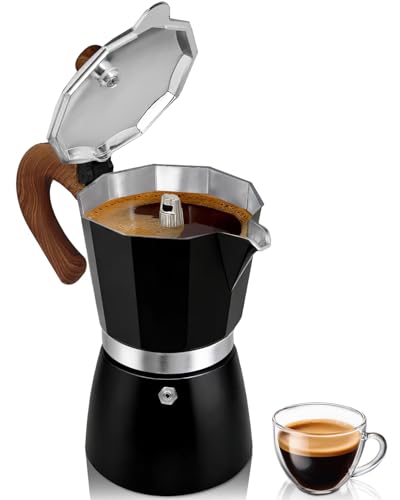 Belly Moka Coffee Maker Stovetop Espresso Maker 9 Cup Aluminum Moka Pot Percolator 15oz 450ml Easy Brewing for Electric Ceramic Stoves Home Camping Italian Cuban Café Classic Black