Your coffee maker was working fine yesterday. This morning, it blinks red, refuses to brew, or just sits there with a dead button panel. The manual is gone, and the internet is full of vague advice like ‘unplug it and pray.’ I’ve been there. Most small coffee makers don’t have a labeled reset button, so you need to know the actual methods that work.
This guide covers the three real ways to reset a small coffee maker: a soft reset for glitchy buttons, a hard reset for locked-up pumps, and a factory-style reset through descaling. I’ll also tell you when a reset won’t fix the problem, so you don’t waste an hour on a machine that needs a new part. You’ll walk away with a clear action plan for your specific machine.

IMPRESA
IMPRESA Coffee Machine Descaler, 2-Pack (1-Year Supply)…
- 2-Pack Coffee Descaler and Cleaner - Clean and rinse away residue and oil buildup in your coffee maker with Impresa's Coffee Desca…
- Highly Effective, Made in USA Formula - Unlike most common solutions, our coffee machine cleaner uses just 4 ounces (1/2 bottle) p…
- Preserves Your Machine - Using a coffee descaling solution eliminates limescale and mineral build-up to prevent corrosion, signifi…
As an Amazon Associate I earn from qualifying purchases.
Before we get into the steps, let’s talk about the most common reason a small coffee maker needs a reset in the first place: mineral buildup. Hard water leaves scale inside the heating element, and the machine’s safety sensors react by shutting down or flashing error codes. A reset clears the error, but it doesn’t remove the scale. That’s where a proper cleaning routine comes in. The IMPRESA Coffee Machine Descaler, 2-Pack is a solid option for this — it’s a universal descaling solution that works with Keurig, Cuisinart, Breville, and most other single-serve machines. Each bottle handles two descaling sessions, so the pack covers a full year of quarterly maintenance. It’s not a magic fix, but it does dissolve the limescale that causes these lockups in the first place.
Soft Reset: When the Buttons Are Frozen
A soft reset is the first thing to try. It clears the machine’s internal memory without wiping any saved settings. This works for unresponsive buttons, a stuck brewing cycle, or a display that shows an error code.
- Turn the machine off. Press the power button if it responds. If not, skip to step two.
- Unplug the machine from the wall. Don’t just turn off the outlet switch — pull the plug entirely.
- Wait 60 seconds. A full minute is important. Ten seconds isn’t enough for the capacitors to discharge.
- Plug it back in. Plug directly into a wall outlet, not a power strip. A weak power strip can cause voltage drops that mimic software glitches.
- Turn it on and run a water-only cycle. Fill the reservoir, place a mug on the drip tray, and brew a full cup without coffee. This flushes the system and confirms the pump works.
Pro tip: if the machine beeps or the display lights up but the pump doesn’t run, the issue is likely a stuck air lock in the water line. A soft reset won’t fix that. You’ll need the hard reset below.
Hard Reset: For Locked Pumps and Error Codes
Some machines, especially pod-based ones like Keurig models, have a deeper reset sequence. This clears the error state and forces the pump to re-prime. The exact button combination varies by brand, but the universal method works on most small machines.
- Unplug the machine.
- Remove the water reservoir. Empty it completely.
- Wait 5 minutes. This is longer than a soft reset because you’re letting the internal pressure drop.
- Press and hold the power button for 10 seconds. This drains any residual charge from the control board.
- Reattach the reservoir and fill it with fresh water.
- Plug the machine in. Keep the power button held down for 3 seconds, then release.
- Run a brew cycle without a pod. If the pump starts and water flows, the reset worked.
If your machine has a specific error code (like ‘descale’ or ‘prime’ on a Cuisinart), check the manual for the exact sequence. Many Cuisinart models require you to press and hold the ‘Brew’ button for 5 seconds after plugging in. For other brands, this flashing lights guide covers the common patterns. A hard reset is safe to do once a month if needed, but if you’re doing it weekly, you have a mechanical problem, not a software one.
Factory Reset via Descaling: The Maintenance Reset
Many modern machines detect scale buildup and lock themselves out until you run a descaling cycle. The reset isn’t just about clearing the error — it’s about actually removing the mineral deposits. This is the reset that fixes ‘descale’ messages that won’t go away.
- Empty the water reservoir.
- Add a descaling solution. The IMPRESA solution uses 4 ounces per session. If you’re using white vinegar instead, use a 1:1 ratio of vinegar to water (about 6 ounces each for a small machine).
- Run a full brew cycle. Let the machine dispense the solution into a large mug or carafe. Do not drink this.
- Let the machine sit for 30 minutes. The solution needs time to dissolve the scale inside the heating element.
- Run a second brew cycle with the remaining solution.
- Empty the reservoir and fill it with fresh water. Run 2-3 full cycles of plain water to rinse out any residual solution.
- Turn the machine off and unplug it for 60 seconds. Plug it back in. The ‘descale’ light should be off.
Descaling is the only method that addresses the root cause. If you skip this and just do a soft reset, the scale stays and the error will return. I recommend doing this every 3-4 months if you use tap water, or every 6 months if you use filtered water. For a full breakdown of why this matters, check out why regular cleaning matters.
Comparing Reset Methods: Which One Do You Need?
| Method | Time Needed | Works For | Fixes Root Cause? |
|---|---|---|---|
| Soft Reset (unplug & wait) | 1-2 minutes | Frozen buttons, glitchy display | No |
| Hard Reset (power drain) | 5-10 minutes | Locked pump, persistent error codes | No |
| Descaling Reset | 30-45 minutes | Descale light, slow brew, low water flow | Yes |
Here’s the practical rule: start with a soft reset. If the machine powers on but still won’t brew, move to a hard reset. If the error code specifically mentions descaling, skip straight to the descaling method. Don’t waste time on the first two if the machine is telling you exactly what it needs.
When a Reset Won’t Fix It
Resets are great for software glitches and mineral buildup. They won’t fix physical failures. Here’s what to look for:
- Burning smell or smoke. That’s a shorted heating element. Unplug it immediately and replace the machine.
- Water leaking from the base. This is a cracked reservoir or a failed internal seal. A reset won’t help.
- No power at all, even after a hard reset. The fuse on the control board is likely blown. This is not user-serviceable on most small machines.
- Pump runs but no water comes out. The pump is either air-locked (try the hard reset) or the internal tubing is clogged. If the hard reset doesn’t work, check out how to fix a clogged coffee maker.
I’ve seen people spend an hour resetting a machine that had a $2 o-ring fail. If you’ve tried all three reset methods and the problem persists, it’s time to look at the physical parts, not the software. Sometimes the honest answer is that a $40 coffee maker isn’t worth repairing.
Common Questions About Resetting Coffee Makers
Where is the reset button on a small coffee maker?
Most small coffee makers don’t have a physical reset button. The ‘reset’ is done through power cycling (unplugging) or a button combination. Keurig models often use the ‘power’ and ‘large cup’ buttons held together for 3 seconds. Cuisinart models typically use the ‘brew’ button after plugging in. Check your model’s manual for the exact combo.
Why does my coffee maker need to be reset so often?
Frequent resets mean the machine is hitting a recurring error state. The most common cause is hard water scale. The machine detects reduced flow and shuts down. If you’re resetting weekly, descale immediately. If the problem persists after descaling, you have a failing pump or a faulty temperature sensor.
Will unplugging my coffee maker reset the clock and settings?
Yes. A soft reset will clear the clock, brew strength settings, and any auto-brew timers. You’ll need to reprogram those after the reset. If you want to avoid losing settings, use the descaling method instead, which doesn’t clear user preferences on most models.
Can I use vinegar instead of a commercial descaler?
White vinegar works, and it’s cheap. But it’s harsher on rubber seals and leaves a residual taste if not rinsed thoroughly. Commercial descalers like the IMPRESA solution are formulated to be gentler and rinse cleaner. If you use vinegar, run at least 3 extra rinse cycles instead of the usual 2. If you want the full breakdown, read this vinegar cleaning guide.
How do I reset a Keurig mini or other pod machine?
For a Keurig mini, unplug it, remove the pod holder and water reservoir, wait 5 minutes, then plug it back in. Immediately press the ‘brew’ button and hold it for 5 seconds. The pump should start priming. If you get a ‘not ready’ error, you need to descale, not reset.
What to Do After the Reset
Once the machine runs again, don’t just walk away. Take 10 minutes to prevent the next lockup.
- Run a full rinse cycle with fresh water to clear any residual descaling solution.
- Clean the removable parts — the reservoir, pod holder, and drip tray — with warm soapy water. Check the proper cleaning steps for your machine type.
- Switch to filtered water if you’re on hard tap water. It’s the single best way to reduce scale buildup.
- Mark a calendar reminder to descale in 3 months. Don’t wait for the error light to come back.
- If the reset worked but the coffee tastes off, run one more water-only cycle before brewing your first cup.
The most common mistake I see is people doing a soft reset, getting the machine to turn on, and then ignoring the root cause. The scale is still there. The machine will lock up again, usually at the worst possible moment on a busy morning. A reset is a temporary fix. Descaling is the real solution.
The second mistake is using a power strip. Small coffee makers are sensitive to voltage fluctuations. Plug yours directly into a wall outlet. If you must use a strip, make sure it’s a surge protector rated for at least 10 amps.
The third mistake is skipping the rinse cycle after descaling. Residual descaler isn’t toxic, but it will make your coffee taste metallic and bitter. Two rinse cycles is the minimum. Three is better.
Follow those rules, and you’ll reset your machine less often. And when you do need to reset it, you’ll know exactly which method to use the first time.
Products related to this article
Sponsored / affiliate links. As an Amazon Associate I earn from qualifying purchases. I may earn additional commission from eligible campaigns.
 HomeBeyond Espresso Coffee Maker 12 Cups, Classic Stovetop Espresso Maker, 600ml / 20oz Coffeemaker for Gas & Ceramic Stovetops (Silver)
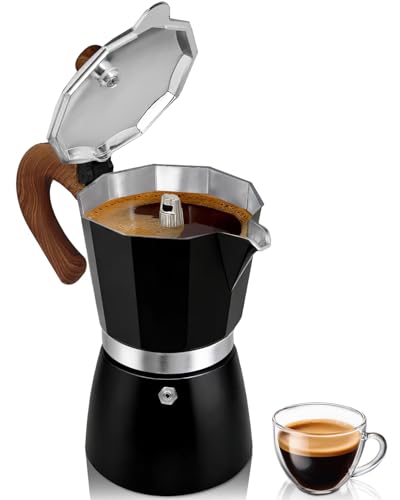 Belly Moka Coffee Maker Stovetop Espresso Maker 9 Cup Aluminum Moka Pot Percolator 15oz 450ml Easy Brewing for Electric Ceramic Stoves Home Camping Italian Cuban Café Classic Black
 Belly Moka Coffee Maker Stovetop Espresso Maker 6 Cup Aluminum Moka Pot Percolator 10oz 300ml Easy Brewing for Electric Ceramic Stoves Home Camping Italian Cuban Café Classic Silver